DN1726-0811
32
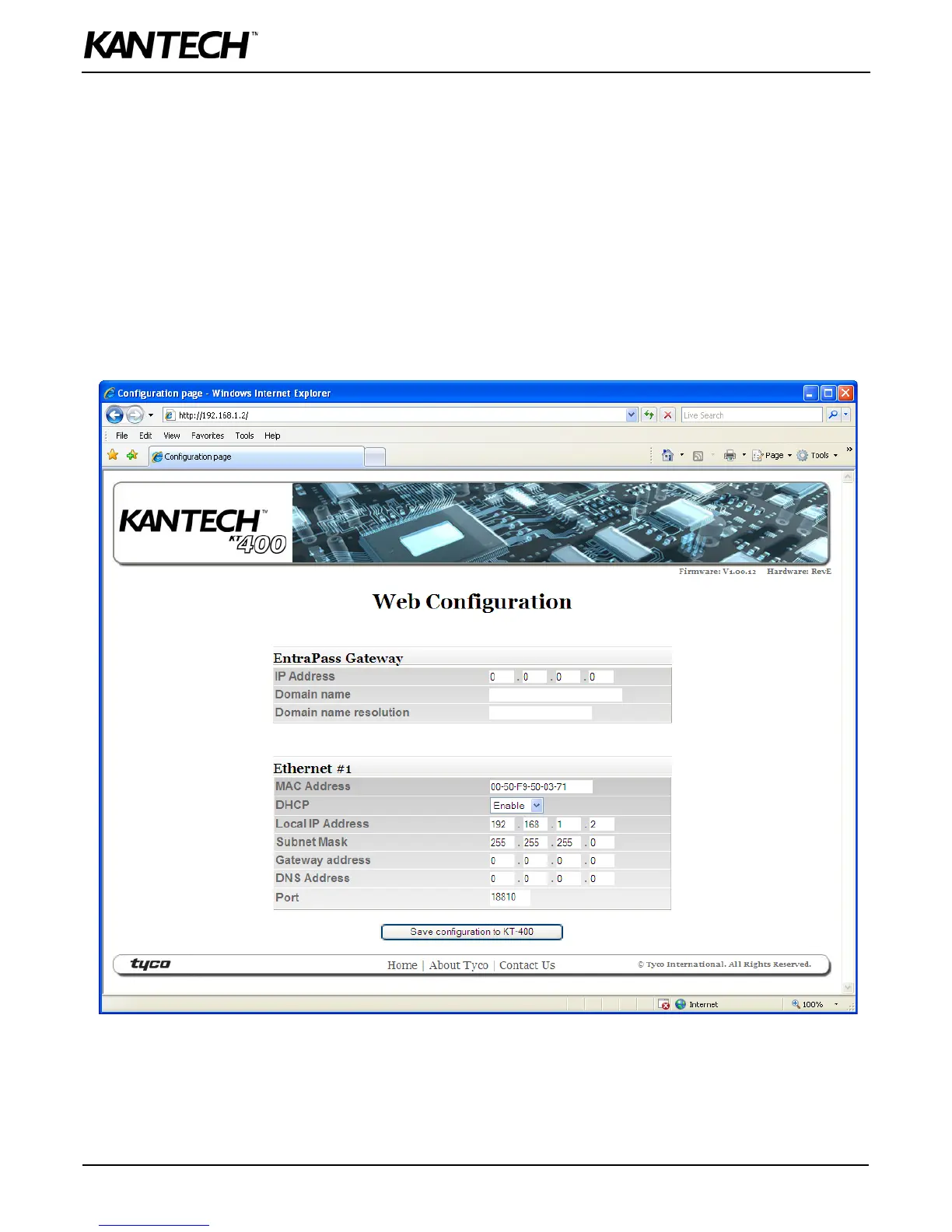
Configuring the KT-400 Ethernet Four-Door Controller with the Web
Configuration Page
This procedure is practical if you want to configure the KT-400 in advance before going on site.
Optional Documentation
Application Note, Networking Basics, DN1796.
Before you start
• The detachable Network Configuration Information Sheet is fully completed.
• Determine your connection to the KT-400 and choose the appropriate network cable that you need.
1. Make sure the KT-400 is in Forced Default Static mode before starting the configuration. Verify the heartbeat patterns to
determine the status. See Table 3 on page 29 for details.
2. Start your web browser and enter the following IP: 192.168.1.2 and press Enter.
3. Put a jumper on JP3. Both jumpers should now be on JP2 and JP3.
4. Enter the IP addresses as per the Network Configuration Information Sheet and click on Save configuration to KT-400.
5. When you will go to the site with the configured KT-400, you will have to enter the same details into the EntraPass
workstation.



 To Next Page