DN1726-0811
34
Configuring the KT-400 Ethernet Four-Door Controller with the KT-Finder
(continued)
7. Put jumpers on JP2 and JP3.
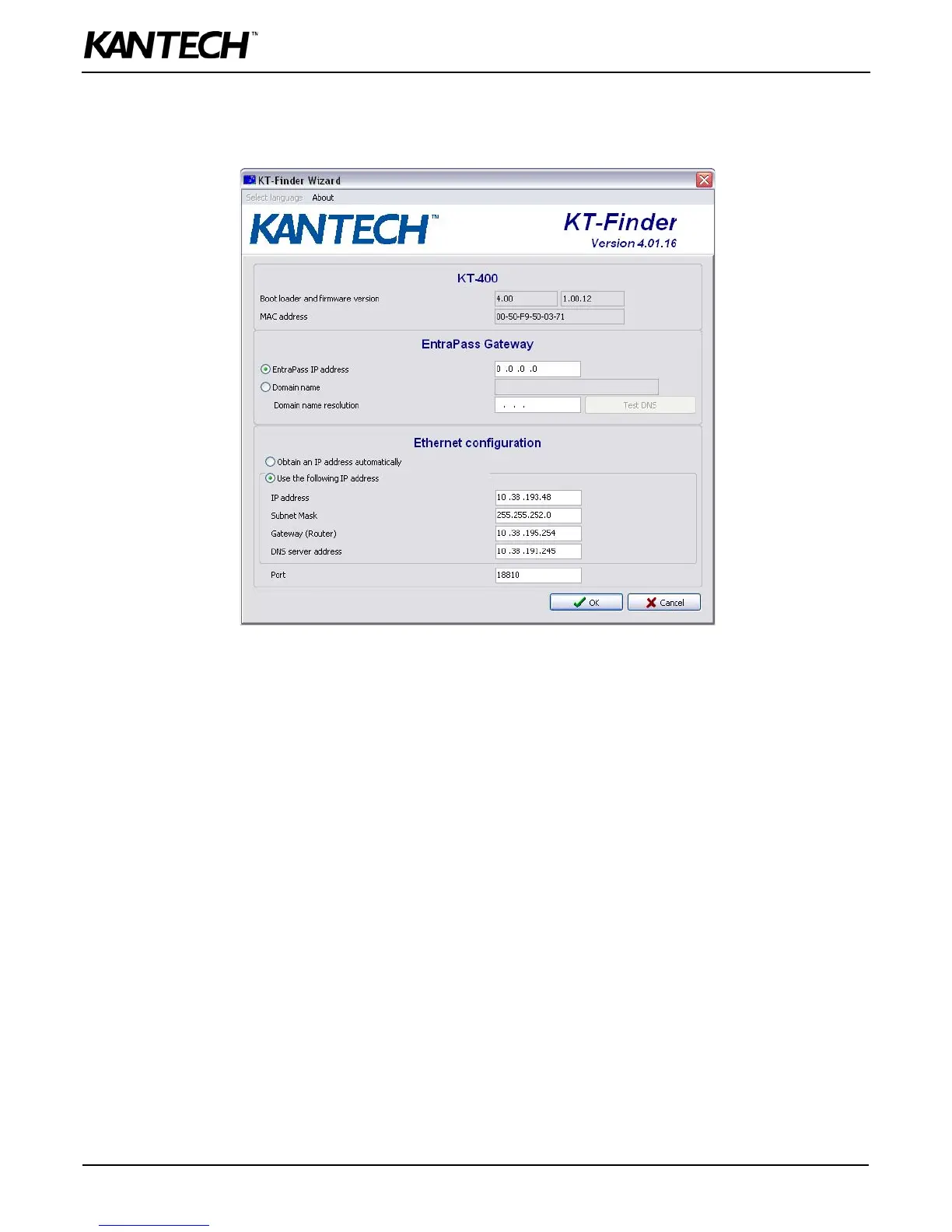
8. Verify your Network Configuration Information Sheet:
• Enter the EntraPass IP address or the Domain name of the EntraPass Gateway. This information must be the same
as entered in EntraPass workstation for Devices > Site.
•Select Obtain an IP address automatically or Use the following IP address. This information must be the same as
entered in EntraPass workstation for Devices > Site.
9. Change the Port number, if required.
Note: The port number should only be changed when you have more than one KT-400 at the same remote site.
10.Click OK.
11.Repeat the procedure for each KT-400 at this site.



 To Next Page