x4
Setting Up Your Speakers
ORA/ORA4 is designed for desktop use to enhance your listening in a near-eld
environment. However, ORA/ORA4 can also be used as a stand-alone stereo speaker
system mated with a multitude of audio sources. In either setup, the space between
the two speakers and the distance from the rear wall is important. If the speakers are
positioned too close or too far apart, stereo imaging will not be fully developed.
ORA/ORA4 is designed to perform optimally positioned at least 20cm to 25cm from the
rear wall for best bass response. Regardless of the setup you choose, keep in mind that
rooms vary in shape, size, and furnishing; a certain amount of experimentation may be
necessary to determine the most suitable position that delivers the most satisfying sound
performance.
ORA/ORA4 can be placed sideways below a monitor for space saving measures but will
sound best when upright. To avoid early reections from the desktop surface, which
can degrade audio performance, it is advised to angle ORA/ORA4 towards your listening
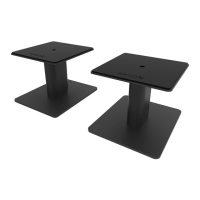
position. Kanto has several desktop speaker stand options to suit your needs.
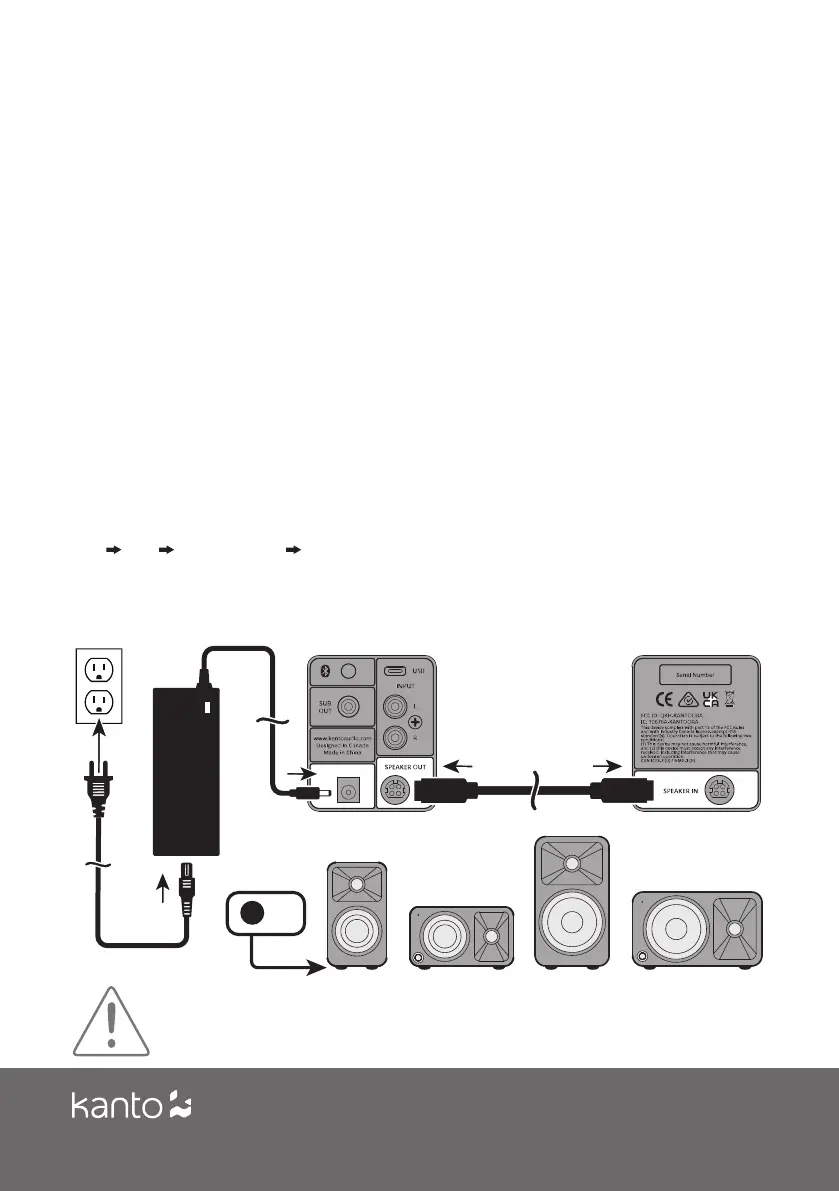
Connect the two speakers together as shown below using the supplied speaker cable.
Connect the Speaker Out from the active speaker (right) to the corresponding Speaker In
on the passive speaker (left). Connect the AC/DC power supply from ORA/ORA4’s active
speaker to your wall outlet. Press the volume control knob to turn it on. Press the knob
to select an input source. It cycles through the following inputs depending on what input
source was last used.
RCA USB BLUETOOTH
®
REPEAT
Press and hold to turn o. Press to turn on.
Follow the instructions on the ensuing pages to connect your audio sources to ORA/ORA4.
The examples in the following pages are not meant to be exhaustive - just examples.
ATTENTION
After connecting all cables, the unit can be turned ON.
When the volume is high, this system can produce noise levels that could permanently damage your
hearing. ORA/ORA4 is a self-powered speaker system. Do not connect the speaker terminals to the speaker
outputs of a stereo amplier. Damage may occur. Use only the power supply provided with the speakers.
5



 To Next Page