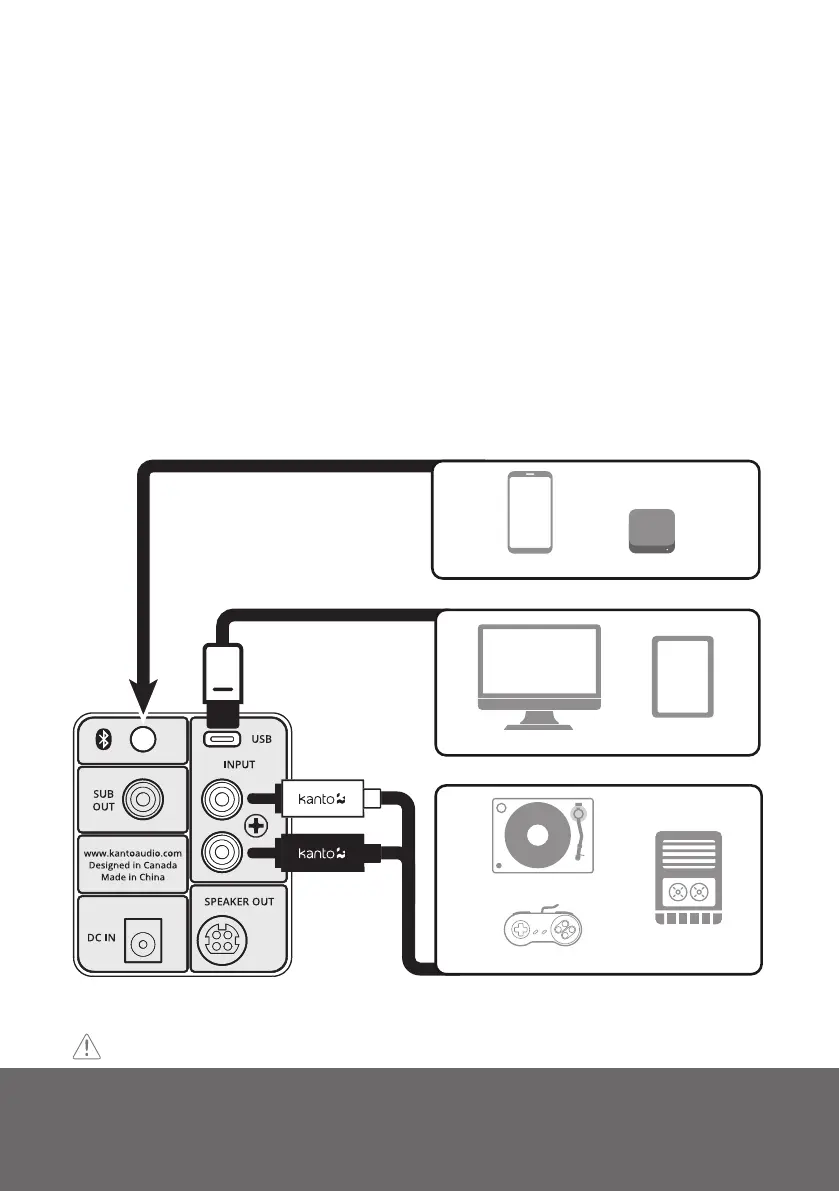
USB-C
BLUETOOTH®
COMPUTER TABLET
RCA
CASSETTE PLAYER
TURNTABLE W/ PHONO PRE-AMP
RETRO GAME CONSOLES
SMART HOME DEVICE
SMARTPHONE
Connecting Audio Sources
Use the appropriate audio cable to connect your audio source components to your
speakers.
• Stereo RCA to Stereo RCA cable
• Stereo RCA to 3.5 mm stereo mini-jack AUX cable
• USB-C to USB-C
• USB-C to USB-C w/ USB-A adapter
• USB-C to USB-A
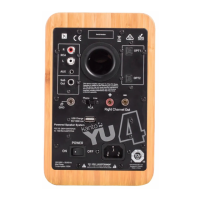
The ORA/ORA4 features a high-quality USB input that supports data streams up to 24 bit/96 kHz
resolution. When connecting your computer via USB connection, you bypass the noisy built-
in DAC of the computer, and audio signals are instead decoded by ORA/ORA4.
To connect using USB, cycle input to USB, and select ‘ORA/ORA4 by Kanto’ as your audio
playback device.
ATTENTION
Some models of turntables include a built-in Phono Pre-Amp.
Supporting your digital lifestyle
™
6


 To Next Page