Audio Troubleshooting Guide
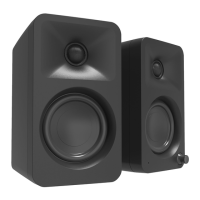
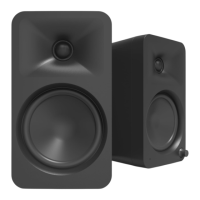
Frequently asked questions about Kanto’s ORA/ORA4 speakers.
• Make sure the power supply is connected to
the speaker and power outlet.
• Ensure that the power outlet is providing
power.
• Set the volume of the source to its highest
level. Low source volume can negatively
aect dynamic range.
• Ensure that the rear of the speaker is
spaced away from the wall by at least 20
cm, allowing the rear port function to be left
unimpeded.
• Test a dierent song or source to isolate the
issue.
• Set the volume of the source to its highest
level. Ensure audio source is playing audio.
• Check that the audio cable connected to and
from the source is rmly connected. Test
another audio cable if available.
• Verify that the volume of the speaker is not at
its minimum level. Turn the volume up using
the knob on the front of the speakers.
• Make sure the correct input is selected. Press
the knob on the front of the speakers to cycle
through the dierent inputs to select the
correct input.
• Reconnect the 4-pin connector between the
active speaker and passive speaker.
• Check that the audio cable connected to and
from the source is rmly seated. Try a dierent
cable or source to isolate the issue.
• Ensure that the balance setting on the source
is centered. Some sources may not have an
adjustable balance setting.
• Verify if the noise is coming from the source
by removing all sources from the speakers.
• Make sure it is not a power issue by trying a
power outlet that is on a dierent circuit.
• Check that the audio cable connected to
and from the source is rmly seated. Try
a dierent cable or source to isolate the
issue.
• If using USB, set the source’s sample rate to
96 kHz or lower.
2.
1.
4.
7.
3.
6.
The light on the front panel is illuminated
but there’s no audio playing.
None of the lights on the front panel are
illuminated.
You are experiencing poor audio
quality.
Audio is only playing through one
speaker.
You are experiencing buzzing, hissing or
distortion.
There’s no audio coming from an
attached subwoofer.
• Check that the RCA cable connected to and
from the subwoofer is rmly seated. Try a
dierent cable or source to isolate the issue.
• Make sure the subwoofer is connected to a
power outlet and is set to “On” or “Auto”.
• Increase the volume of the subwoofer.
• Increase the cuto frequency of the
subwoofer to its highest position.
• Ensure the speakers are in Bluetooth
®
mode by cycling through the inputs. Press
the knob on the front of the speakers until
the blue light on the front panel of the
speakers is visible.
• Make sure the blue light on the front panel
of the speakers is ashing, indicating
speakers are in pairing mode. If the blue
light is not ashing press the Bluetooth
®
pairing button on the back of the right
speaker. Blue light will ash indicating
pairing mode.
• Turn the device you are trying to pair on
and o.
5.
The source will not connect to
Bluetooth
®
.
9


 To Next Page