FRONT PANELS
8
MONITOR
MAIL – This LED will illuminate when there is a station connected to your PBBS. In addition,
whenever the PBBS is holding mail addressed to you and no connection to the PBBS exists, this
LED will blink continuously.
RPT – This LED will illuminate whenever the KPC-4 gateway or digipeat functions are actively in
use and will stay on for several seconds after each use.
Power Indicator
POWER – The single LED on the right end of the front panel will illuminate when power is ap-
plied.
Switch
ON/OFF – Provides power control for the KPC-4.
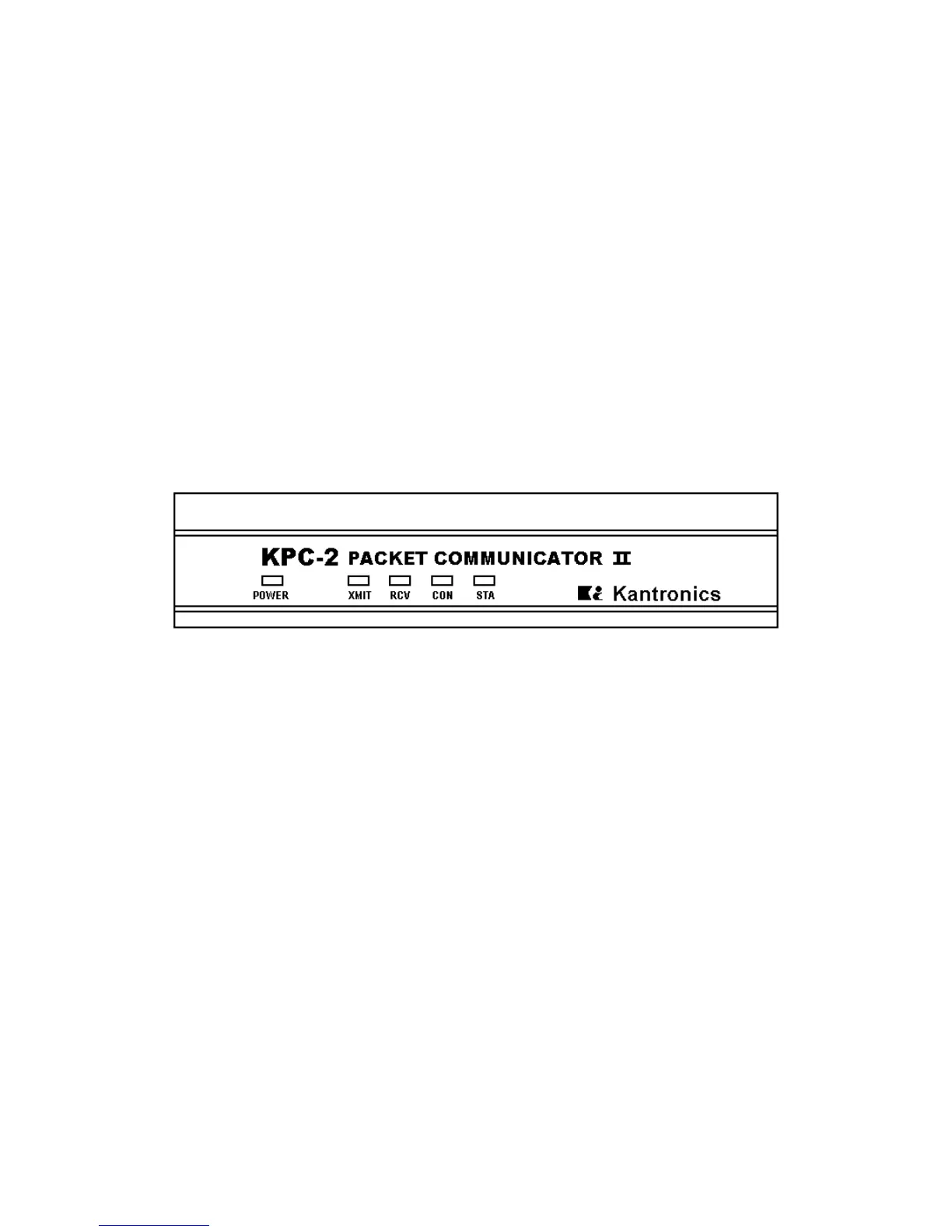
KPC-2
The front panel has five LED indicators which provide information as follows:
POWER – This LED illuminates when power is applied. The power ON/OFF switch is located on
the rear panel.
XMIT – This LED illuminates when the TNC keys the PTT line of your radio to send data.
RCV – This LED illuminates when the TNC detects a signal on the radio frequency.
CON – This LED illuminates when you have a Packet connection on the current stream. The cur-
rent stream is the stream to which the I/O is directed. (See STREAMSW in the Commands Man-
ual.)
STA – This LED illuminates when the TNC has outgoing packets which have not been acknow-
ledged on the current stream. Also, if the CON light is OFF, the STA light is used to indicate PBBS
status – ON steady indicates someone is connected to the PBBS and blinking indicates mail in the
Kantronics TNC for you.



 To Next Page