EasyManua.ls Logo

Kantronics KPC-4 - Page 14

Default Icon
72 pages
Print Icon
To Next Page IconTo Next Page
To Previous Page IconTo Previous Page
Loading...
Ten
Segment
LED
Bargraph
The
bargraph
provides
a
visual
indication
of
the
received
HF
signal.
The
end
segments,
labeled
MARK
and
SPACE,
blink
alternately
on
a
properly
tuned
RTTY/ASCIVAMTOR
or
Packet
signal.
In
CW
Mode
the
left
end
(MARK)
of
the
bargraph
illuminates
when
no
signal
is
present,
and
the
right
end
(SPACE)
lights
when
a
signal
is
detected.
In
addition,
when
your
PTT
line
is
being
keyed
to
transmit
on
the
HF
port,
the
LED
bargraph
will
be
blanked
out.
The
bargraph
may
be
used
to
tune
WEFAX
if
the
audio
from
the
WEFAX
signal
is
connected
to
the
HF
radio
port
as
well
as
the
VHF
port.
Between
picture
transmissions,
most
WEFAX
stations
transmit
a
SPACE
signal.
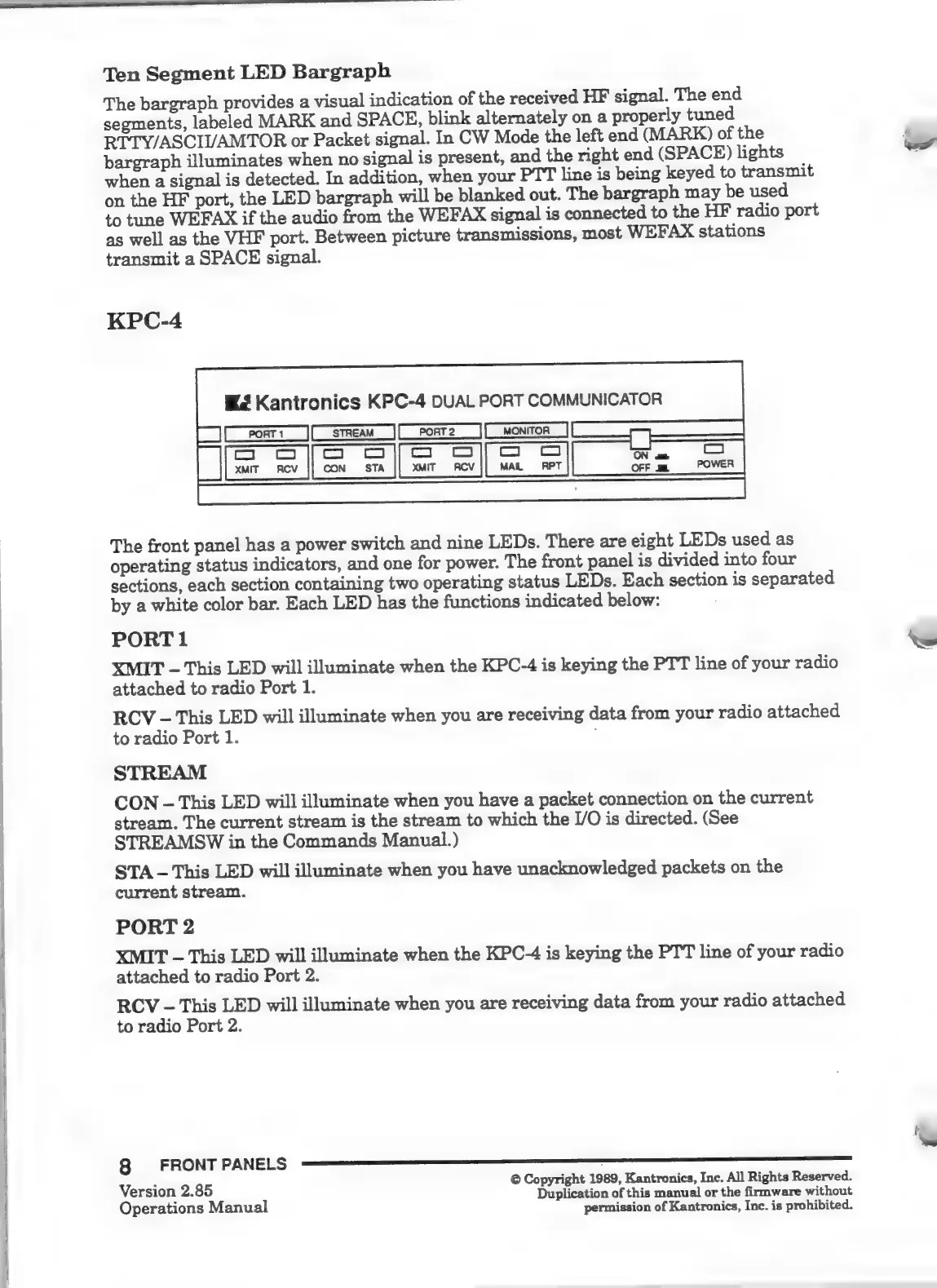
KPC-4
Kantronics
KPC-4
DUAL
PORT
COMMUNICATOR
The
front
panel
has
a
power
switch
and
nine
LEDs.
There
are
eight
LEDs
used
as
operating
status
indicators,
and
one
for
power.
The
front
panel
is
divided
into
four
sections,
each
section
containing
two
operating
status
LEDs.
Each
section
is
separated
by
a
white
color
bar.
Each
LED
has
the
functions
indicated
below:
PORT
1
XMIT
-
This
LED
will
illuminate
when
the
KPC-4
is
keying
the
PTT
line
of
your
radio
attached
to
radio
Port
1.
RCV
-
This
LED
will
illuminate
when
you
are
receiving
data
from
your
radio
attached
to
radio
Port
1.
STREAM
CON
-
This
LED
will
illuminate
when
you
have
a
packet
connection
on
the
current
stream.
The
current
stream
is
the
stream
to
which
the
I/O
is
directed.
(See
STREAMSW
in
the
Commands
Manual.)
STA
This
LED
will
illuminate
when
you
have
unacknowledged
packets
on
the
current
stream.
PORT
2
XMIT
-
This
LED
will
illuminate
when
the
KPC-4
is
keying
the
PTT
line
of
your
radio
attached
to
radio
Port
2.
RCV
-
This
LED
will
illuminate
when
you
are
receiving
data
from
your
radio
attached
to
radio
Port
2.
=
©
Copyright
1989,
Kantronics,
Inc.
All
Rights
Reserved.
Version
2.85
Duplication
of
this
manual
or
the
firmware
without
Operations
Manual
permission
of
Kantronics,
Inc.
is
prohibited.

Related product manuals