[ANDROID NAVIGATION]
ROiK-10
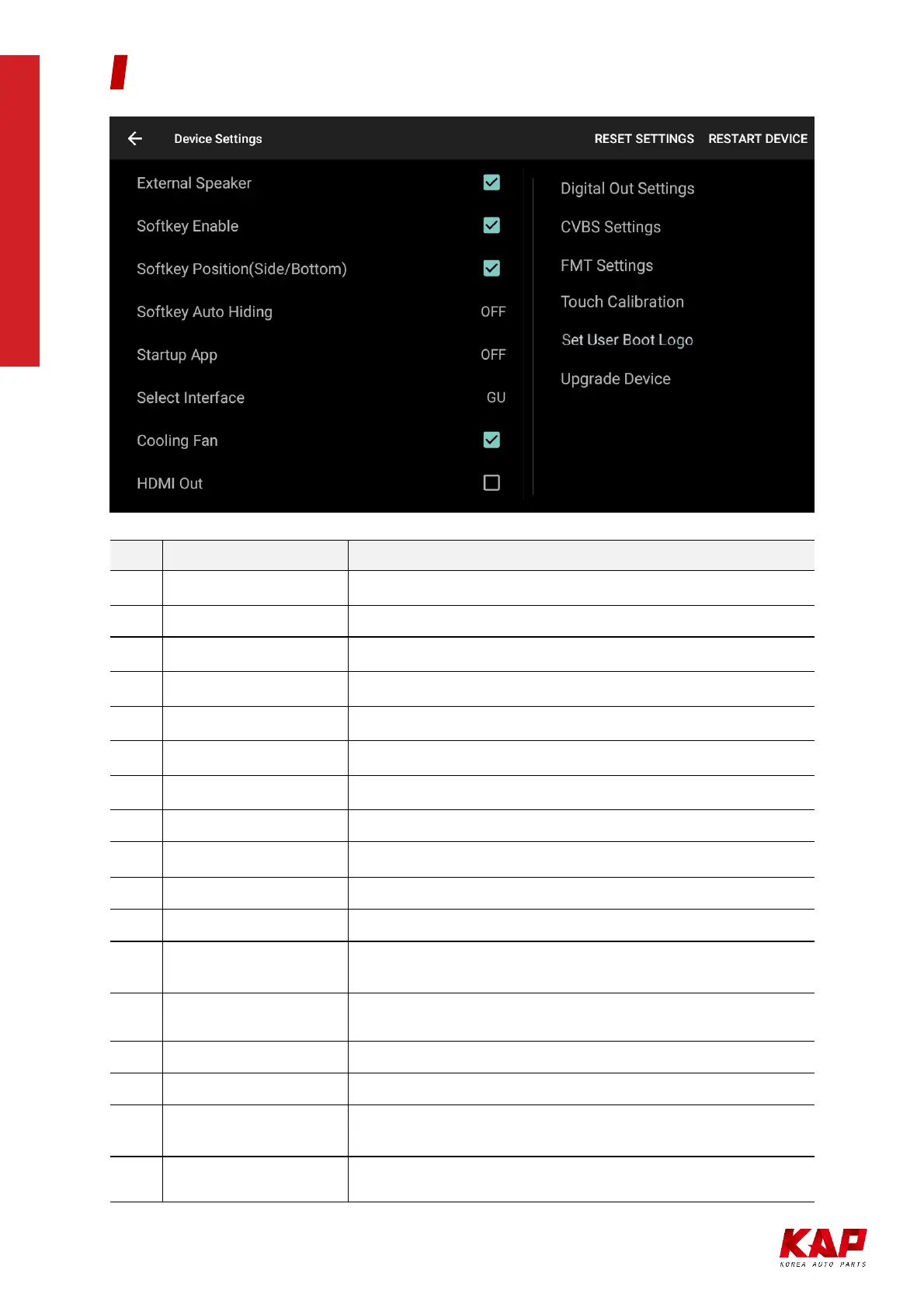
No. Button
Function
1 RESET SETTINGS Reset settings to default
2 RESTART DEVICE System Reboot
3
External Speaker Turn on/off external speaker
4
Softkey Enable Use soft key or disable (Floating button when disabled)
5
Softkey Position Soft key position setting (side, bottom)
6
Softkey Auto Hiding Set softkey auto-hide time
7
Zoom Button Enable Enable or Disable the Zoom Button on the Soft Key
8
Startup App Select Startup APP
9
Select Interface Select Manufacturer of Connected Interface
10
Cooling Fan Turn on / off Cooling Fan
11
HDMI OUT Turn on / off HDMI Out
12
Digital Out Settings
(Developer menu) DIGITAL LVDS only,
Screen Settings - Position, Brightness, Contrast, Sharpness
13
CVBS Settings
(Developer menu)
Screen Settings - Brightness, Contrast, Sharpness
14
FMT Settings Select FM transmitter frequency
15
Touch Calibration Touch Calibration ( for UART Touch )
16
Set User Boot Logo
File Format : PNG, JPG, BMP
Image Size : 1280 X 720 pixel
17
Upgrade Device (Hidden menu) Firmware update is available.
DEVICE SETTINGS


 To Next Page