16
Using the Remote Control
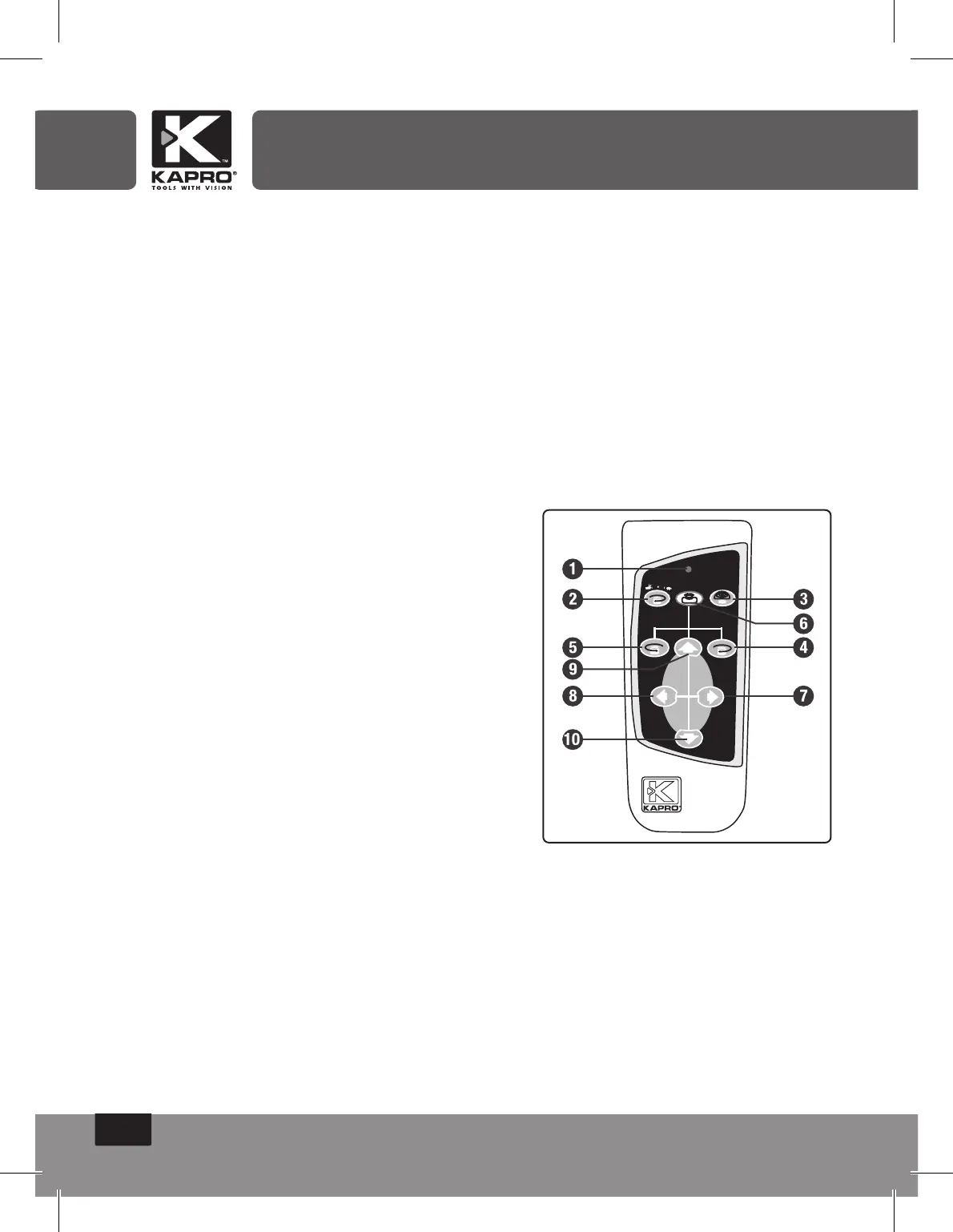
The laser can be operated by an infra-red remote control.
The remote control wit only work if there is an uninterrupted line
of sight between the infra-red control and the remote control
sensor on the control panel.
The effective range of the remote control is 20m.
The Remote Signal Indicator ashes when a signal has been
sent.
1. Remote Signal Indicator
2. Rotation speed control button
3. Scanning mode control button
4. Clockwise direction control button
5. Anticlockwise direction control button
6. Manual/Automatic mode button
7. Increase X axis slope control button
8. Reduce X axis slope control button
9. Increase Y axis slope control button
10. Reduce Y axis slope control button


 To Next Page