11
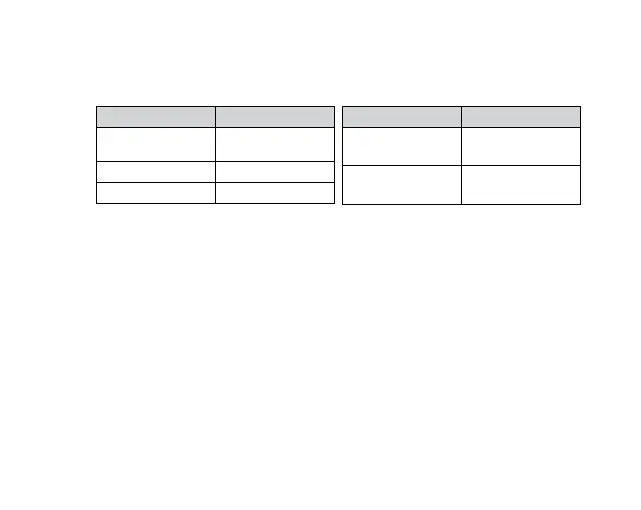
9.0 QUICK KEY FUNCTIONS
By pressing the power button multiple times you can access several quick key
functions.
OPERATION FUNCTION
Press and Hold for
2 seconds
Power ONOFF
Device
Press Once ONOFF WiFi
Quick Press x2 Lock File
OPERATION FUNCTION
Quick Press x3 Format the Micro
SD Card*
Quick Press x5 Reset To Default
Settings^
* Formatting the Micro SD Card will delete all information on the inserted Micro SD
Card and prepare the Card to be used with the KPT-2000.
^
Restoring to default settings will also change the WiFi password to default 12345678
.
In case you forget your WiFi's password, please reset to default settings.
9.1 LED INDICATOR
The colour of the KPT-2000 LED light helps to indicate the following functions.
1. Constant red: Not recording
2. Constant blue: Recording in normal mode
3. Blue lashing: Recording an emergency event
4. Green lashing: Updating irmware
5. Constant green: Video playback in App



 To Next Page