EasyManua.ls Logo

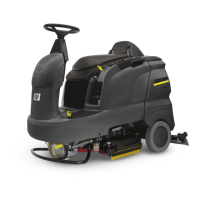
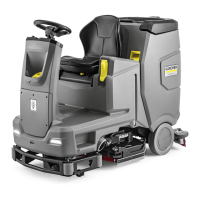
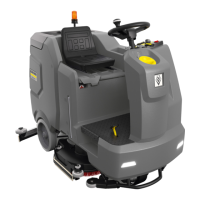
Kärcher B 90 R - User Manual

Kärcher B 90 R
273 pages
Go to English
Print Icon
To Next Page IconTo Next Page
Loading...
Инструкция
по эксплуатации
Поломоечная машина Karcherprof B 90 R DOSE Bp
1.161-310
Цены на товар на сайте:
http://www.vseinstrumenti.ru/uborka/polomoechnye-mashiny/s-sidenem/karcher/polomoechnaya-
mashina-karcherprof-b-90-r-dose-bp-1.161-310/
Отзывы и обсуждения товара на сайте:
http://www.vseinstrumenti.ru/uborka/polomoechnye-mashiny/s-sidenem/karcher/polomoechnaya-
mashina-karcherprof-b-90-r-dose-bp-1.161-310/#tab-Responses

Other manuals for Kärcher B 90 R

Questions and Answers

  • L
    lesliejohnsonSep 4, 2025
    What does 'Release gaspedal' mean on Kärcher Floor Machine?
    • J
      John BrooksSep 4, 2025
      If your Kärcher Floor Machine shows 'Release gaspedal', it means the gas pedal was depressed when the main switch was turned on. Release the drive pedal and reactivate.
  • H
    Henry WangSep 18, 2025
    What does 'E: Failure char- ging battery' mean on Kärcher B 90 R Floor Machine?
    • M
      Ms. Taylor JacksonSep 18, 2025
      If your Kärcher Floor Machine displays 'E: Failure char- ging battery', the battery may be defective. Check the battery.
  • J
    Jennifer AvilaSep 16, 2025
    What to do if Kärcher Floor Machine shows 'E: Did you press the emergency stop button !?!'?
    • D
      danielbrewerSep 16, 2025
      If your Kärcher Floor Machine displays 'E: Did you press the emergency stop button !?!', release the emergency-stop button by turning it. Set the main switch to "0", wait until the display goes off, and then set the main switch back to "1".
  • M
    Michele BeardSep 14, 2025
    What does 'Emergency brake operation! Drive at ground level' mean on Kärcher B 90 R Floor Machine?
    • D
      Donna MitchellSep 14, 2025
      If your Kärcher Floor Machine displays 'Emergency brake operation! Drive at ground level', the parking brake is defective. Do not drive over upward/downward slopes. Park the machine on an even surface and secure it with wheel chocks to prevent it from rolling away. Inform Customer Service.
  • J
    jaimeshawSep 12, 2025
    What to do if Kärcher Floor Machine shows 'E: Hardw. failure Onboardcharger'?
    • R
      Robert CruzSep 12, 2025
      If your Kärcher Floor Machine displays 'E: Hardw. failure Onboardcharger', there is interference in the integrated charger (only Pack model). Disconnect the power cord plug of the charger, wait 10 seconds, and then plug it back in. If the error message reappears, contact customer service.
  • M
    Matthew JarvisSep 12, 2025
    What does 'Followup suction Shutdown shortly' mean on Kärcher Floor Machine?
    • D
      derrick25Sep 12, 2025
      If your Kärcher Floor Machine displays 'Followup suction Shutdown shortly', it means the key switch was turned to "0" while the suction turbine was running. The suction turbine will continue to run for 10 seconds. Wait until the appliance shuts itself off after those 10 seconds.
  • G
    greenscottSep 9, 2025
    How to unblock drain hose on Kärcher B 90 R?
    • R
      Robert DaySep 9, 2025
      If the drain hose for dirty water is blocked on your Kärcher Floor Machine, open the dosing equipment at the drain hose. Pull out the suction hose from the suction beam and close it by hand. Set the program selection switch to suction or vacuuming. This should suck the blockage out of the drain hose and into the dirt water tank.
  • R
    robinsonclarenceSep 7, 2025
    Why Kärcher B 90 R Floor Machine says 'Seat switch! Please sit down!'?
    • D
      davidwadeSep 7, 2025
      If your Kärcher Floor Machine displays 'Seat switch! Please sit down!', the seat contact switch has not been activated. Release the drive pedal and have a seat.
  • R
    rwilliamsSep 5, 2025
    What to do if Kärcher B 90 R displays 'E: Pow.module hot Let cool down!'?
    • M
      Mark CookSep 5, 2025
      If your Kärcher Floor Machine displays 'E: Pow.module hot Let cool down!', it indicates that the control is overheated. Turn the key switch to "0". Wait at least 5 minutes for the control to cool off, then turn the appliance back on.
  • A
    Amy BerryAug 20, 2025
    Why my Kärcher Floor Machine appliance cannot be started?
    • V
      Vanessa WilliamsAug 20, 2025
      There are several reasons why your Kärcher Floor Machine might not start: * The battery plug might not be inserted. Ensure it is properly connected. * The main switch might be off. Set it to “1”. * The safety switch might not be activated. Sit on the seat, as the machine only operates when someone is seated. * The emergency-stop button might be engaged. Release it. * The system may need a reset. Set the key switch to "0", wait about 10 minutes, and then turn it back to "1". Try to use the unit on level surfaces. * The accelerator might be engaged. Take your foot off the accelerator before switching on the main switch. * The battery may be low. Check the battery and charge it if needed.

Summary

Safety Instructions

Safety Devices

Safety devices protect the user and must not be bypassed.

Emergency-stop and Safety Buttons

Describes the function of the emergency-stop and safety buttons.

Control Elements

Appliance Controls

Identifies key components on the main appliance body.

Operator Console

Details buttons, switches, and indicator lamps on the operator panel.

Before Startup

Battery Handling and Safety

Important safety precautions and guidelines for handling batteries.

Battery Installation and Charging

Procedures for inserting, connecting, and charging batteries for different models.

Operation

Driving Instructions

Safe driving procedures, including speed, braking, and slope limits.

Immobilizing Brake Check

Procedure to verify the proper functioning of the immobilizing brake.

System Settings and Adjustments

Maintenance and Component Replacement

Component Replacement and Frost Protection

Troubleshooting Overview

Introduction to troubleshooting and a table of display fault indications.

Troubleshooting Details

Display Faults and Remedies

Lists error messages on the display and their corresponding solutions.

Console Faults and Remedies

Describes faults not shown on the console and their corrective actions.

Kärcher B 90 R Specifications

General IconGeneral
BrandKärcher
ModelB 90 R
CategoryFloor Machine
LanguageEnglish

Related product manuals