EasyManua.ls Logo

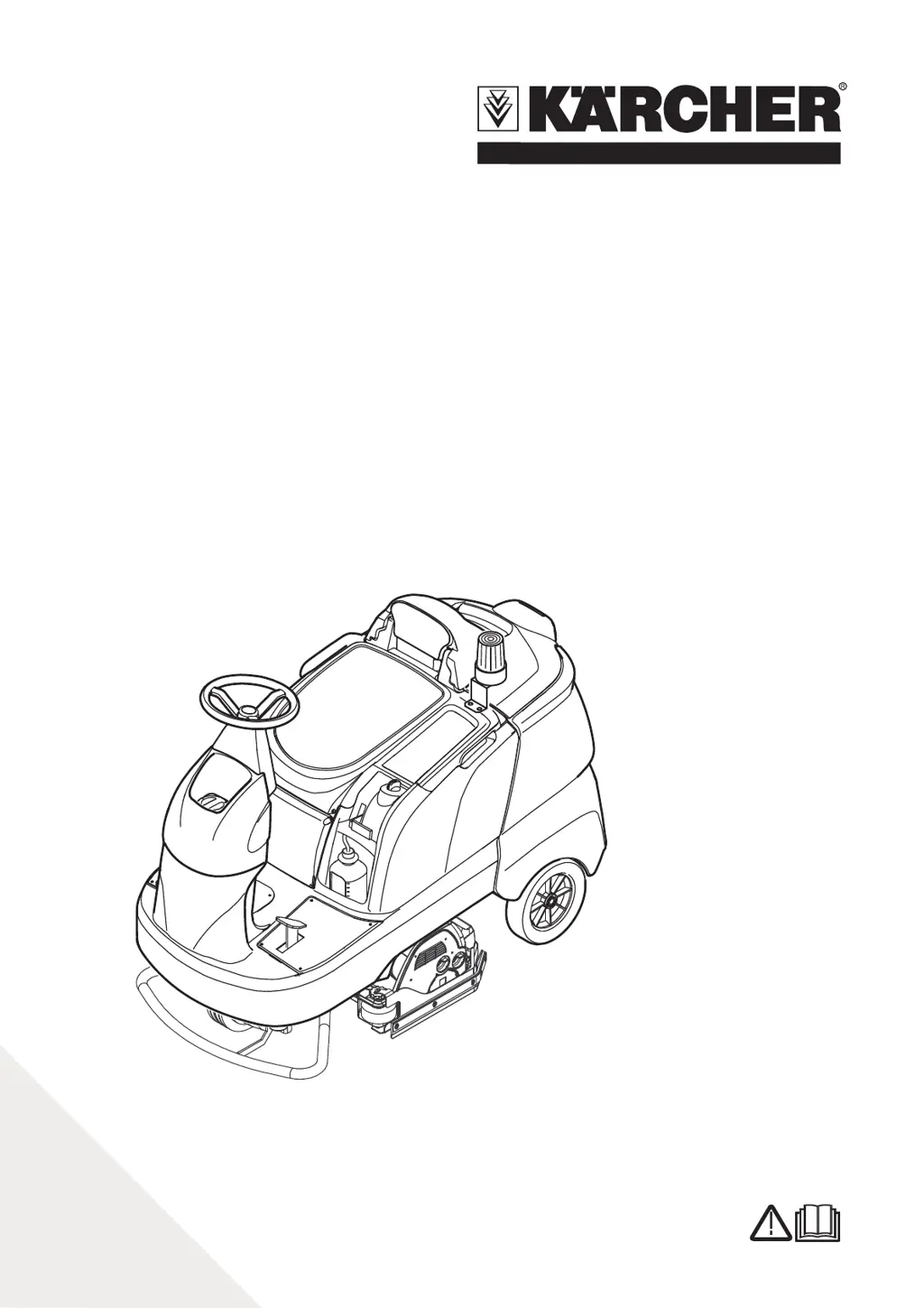
Kärcher B 90 R Series - User Manual

Kärcher B 90 R Series
244 pages
Go to English
Print Icon
To Next Page IconTo Next Page
Loading...
Deutsch 5
English 14
Français 22
Italiano 31
Nederlands 40
Español 49
Português 58
Dansk 67
Norsk 75
Svenska 83
Suomi 91
Ελληνικά 99
Türkçe 109
Руccкий 118
Magyar 128
Čeština 137
Slovenščina 145
Polski 153
Româneşte 162
Slovenčina 171
Hrvatski 180
Srpski 189
Български 198
Eesti 208
Latviešu 216
Lietuviškai 225
Українська 233
B 90 R
5.962-383.0 04/09
Register and win!
www
.kaercher
.com!

Table of Contents

Other manuals for Kärcher B 90 R Series

Questions and Answers

  • D
    Donna DominguezSep 15, 2025
    What to do if Kärcher Scrubber displays 'Emergency brake! Drive even area!'?
    • S
      Scott SmithSep 15, 2025
      The message 'Emergency brake! Drive even area!' indicates that the parking brake is defective. Do not drive on slopes. Park the machine on an even surface and secure it with wheel chocks to prevent rolling. Contact Customer Service.
  • L
    leslie30Aug 25, 2025
    What to do if Kärcher B 90 R Floor Machine dirttank is full and cleaning stops?
    • A
      Aaron WeberAug 25, 2025
      If your Kärcher Floor Machine stops cleaning because the waste water tank is full, simply empty the waste water tank.
  • J
    James GoodwinAug 25, 2025
    Why Kärcher Floor Machine has insufficient vacuum performance?
    • H
      hensonemilyAug 26, 2025
      If your Kärcher Floor Machine isn't vacuuming well, try these steps: * Clean the seals between the waste water tank and cover, and check for tightness, replacing if needed. * Clean the flat fold filter in the waste water tank. * Clean, turn, or replace the vacuum lips on the vacuum bar. * Check the suction hose for blockages and tightness, cleaning or replacing as necessary. * Ensure the cover on the dirt water discharge hose is closed. * Check the setting of the vacuum bar and consider attaching additional weight to it.
  • C
    Cynthia GomezAug 26, 2025
    What to do if Kärcher B 90 R shows 'E: Overload TRAC- TION MOTOR'?
    • A
      Angela GloverAug 27, 2025
      If your Kärcher Floor Machine displays 'E: Overload TRACTION MOTOR', allow the machine to cool down for at least 15 minutes. Then, set the key switch to “0”, wait 3 seconds, and turn the appliance back on. To prevent this in the future, avoid frequent uphill driving.
  • G
    Gary NicholsonSep 16, 2025
    How to resolve 'Release gaspedal' message on Kärcher Scrubber?
    • R
      Robert BakerSep 16, 2025
      The 'Release gaspedal' message appears when the gas pedal is depressed when the main switch is on. Release the drive pedal and reactivate.
  • M
    Monique JohnsonSep 23, 2025
    What to do if Kärcher Scrubber shows 'E: Failure char- ging battery'?
    • S
      shannonserranoSep 23, 2025
      If the display shows 'E: Failure char- ging battery', check the battery.
  • T
    Timothy FuentesSep 7, 2025
    Why does Kärcher Scrubber say 'Dirttank full Cleaning stops'?
    • K
      Kari Lee DVMSep 8, 2025
      The "Dirttank full Cleaning stops" message indicates that the dirt water reservoir is full and needs to be emptied.
  • Y
    ysmithSep 8, 2025
    What to do if Kärcher Scrubber shows 'E: Emergency but- ton pressed !?!'?
    • A
      Angela MilesSep 8, 2025
      To resolve the 'E: Emergency but- ton pressed !?!' error, release the emergency-stop button by turning it. Then, set the main switch to "0", wait for the display to turn off, and set the main switch back to "1".
  • K
    Kenneth BradySep 2, 2025
    What to do if Kärcher B 90 R displays 'Seat switch! Please sit down!'?
    • A
      Ashley PalmerSep 2, 2025
      If your Kärcher Floor Machine displays 'Seat switch! Please sit down!', it means the seat contact switch has not been activated. Release the drive pedal and have a seat to activate the switch.
  • C
    Caitlin GardnerAug 31, 2025
    Why Kärcher B 90 R has insufficient cleaning result?
    • S
      Steve EdwardsAug 31, 2025
      If your Kärcher Floor Machine is not cleaning effectively, try adjusting the contact pressure and the wiper flaps (not with Eco model). Also, check the brushes for wear and replace them if needed.

Summary

Safety and Operation Overview

Safety Instructions and Devices

Essential safety guidelines, devices, and symbols for user protection.

Appliance Function and Proper Use

Details the intended use and operational guidelines of the machine.

Controls and Preparation

Operator Console and Elements

Details of the operator console and machine controls.

Before Startup Checks

Essential steps and precautions before initial operation.

Battery Safety and Installation

Battery Handling and Safety Precautions

Important safety warnings related to battery handling and charging.

Battery Installation and Charging

Step-by-step guide for installing and charging batteries.

Machine Unloading and Setup

Unloading Procedure

Instructions for safely removing the machine from its packaging or transport.

Installing the Cleaning Head

Guidance on attaching the cleaning head to the machine.

Machine Operation and Controls

Checking the Immobilizing Brake

Procedure to verify the functionality of the immobilizing brake.

Driving Instructions and Safety

Guidelines and warnings for safe machine operation and driving.

Filling and Detergent Use

Display Information and Overload Handling

Understanding display messages and overload situations.

Detergent Selection and Filling

Information on recommended detergents and how to fill them.

Cleaning Programs and Operation

Understanding Cleaning Programs

Details on various cleaning programs and their settings.

Adjusting Machine Components

How to adjust cleaning head, vacuum bar, and brush pressure.

Reservoir Management

Operating the Display and Info Button

Using the display and info button for settings and information.

Emptying the Dirt Water Reservoir

Procedure for draining the dirt water tank.

Maintenance and Care Schedule

Routine Maintenance Tasks

Daily, monthly, and yearly maintenance checks and actions.

Replacing Components

Guides for replacing vacuum lips, cleaning heads, and brush rollers.

Transport and Safety During Maintenance

Safe Transport Procedures

Guidelines for safely transporting the machine.

General Maintenance Safety

Important safety precautions before performing maintenance.

Troubleshooting and Fault Resolution

Addressing Displayed Errors

Explains how to interpret and resolve faults indicated on the display.

Specific Component Maintenance

Procedures for replacing brushes, pump hoses, and frost protection.

Troubleshooting Without Display

Common Faults and Remedies

Lists faults that do not appear on the display and their solutions.

Troubleshooting Guide

Appliance Start-up Issues

Solutions for when the appliance fails to start.

Performance and Cleaning Issues

Addressing problems with water quantity, suction, and cleaning results.

Brush and Hose Blockage Issues

Troubleshooting brush rotation and blocked hoses.

Technical Specifications

Machine Specifications Overview

Detailed technical data including power, dimensions, and weight.

Accessories, Warranty, and Declarations

Information on spare parts, warranty, and CE compliance.

Kärcher B 90 R Series Specifications

General IconGeneral
BrandKärcher
ModelB 90 R Series
CategoryFloor Machine
LanguageEnglish

Related product manuals