EasyManua.ls Logo

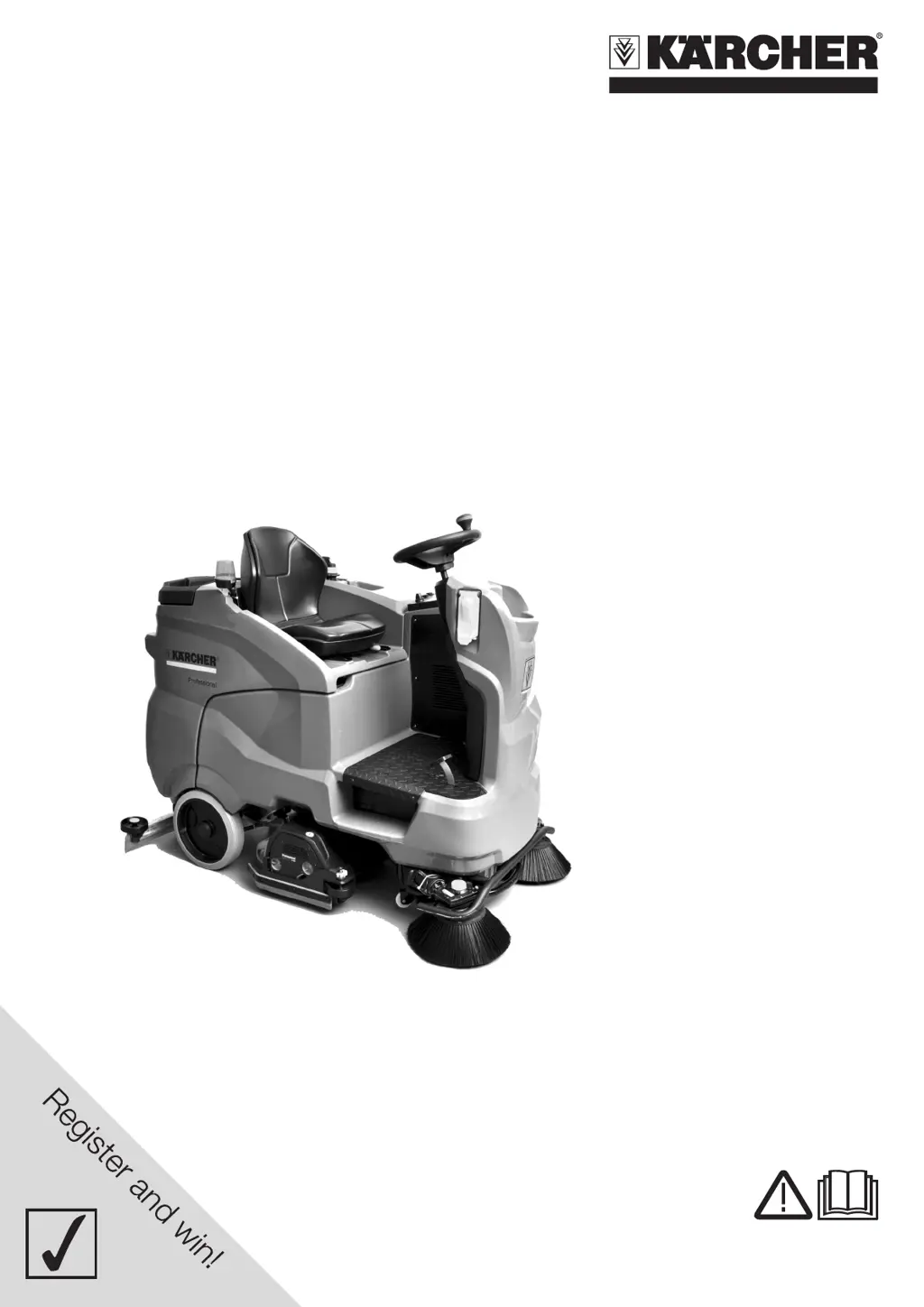
Kärcher B 150 R - User Manual

Kärcher B 150 R
60 pages
Print Icon
To Next Page IconTo Next Page
Loading...
www.kaercher.com/register-and-win
B 150 R
59662740 06/14
English 3
Français 22
Español 41

Other manuals for Kärcher B 150 R

Questions and Answers

  • M
    Michael DanielsSep 12, 2025
    What to do if the drain hose for dirty water is blocked in Kärcher Scrubber?
    • K
      Kristen BonillaSep 12, 2025
      If the drain hose for dirty water is blocked on your Kärcher Scrubber: * Open the dosing equipment at the drain hose. * Pull out the suction hose from the suction beam and close it by hand. * Set the program selection switch to suction or vacuuming, which will suck the blockage out of the drain hose and into the dirt water tank.
  • J
    Julia WoodAug 25, 2025
    What to do if errors appear on the display of my Kärcher Scrubber?
    • S
      shannon17Aug 25, 2025
      If you encounter errors on the display of your Kärcher Scrubber, turn the program selection switch to "OFF". Wait until the text disappears from the display. Then, turn the program switch back to its previous position. If the error persists, contact customer service and provide the error message.
  • K
    kriveraAug 25, 2025
    How to fix a discharged battery on my Kärcher B 150 R Floor Machine?
    • K
      Katherine HarrisonAug 26, 2025
      If the battery voltage is too low, charge the battery.
  • J
    joshuamillerSep 23, 2025
    How to fix a blocked drain hose for dirty water in Kärcher B 150 R?
    • A
      Anthony BrownSep 23, 2025
      Open the dosing equipment at the drain hose. Pull out the suction hose from the suction beam and close it by hand. Set the program selection switch to suction or vacuuming. The blockage will be sucked out from the drain hose into the dirt water tank.
  • S
    Stephanie RobertsSep 12, 2025
    How to protect Kärcher Scrubber in case of danger of frost?
    • S
      sherri81Sep 12, 2025
      To prevent frost damage to your Kärcher Scrubber, empty the fresh and dirt water reservoirs and store the appliance in a frost-protected room.
  • K
    Kelly WolfeSep 18, 2025
    What to do if the brushes do not turn on my Kärcher Floor Machine?
    • X
      xswansonSep 18, 2025
      Try the following: * Reduce contact pressure. * Check if foreign matters block the brushes; remove foreign matter if required. * The motor may be overloaded: allow it to cool down. Set the programme switch to "OFF", wait for 10 seconds, and then set the programme selector switch to the previous function.
  • D
    Denise RodriguezSep 5, 2025
    What to do if the brake is defective on my Kärcher B 150 R Floor Machine?
    • S
      Sarah MyersSep 5, 2025
      If your Kärcher Floor Machine has a defective brake, do not drive the appliance and call customer service.
  • B
    Brian HallSep 6, 2025
    What to do if my Kärcher Scrubber cannot be started?
    • C
      colonkristinaSep 6, 2025
      If the Kärcher Scrubber won't start, ensure you are seated, as the machine operates only when the operator is seated. Move the safety switch to the "1" position. Turn the programme switch to "OFF", wait 10 seconds, and then return it to the previous function. Check the parking and foot brakes. Take your foot off the accelerator before turning on the safety switch. Finally, check and charge the battery if necessary.
  • G
    George ThorntonSep 18, 2025
    Why is the propulsion motor hot on my Kärcher Floor Machine?
    • M
      Michael FloresSep 18, 2025
      The motor protection was triggered. Bring the safety switch into the "0" position, and allow the machine to cool down for at least 15 minutes. Contact aftersales service if this happens again.
  • V
    Victoria BurgessAug 30, 2025
    What to do if brush pressure is not reached in Kärcher B 150 R?
    • C
      Carolyn WadeAug 30, 2025
      If the brush pressure is not reached on your Kärcher Floor Machine, check the brush wear and replace the brush if needed. Also, check the function of the brush heads, ensuring they are lowering and raising correctly.

Summary

IMPORTANT SAFETY INSTRUCTIONS

GROUNDING INSTRUCTIONS

Instructions for safely connecting the appliance to a grounded electrical outlet to prevent electric shock.

OPERATOR QUALIFICATIONS

OPERATOR TRAINING

Details requirements and procedures for training personnel to operate the floor scrubber safely.

OPERATING SAFETY RULES AND PRACTICES

Operator Responsibility

Outlines the operator's duty to develop safe working habits and understand the unit's functions.

General

Provides general guidelines and precautions to be followed before and during operation of the unit.

TESTING, RETRAINING AND ENFORCEMENT

Driving

Overload

In case of overloading, the drive motor automatically switches off.

Filling in detergents

Instructions on how to fill the detergent tank.

Setting the parameters

How to adjust cleaning parameters using the Intelligent Key.

Setting the Vacuum Bar

Guidance on adjusting the vacuum bar for optimal cleaning results.

MAINTENANCE AND RE-BUILD PRACTICES

Maintenance schedule

Outlines routine maintenance tasks to be performed after work, monthly, and yearly.

Maintenance Works

Details various maintenance procedures, including cleaning strainers and replacing parts.

FIRE SAFETY STANDARD

Operating Temperature

Addresses hazardous conditions due to excessive operating temperatures.

Fire Prevention

Guidelines for preventing fires related to the unit's cleanliness and use of cleaning agents.

Nameplate Visibility

Ensures identification information on the nameplate remains visible.

Changing and Charging Storage Batteries

Procedures and safety precautions for changing and charging batteries.

Safety Devices

Safety button

Describes the function of the safety button for immediate shutdown of all operations.

Seat switch

Explains how the seat switch deactivates the drive motor when the operator leaves the seat.

Function

Proper use

Details the intended use of the scrubber vacuum for cleaning and polishing level floors.

Environmental Protection

Notes about the ingredients (REACH)

Provides information on ingredients and where to find current details online.

Control elements

Operator console

Programme switch

Explains the functions of the programme switch for different cleaning modes.

Before Startup

Batteries

Provides instructions and safety warnings regarding battery handling and charging before initial use.

Symbols on the machine

Recommended batteries

Low maintenance batteries (wet batteries)

Details the procedure for charging and handling low-maintenance wet batteries.

Maximum battery dimensions

Lists the maximum dimensions for batteries compatible with the appliance.

Information on the initial charge

Removing the batteries

Step-by-step guide on how to safely remove the appliance's batteries.

Unloading

Operation

Adjusting drivers seat

How to adjust the operator's seat for optimal comfort and control.

Turning on the Appliance

Steps to follow to safely turn on the appliance and prepare it for use.

Check parking brake

Procedure for verifying the proper function of the parking brake before operation.

Driving

Guidance on safely operating the appliance while driving.

Driving

Overload

Explains motor overload shutdown and recovery procedure.

Filling in detergents

Detailed instructions for filling detergent and fresh water, including recommended detergents.

Setting the parameters

How to adjust parameters using the yellow and grey Intelligent Keys.

Operation Procedures

Emptying the Dirt Water Reservoir

Procedure for emptying the dirt water reservoir.

Shutting down

Steps for safely shutting down the appliance.

Key management

Manages authorizations for Intelligent Keys and display text language.

Setting the battery type

Instructions for setting the correct battery type for the appliance.

MAINTENANCE AND CARE

Setting the language

How to change the appliance's display language.

Factory setting

Restores all appliance parameters to their original factory settings.

Cleaning Programs

How to adjust parameters for different cleaning programs.

Transport

Safety precautions and procedures for transporting the appliance.

Storage

Guidelines for safely storing the appliance indoors.

Cleaning Head Installation

Install D cleaning head

Step-by-step guide for installing the D cleaning head.

Install R cleaning head

Step-by-step guide for installing the R cleaning head.

Cleaning Head Removal and Brush Replacement

Remove D cleaning head

Instructions for removing the D cleaning head.

Remove R cleaning head

Instructions for removing the R cleaning head.

Replacing the brush rollers

Guide for replacing the brush rollers on the cleaning head.

Replacing the Disk Brushes

Steps for replacing the disc brushes.

Replacing the side brush (only with SB version)

Instructions for replacing the side brush.

Frost protection

Procedures to protect the appliance from frost damage.

Troubleshooting

Fault indication

How to interpret and respond to error messages displayed on the appliance.

Faults with display

Faults without display on the console

Technical specifications

Accessories and Spare Parts

Warranty

Kärcher B 150 R Specifications

General IconGeneral
BrandKärcher
ModelB 150 R
CategoryFloor Machine
LanguageEnglish

Related product manuals