EasyManua.ls Logo

Kärcher KMR 1250 BAT - User Manual

Kärcher KMR 1250 BAT
191 pages
Go to English
Print Icon
To Next Page IconTo Next Page
Loading...
Deutsch 3
English 15
Français 27
Italiano 40
Nederlands 53
Español 65
Português 78
Dansk 91
Norsk 103
Svenska 115
Suomi 127
Ελληνικά 139
Türkçe 152
Polski 164
Руccкий 177
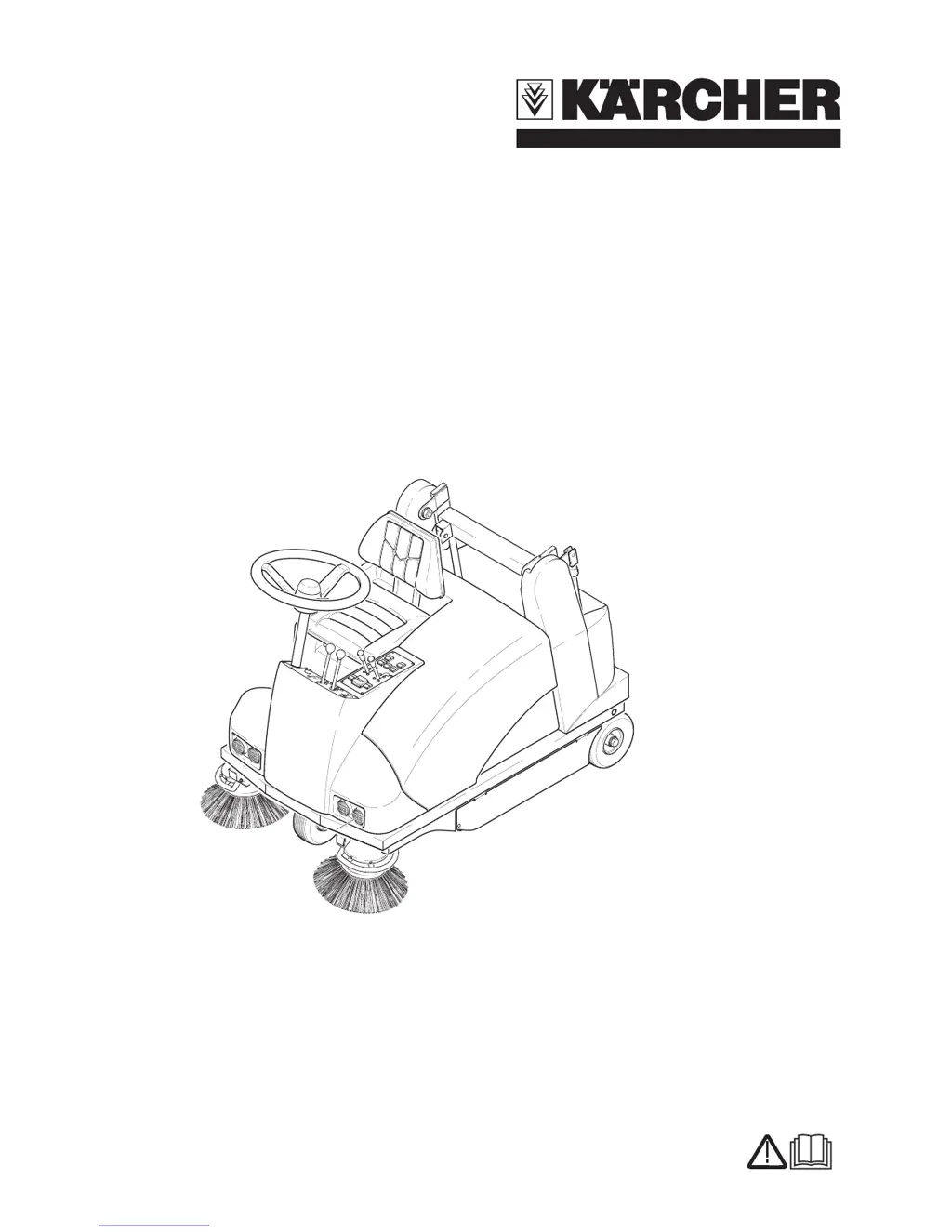
KMR 1250 BAT
KMR 1250 BAT Pack
5.956-832.0 08/07

Table of Contents

Questions and Answers

  • A
    Anna FergusonAug 2, 2025
    What to do if my Kärcher Scrubber does not move?
    • V
      Victor HopkinsAug 2, 2025
      If your Kärcher Scrubber isn't moving, ensure you're seated properly to activate the seat contact switch. Also, check and charge or replace the battery if needed. Inspect the fuse and replace it if it's blown. Additionally, check the automatic fuse and reset it if necessary. Make sure the gear lever is set to either "fast" or "slow". If these steps don't resolve the issue, contact Kärcher Customer Service.
  • G
    Gabriel TapiaAug 9, 2025
    Why is my Kärcher Scrubber not sweeping properly?
    • T
      tiffanyparkerAug 9, 2025
      If your Kärcher Scrubber isn't sweeping correctly, start by checking the roller brush and side brushes for wear and replace them if needed. Ensure the bulk waste flap is functioning correctly. Empty the waste container. Examine the sealing strips for wear, and adjust or replace them as necessary. Adjust the roller mirror. Check the drive belts of the roller brush and side-brushes. Check the dust filter, and clean or replace it. If the issue persists, contact Kärcher Customer Service.
  • G
    Garrett CortezAug 14, 2025
    What to do if the roller brush or side brush does not turn on my Kärcher Scrubber?
    • S
      Steven KellySep 12, 2025
      If the roller brush or side brush on your Kärcher Scrubber isn't turning, remove any belts or cords that may be obstructing it. Check the drive belts of the roller brush and side-brushes. Inspect the fuse and replace it if required. If the problem persists, contact Kärcher Customer Service.
  • B
    Brittney MatthewsAug 20, 2025
    Why is dust gathering in my Kärcher Scrubber?
    • A
      Andrea AnthonyAug 20, 2025
      If dust is gathering in your Kärcher Scrubber, first, switch on the blower. Then, check the suction fan drive belt. Also, inspect the dust filter and clean or replace it as needed. Finally, examine the sealing strips for wear and adjust or replace them accordingly.
  • T
    Troy WeberAug 27, 2025
    Why is the blower not rotating on my Kärcher Scrubber?
    • D
      Daniel StewartAug 27, 2025
      If the blower on your Kärcher Scrubber isn't rotating, ensure the waste container is completely lowered. Check the blower end switch. Inspect the fuse and replace it if needed. If the issue continues, contact Kärcher Customer Service.

Summary

Safety Instructions

Drive Mode Safety

Warnings regarding tipping hazards on inclines, bends, and unstable ground.

Sweeper Functionality

Operation Principle

Details the overthrow principle, brush action, and dust filtration system of the sweeper.

Proper Use Guidelines

General Operation Rules

Instructions on checking the machine's condition before use and general usage guidelines.

Prohibited Use Cases

Details substances and situations that must be avoided during operation, such as explosive liquids.

Operating and Functional Elements

Machine Component Identification

Diagram and list identifying key external components of the sweeper.

Operator Console Layout

Detailed diagram and list of all controls and indicators on the operator console.

Before Startup Procedures

Battery Handling and Safety

Essential safety warnings and instructions for handling, installing, and charging the battery.

Starting and Driving

Initial Startup Sequence

Steps to follow for starting the machine, including parking brake and main switch.

Driving and Braking

How to operate the accelerator and brakes for forward, reverse, and stopping.

Operation and Maintenance

Waste Container Emptying

Detailed steps and safety precautions for safely emptying the waste container.

Maintenance Works

Preparation and Safety Checks

General safety notes and preparation steps before performing maintenance tasks.

Troubleshooting Guide

Machine Does Not Move

Remedies for issues where the machine fails to move, including battery and fuse checks.

Drive Error Light Flashing

Actions to take when the 'drive error' control lamp blinks, suggesting sequence or customer service.

Improper Sweeping Performance

Troubleshooting steps for when the machine is not sweeping properly, checking brushes and filters.

Technical Specifications

Machine Data Summary

Key dimensions, weights, speeds, and cleaning performance metrics for the KMR 1250 BAT.

CE Declaration and Warranty

Warranty Terms and Conditions

Information on warranty coverage, claim procedures, and contacting customer service.

Kärcher KMR 1250 BAT Specifications

General IconGeneral
BrandKärcher
ModelKMR 1250 BAT
CategoryScrubber
LanguageEnglish

Related product manuals