
 Need help?
Do you have a question about the Kärcher RC 3000 and is the answer not in the manual?
Specifies where the RC 3000 can and cannot be used.
Lists essential safety rules for operating the appliance and preventing hazards.
Details on the safety requirements and servicing procedures for double-insulated appliances.
Covers electrical safety, usage by children, and potential hazards from the robot's operation.
Illustrates the steps for assembling the robot and its station components.
Provides a visual guide on how to start the robot for operation.
Explains the meaning of the different indicator lamps on the robot.
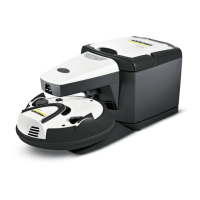
Details the parts and controls of the cleaning station, including the operating panel.
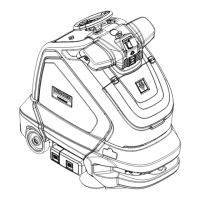
Identifies the various parts and controls of the robot itself.
Instructions for unpacking the robot and checking for completeness or damage.
Guidelines for recycling packaging and disposing of old appliances responsibly.
Steps for attaching the access ramp and selecting an appropriate location for the station.
Ensures the floor is clear of obstacles before starting the cleaning process.
Guides the user through the first-time setup and startup of the robot.
Instructions for operating the robot after a long period of inactivity and how to turn it off.
Allows the robot to pause cleaning after the next charging cycle and go into standby.
Allows users to set specific cleaning times for different room sizes.
Enables quieter operation for nighttime or when people are home.
Explains the four programs that automatically adjust cleaning based on dirt levels.
Provides recommendations for improving the robot's performance and avoiding issues.
Instructions for replacing the filter bag and motor protection filter in the station.
Steps for opening the dirt receptacle and cleaning the flat filter of the robot.
Procedures for cleaning, removing, and replacing the robot's brush and dust sensors.
Instructions for securing the dirt receptacle cover and replacing the robot's batteries.
Explains the different signal states of the robot's indicator lamps.
Lists common issues, their signals, consequences, and step-by-step solutions.
Covers floor types, furniture cleaning, and robot movement principles.
Details charging times, cleaning duration, parking, and program selection.
Explains how the robot finds and docks with its station.
Addresses operating the robot around children, pets, and proper transportation.
Solutions for robot stoppages, wet dirt, getting stuck, and corner cleaning.
Discusses sensors and features that help the robot manage obstacles.
 General
| Shape | Round |
|---|---|
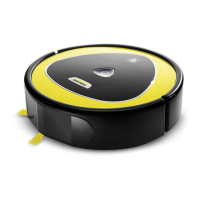
| Product color | Black, Yellow |
| Dust container type | Dust bag |
| Dust capacity (base) | 2 L |
| Dust capacity (total) | 2.2 L |
| HEPA filtration system | - |
| Dust capacity (vacuum cleaner) | 0.2 L |
| Battery life | - m² |
| Charging time | - h |
| Battery capacity | - mAh |
| Power consumption (typical) | 600 W |
 Weight and Dimensions
| Height | 105 mm |
|---|---|
| Weight | 2000 g |
| Diameter | 285 mm |






 To Next Page

