EasyManua.ls Logo

Kärcher RCV 5 - User Manual

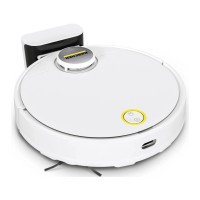
Kärcher RCV 5
84 pages
Print Icon
To Next Page IconTo Next Page
Loading...
RCV 5
97781900
(03/24)
English 2
Français 27
Español 54

Other manuals for Kärcher RCV 5

Questions and Answers

  • N
    Nicole HodgesAug 20, 2025
    What to do if my Kärcher RCV 5 Vacuum Cleaner is not returning to the charging station?
    • T
      Thomas CarpenterAug 20, 2025
      If your Kärcher Vacuum Cleaner isn't returning to the charging station, it could be due to several reasons: * The battery might be discharged. Manually place the robot on the charging station to fully charge. * The robot might be too far from the station. Move it closer or manually place it on the station. * There might not be enough space around the station. Ensure sufficient space, referring to the setup guide. * Too many obstacles could be present. Place the station in a more open area, as detailed in the setup guide. * The robot may have remapped its environment after being moved a long distance. Manually place it on the charging station. * If the robot wasn't started from the charging station, it will only return to its starting point. Manually place it on the station.
  • T
    Timothy LeeAug 23, 2025
    Why Kärcher Vacuum Cleaner does not clean efficiently?
    • T
      Taylor WebsterAug 23, 2025
      If your Kärcher Vacuum Cleaner isn't cleaning effectively or is leaving dust behind, it could be due to: * A full dust container. Empty it as described in the manual. * A clogged filter. Clean the filter, referring to the relevant section in the manual. * A foreign object caught in the brush. Clean the brush and side brush, as detailed in the manual.
  • M
    Michael HunterAug 26, 2025
    How to fix Kärcher Vacuum Cleaner that can not connect to the WLAN?
    • E
      elizabeth63Aug 26, 2025
      If your Kärcher Vacuum Cleaner won't connect to WLAN or keeps going offline, consider these points: * Ensure the robot is connected to the network and within WLAN signal range. Verify the WLAN password is correct and try resetting the WLAN, noting that 5 GHz networks aren't supported. * A weak WLAN signal can also cause connection issues. Ensure the robot is within range.
  • K
    Kevin RomeroAug 28, 2025
    Why Kärcher RCV 5 Vacuum Cleaner battery does not charge?
    • R
      rogershannahAug 28, 2025
      If your Kärcher Vacuum Cleaner battery isn't charging, it could be due to: * Dirty charging contacts. Wipe the contacts on both the station and robot with a dry cloth. * Ambient temperature outside the range of 0 °C to 35 °C. Ensure the temperature is within this range.
  • J
    Jessica HendersonAug 30, 2025
    What to do if Kärcher RCV 5 produces unusual noises?
    • D
      David DiazAug 30, 2025
      If your Kärcher Vacuum Cleaner is making unusual noises, a foreign object might be caught in the brush, side brush, or a wheel. To resolve this: 1. Switch off the vacuum cleaner. 2. Remove any foreign objects.
  • P
    Pamela SantiagoSep 2, 2025
    What to do if my Kärcher Vacuum Cleaner battery does not charge?
    • M
      Morgan RuizSep 2, 2025
      If your Kärcher Vacuum Cleaner battery isn't charging, the charging contacts might be dirty. Try wiping the charging contacts on both the charging station and the cleaning robot with a dry cloth. Also, ensure the ambient temperature is between 32 °F (0 °C) and 95 °F (35 °C) for proper charging.
  • R
    Robert AyalaSep 4, 2025
    Why Kärcher Vacuum Cleaner is not returning to the charging station?
    • C
      cody77Sep 5, 2025
      Your Kärcher Vacuum Cleaner might not be returning to the charging station due to several reasons: * The battery may be discharged, in that case, manually place the cleaning robot on the charging station and let it charge completely. * It might be too far away; move it closer to the charging station. * The robot remaps its environment after being moved a long distance, so manually place it on the charging station. * If the cleaning robot wasn't started from the charging station, it only returns to the place where it was started, so manually place it on the charging station.
  • S
    spearstiffanySep 7, 2025
    What to do if Kärcher RCV 5 Vacuum Cleaner does not start?
    • T
      Taylor Vaughn PhDSep 7, 2025
      If your Kärcher Vacuum Cleaner isn't starting, it could be due to several reasons. The ambient temperature might be too low (below 32 °F/0 °C) or too high (above 95 °F/35 °C), so use it within this temperature range. Also, the charging state could be too low, so charge the cleaning robot. Check if the laser distance sensor (LiDAR) is blocked and clean it with a dry cloth. Ensure the collision and fall sensors are clean. Make sure the water reservoir or dust container and the filter are correctly installed. Remove any obstacles if the robot is jammed or stuck, and place the robot on a flat surface ensuring its wheels have floor contact.
  • R
    Robyn SheaSep 9, 2025
    Why does my Kärcher Vacuum Cleaner not clean efficiently?
    • P
      Peter AshleySep 9, 2025
      If your Kärcher Vacuum Cleaner isn't cleaning efficiently, the dust container might be full, so empty it. The filter could also be clogged, so clean the filter. A foreign object may be caught in the brush, so clean the brush. Clean the side brush.
  • J
    johndanielsSep 12, 2025
    How to fix Kärcher RCV 5 that makes unusual sounds?
    • L
      Lynn MorganSep 12, 2025
      If your Kärcher Vacuum Cleaner is making unusual sounds, a foreign object could be caught in the brush, the side brush, or in a wheel. Switch off the cleaning robot and remove the foreign object.

Summary

Important Safety Instructions

General Safety Precautions

Basic safety guidelines, intended use, and general warnings.

Specific Hazard Warnings

Detailed warnings about immediate dangers like fire, explosion, and injury.

Customer Service

Product Registration

Instructions for registering your product for support.

Warranty and Contact Information

Details on filing warranty claims and regional contact numbers.

Technical Data

Electrical and Performance Specifications

Details electrical specs, performance data, and dimensions of the robot and station.

Environmental Protection Notes

Guidelines for recycling packaging and disposing of old devices and batteries.

Device Description and Function

Device Components Overview

Identifies and labels all parts of the cleaning robot and accessories.

Functional Description and Status

Explains robot operation, sensors, AI, and LED status indicators.

Initial Setup and Connection

Setting Up the Charging Station

Instructions for placing and connecting the charging station.

WLAN and App Connection

Guide to connect the robot to Wi-Fi and the mobile app.

Robot Operation

Starting and Setting Modes

How to power on, select cleaning modes, and start cleaning.

Robot Control and Recharging

How to pause, stop, manually recharge, and switch off the robot.

Maintenance and Cleaning

Water Reservoir Management

Procedures for refilling and draining the water reservoir.

Cleaning and Replacing Components

Instructions for cleaning dust container, filters, brushes, and replacing parts.

Troubleshooting and Disposal

Troubleshooting Common Issues

Solutions for common errors like charging problems and unusual sounds.

Disposal Guidelines

Procedures for safely disposing of the device and battery.

Kärcher RCV 5 Specifications

General IconGeneral
Product typeAccessory kit
Brand compatibilityKärcher
Suitable for vacuum cleaner typeRobot vacuum
Number of pads1
Number of brushes3
Number of filters2 pc(s)
Quantity per pack6 pc(s)
Package weight400 g
Weight and Dimensions IconWeight and Dimensions
Depth190 mm
Width125 mm
Height82 mm
Weight100 g

Related product manuals