9
3. Web-based Settings Guide
To change settings, connect the Extender to your computer and use your Internet browser to go
to http://192.168.0.1 described in Connect a PC to the Extender with an Ethernet Cable.
3.1 Extender main page configuration
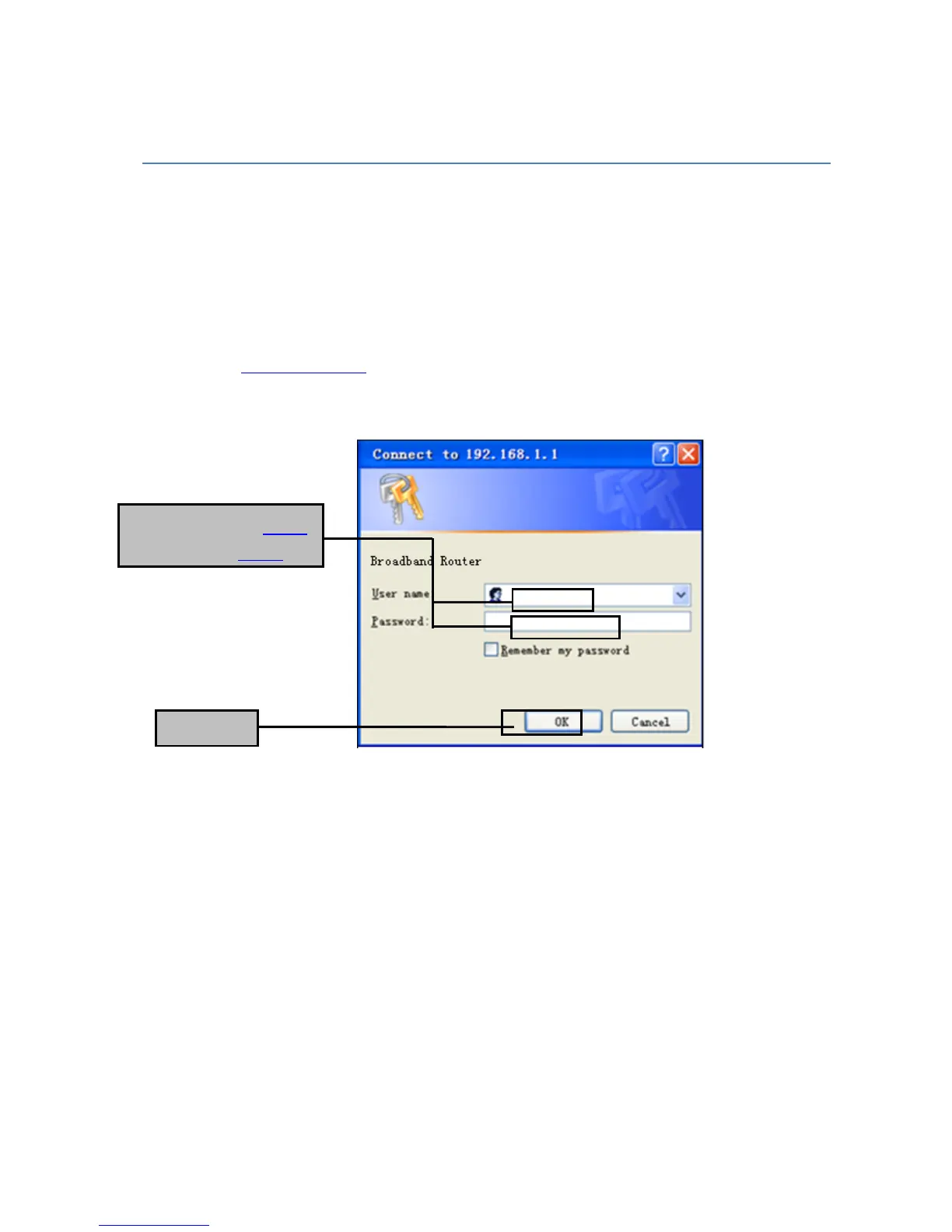
When using http://192.168.0.1 to log on to the setting pages. Enter username “admin” and
password “admin”, then click “OK”.
You will see the following page. The Status page displays the Router's current status and wan
configuration.
This page show the router local, Ethernet network.
If you are using the Router as a DHCP server, that will be displayed here.


 To Next Page