KW6512 LinkSmart Wireless Router User Manual
18
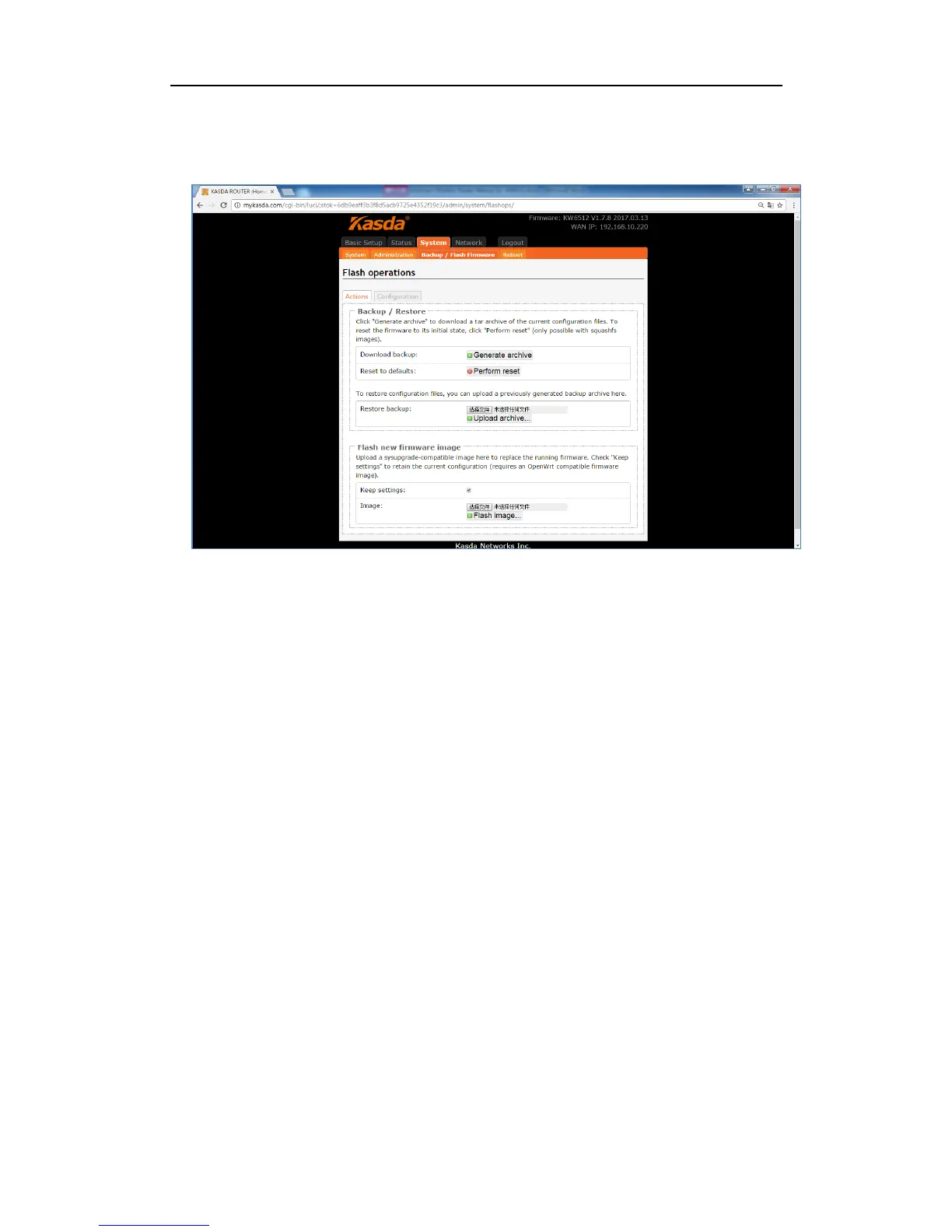
Click “Backup / Flash Firmware”, you will go to the Flash operations page. On this
page, you can do the backup or update the firmware version of routers.
Generate archive is to download a tar archive of the current configuration files and
save it for back up. You can save it onto another place such as your computer
desktop.
Perform reset is to reset the router’s firmware to its initial state. If you forget your
router’s web management login password, you can reset the router by performing
reset.
Upload archive is to restore the configuration files by upload a previously
generated backup archive here.
Flash new firmware image is to upload or download a sys-upgrade compatible
image here to replace the current running firmware. And if you want to retain the
configuration before uploading or downloading, please check “Keep Settings”. As
for how to flash new firmware image, you need to choose the firmware you want
to flash, and then click Flash image to wait for the flash finished. During this
period, please do not power off the router.



 To Next Page