KW6512 LinkSmart Wireless Router User Manual
25
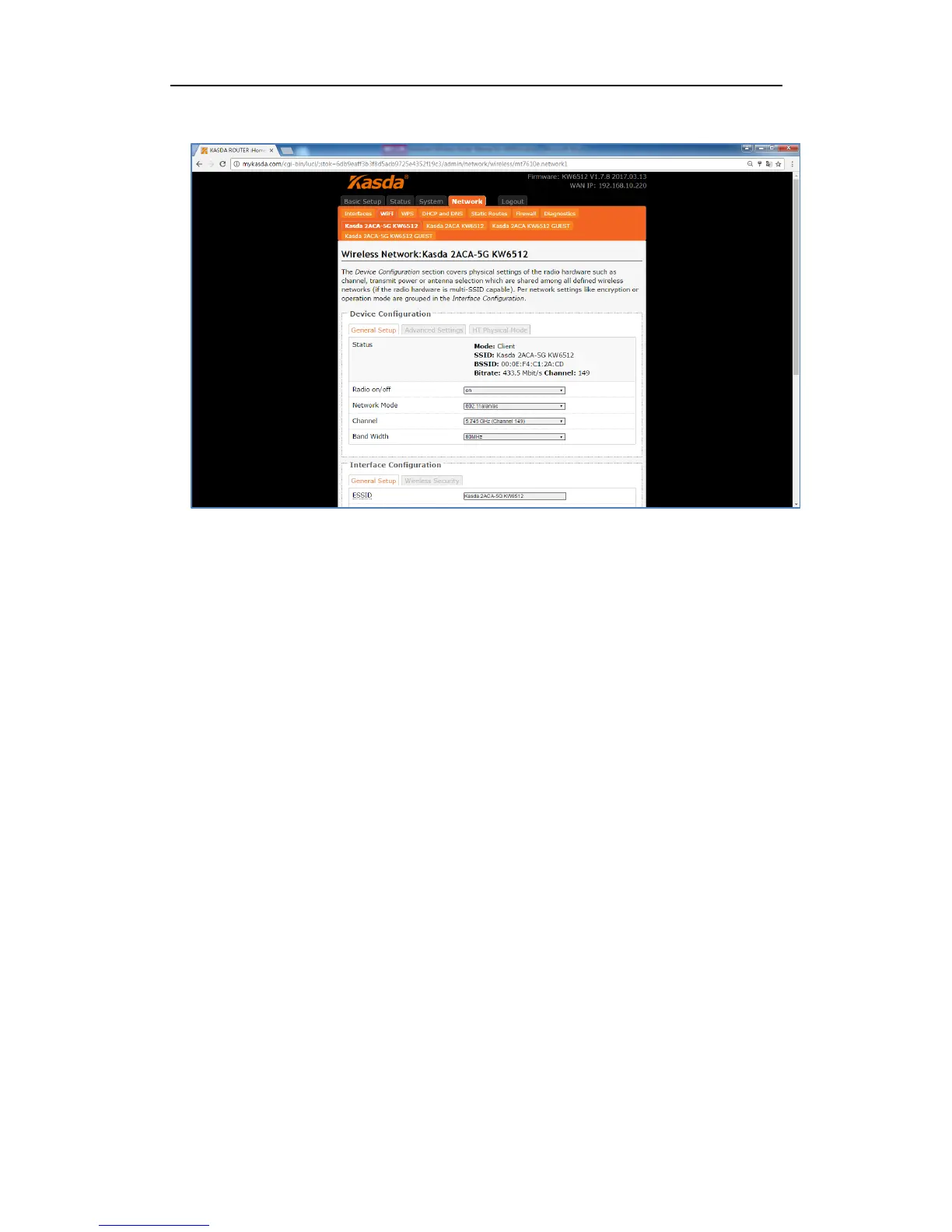
Radio on/off – when wireless clients survey the local area for wireless networks to
associate with, they will detect the SSID radio by the router. To broadcast your
router SSID, keep the default setting—on. If you do not want to broadcast the
router SSID, then select off.
Network Mode – keep it default as 802.11b/g/n. If you have special demand, you
can select the mode as you like.
Channel – this field determines which operating frequency will be used. It is not
necessary to change the wireless channel unless you notice interference problems
with another nearby access point. If you select auto, then router will choose the
best channel automatically.
Bandwidth – the bandwidth of the wireless channel.
ESSID – it is the name of your wireless network. You can keep it default or rename
it as you like.
Mode – when you set up the wireless network via Wizard Setup, it is Client mode
by default. Most customers choose “Access Point”.
Network – Choose the network(s) you want to attach to this wireless interface or
fill out the create field to define a new network.
WMM Mode – keep it default “Enable”.



 To Next Page