13
Via ADB tool(Only for ADB users)
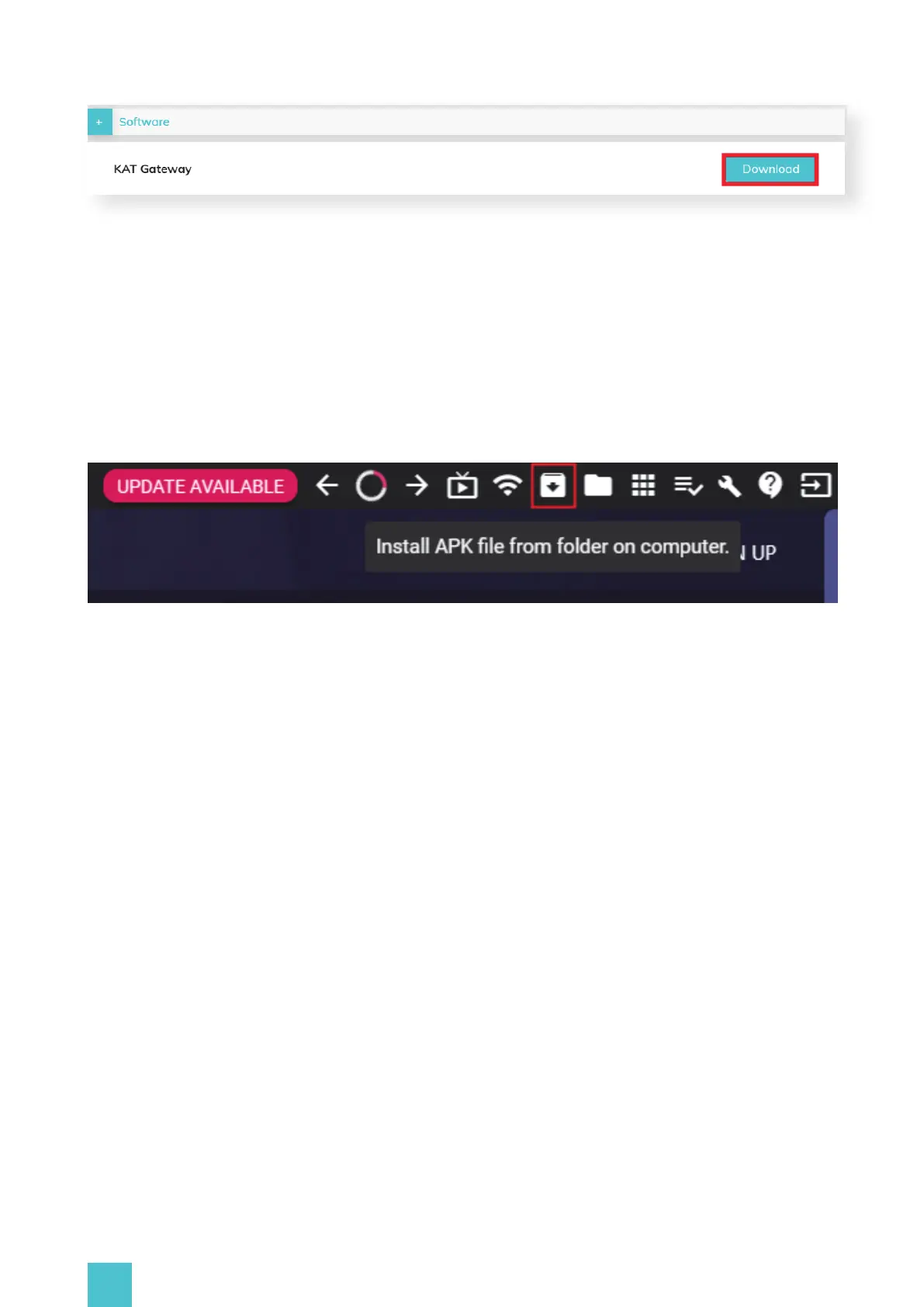
Visit the official website: https://www.kat-vr.com/,and click "Support" to proceed to the product
list. Select KAT Nexus and proceed to the product resource page. Download KAT Gateway of Nexus
onto your computer (Windows 10 x64) and extract it.
Download and install ADB driver from a credible website, FYI: https://developer.android.com/stu-
dio/releases/platform-tools, copy the complete path of the APK file you have extracted previously.
Press WIN+R to open the Windows command-line interface, input 'adb install "X:\katgateway.apk"
(right click the mouse to paste the path)' and press the 'Enter' key to start the installation of KAT
Nexus app, wait until the installation is finished.
Remember to Install both the katgateway. APK and katgatewayservice. APK files.
Download and install the 'Sidequest Advanced Installer' (The easy installer version does not support
APK installation) from sidequestvr.com. Then, open the Sidequest, click the icon of a folder with
arrow pointing downwards, and locate the. APK file path. Select the katgateway. APK file and click
'Open'.
Within a second, SideQuest will begin loading and installing the kat nexus app. Wait until it finished.
(You can double - check in the sidequest task manager to see if the installation has been finished
successfully. Remember to Install both the katgateway. APK and katgatewayservice. APK files.


 To Next Page