3.
Software Update (CA49)
2
Main update using DP Updater tool
This main update stage is performed using the Kawai DP Updater tool for Windows or macOS computers.
* If the CA49’s current software is version v1.00, please refer to Stage 1 of the update instructions.
This stage of the update will require approximately 8 minutes to complete.
Update requirements
This stage of the software update will require a Windows or macOS computer with internet access, and a USB type “B” to type “A” cable.
Preparing for the update
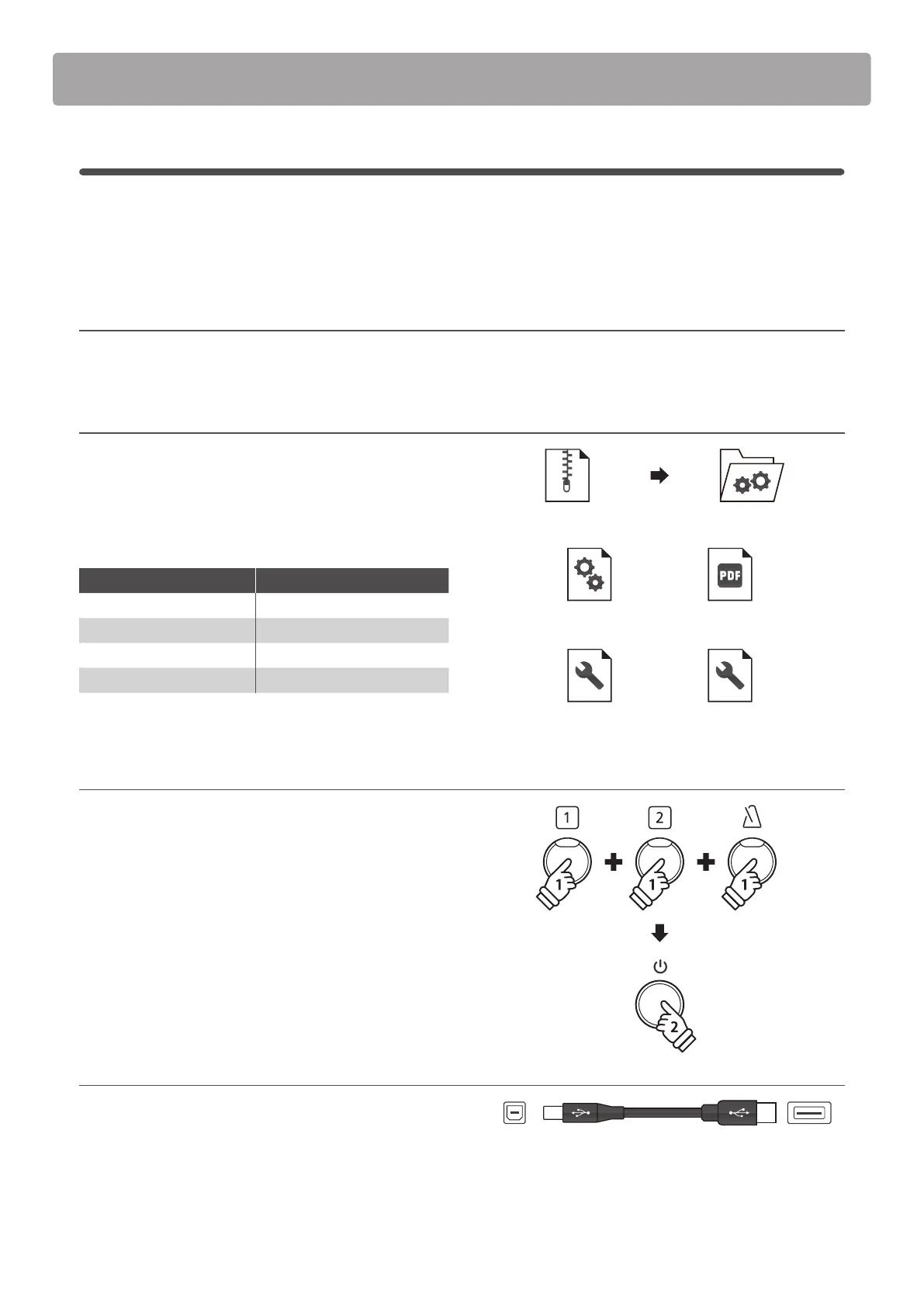
After downloading the software update zip le, extract the
contents to a temporary folder (e.g. the Desktop).
The folder should contain four les.
Filename Description
ca49****.dat CA49 system software
ca49_update_en.pdf Update instructions
kawai_dp_updater.app Update tool for macOS
kawai_dp_updater.exe Update tool for Windows
1. Turn on the piano in update mode
While the CA49 digital piano is turned o:
Press and hold the [1], [2], and [METRONOME] buttons
simultaneously, then press the [POWER] button to turn the
instrument on.
The piano will turn on in update mode, and the LED indicators
for the three pressed buttons will start to ash.
2. Connect the piano to the computer
Connect the piano to the computer using a USB type “B” to USB
type “A” cable.
* Please refer to page 51 of the main CA49 owner’s manual for more
information.
ca 49_v11x. zip
ca49_update_en.pdfca49****.dat
kawai_dp_updater.app kawai_dp_updater.exe
ca 49_v11x. zip
“B” type
(Piano)
“A” type
(Computer)
holdhold
holdhold
holdhold



 To Next Page