CS11/CS8 MIDI Settings Manual
7
MIDI Settings
5
Multi-timbral Mode
The Multi-timbral Mode setting determines whether or not the CS11/CS8 digital piano is able to receive MIDI
information on more than one MIDI channel simultaneously. This allows the instrument to play back multi-track,
multi-timbral performance data sent from an external MIDI device.
Multi-timbral Mode setting
Multi-timbral Mode Selected sound
O (default) The sound shown in the left column is selected*.
On1 The sound shown in the left column is selected*.
On2 The sound shown in the right column is selected*.
* Please refer to the ‘Program Change Number List’ on page 134 of “CS11/CS8 Owner’s Manual”.
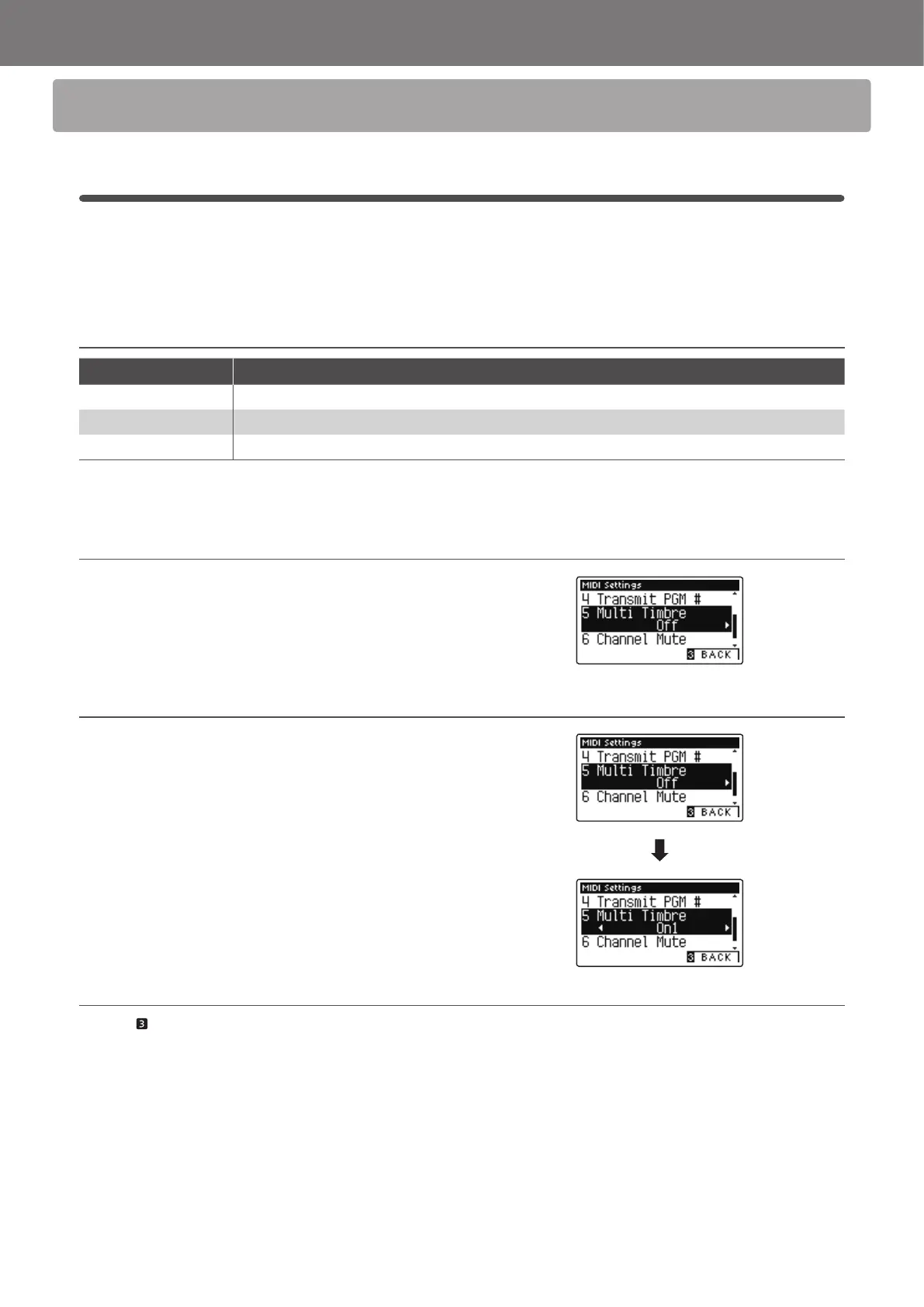
1. Selecting the Multi-timbral Mode setting
After entering the MIDI Settings menu (page 2):
Press the or
buttons to select the Multi-timbral Mode
setting.
2. Changing the Multi-timbral Mode setting
Press the or buttons to change turn the Multi-timbral
Mode setting.
* To reset the Multi-timbral Mode setting to the default setting, press
the and buttons simultaneously.
* Any changes made to the Multi-timbral Mode setting will remain until
the power is turned o.
* Preferred Multi-timbral Mode settings can be stored to a Registration
memory for convenient recall. Please refer to CS11/CS8 Owner’s
Manual page 32 for more information.
3. Exiting the Multi-timbral Mode setting
Press the FUNCTION button (BACK) to exit the Multi-timbral
Mode setting and return to the Function Menus screen.


 To Next Page