EasyManua.ls Logo

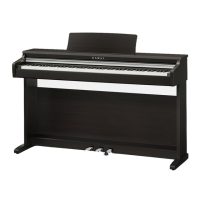
Kawai KDP120 - User Manual

Kawai KDP120
56 pages
Print Icon
To Next Page IconTo Next Page
Loading...
KDP120 / KDP75
Owners Manual
Important Information
Preparation
Basic Operation
Adjustments & Settings
Appendix

Other manuals for Kawai KDP120

Questions and Answers

  • Y
    youngkendraJul 27, 2025
    What to do if my Kawai Musical Instrument has no sound?
    • W
      William OchoaJul 27, 2025
      If your Kawai Musical Instrument is on but not producing sound, first ensure the MASTER VOLUME slider isn't at its lowest setting. Also, check that headphones or a headphone adapter aren't plugged into the PHONES jack. Finally, verify that Local Control is enabled within the MIDI Settings menu.
  • R
    Robert RuizJul 31, 2025
    Why Kawai KDP120 Musical Instrument is not responding to key presses via USB?
    • M
      matthew15Jul 31, 2025
      If your Kawai Musical Instrument isn't responding to key presses when connected to a computer via USB, first check that a USB MIDI driver is installed on your computer. Next, ensure that “USB Audio Device” or “KAWAI USB MIDI” is selected as the input/output device in your software's settings.
  • K
    Kenneth RichardsAug 5, 2025
    What to do if Kawai KDP120 pedals are not working?
    • L
      laurievalenzuelaAug 5, 2025
      If the pedals on your Kawai Musical Instrument are unreliable or not functioning, check that the pedal cable is firmly connected to the instrument. Also, ensure that the pedal support bolt is fully extended.
  • K
    Kimberly ValentineAug 9, 2025
    Why my Kawai KDP120 Musical Instrument cannot connect to the app via Bluetooth?
    • B
      bmorseAug 9, 2025
      If your Kawai KDP120 Musical Instrument cannot connect to a smart device/app via Bluetooth, first check that the instrument is not already connected to a smart device using Bluetooth MIDI. Ensure that the instrument’s Bluetooth MIDI function is turned On and that the mobile device’s Bluetooth function is also turned On. You can also try deleting the instrument’s Bluetooth connection using the mobile device’s “Forget Device” function, or try turning the instrument Off and then On, and/or restarting the mobile device.
  • M
    martinezkaylaAug 13, 2025
    How to fix sound distortion on Kawai KDP120 Musical Instrument at high volume?
    • A
      Allison SanchezAug 13, 2025
      If the sound distorts when playing your Kawai Musical Instrument at high volume levels, check that the MASTER VOLUME slider is set to an appropriate level. If you hear excessive distortion, reduce the volume.
  • J
    James HowardAug 18, 2025
    Why does my Kawai Musical Instrument make strange noises when playing piano sounds?
    • R
      Rhonda StevensAug 18, 2025
      The KDP120/KDP75 digital piano attempts to accurately reproduce the tones of an acoustic grand piano, including damper resonances and other subtle effects. These can be reduced or disabled using the sound settings if desired.
  • K
    Kevin LucasAug 22, 2025
    Why do the top notes sustain longer on my Kawai Musical Instrument?
    • L
      lewisjordanAug 22, 2025
      This is the correct behavior, intended to reproduce the undamped notes (typically the top two octaves) of an acoustic grand piano.

Summary

Important Information

Important Safety Instructions

Provides crucial safety guidelines and warnings for operating the piano.

Canadian Safety Regulations

Details safety rules specific to Canada, including warnings and symbol explanations.

Preparation

Setting Up the Piano

Step-by-step guide on connecting the power adaptor, turning on the instrument, and adjusting volume.

Basic Operation

Selecting Sounds

Details the methods for choosing from the 15 available instrument sounds.

Lesson Function

Guides users on practicing piano with built-in lesson songs, including part practice.

Adjustments & Settings

Keyboard and Sound Settings

Covers adjustments for damper resonance, reverb, touch sensitivity, tuning, and brilliance.

Appendix

Troubleshooting

Provides solutions for common problems related to power, sound, pedals, and connectivity.

Assembly Instructions

Step-by-step guide for assembling the digital piano, including parts and tools needed.

Kawai KDP120 Specifications

General IconGeneral
Sound SourceHarmonic Imaging (HI)
Polyphony192 notes
Internal Sounds15 sounds
MetronomeYes
Speakers12 cm x 2
Amplifier20 W x 2
BluetoothNo
Audio RecordingNo
USB AudioNo
Piano SoundShigeru Kawai SK-EX, Kawai EX Concert Grand
ReverbRoom, Small Hall, Concert Hall
Recorder3 songs
ConnectivityMIDI (IN/OUT), USB to Host
PedalsDamper, Soft, Sostenuto
Dimensions136 x 40.5 x 85 cm
Weight37 kg
Other FunctionsDual, Four Hands, Transpose
Touch SensitivityLight, Normal, Heavy, Off
Included AccessoriesMusic rest, AC adapter, Owner's Manual
Lesson FunctionYes

Related product manuals