RAISING THE RACK
Some drilling operations will require the table
to be moved closer to the spindle than the rack
will allow as
set
at the factory. To raise the
rack:
1.
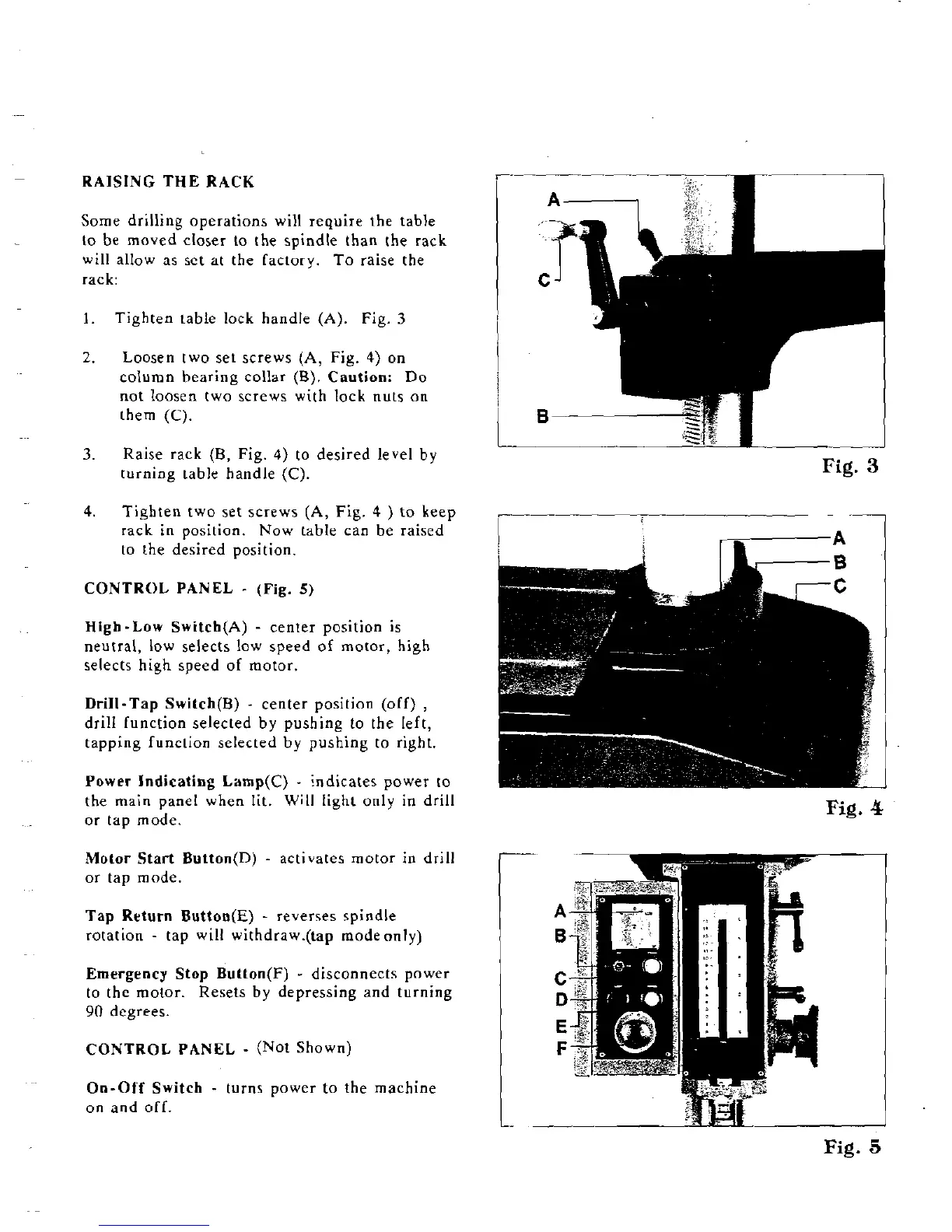
Tighten table lock handle
(A).
Fig.
3
2.
Loosen two set screws (A, Fig.
4)
on
column hearing collar
(B).
Caution: Do
not loosen two screws with lock nuts on
them
(C).
3.
Raise rack (B, Fig.
4)
to desired level by
turning table handle
(C).
Fig.
3
4.
Tighten two set screws (A,
Fig.
4
)
to keep
,---
rack
in
position. Now table can be raised
to the desired position.
CONTROL PANEL
-
(Fig.
5)
High-Low Switch(A)
-
center position is
neutral, low selects low speed of motor, high
selects high speed of motor.
Drill-Tap
Switch(B)
-
center position (off)
,
drill [unction selected by pushing to the left,
tapping
funclion selected by pushing to right.
Power Indicating
Lamp(C)
-
indicates power to
-
the main panel when lit. Will light only in drill
or tap mode.
Motor Start
Buttnn(D)
-
activates motor in drill
or tap mode.
Tap Return
Button(E)
-
reverses spindle
rotation
-
tap will withdraw.(tap modeonly)
Emergency Stop
Button(F)
-
disconnects power
to the motor. Resets by depressing and turning
90
degrees.
On-Off Switch
-
turns power to the machine
on and off.
Fig.
4
Fig.
5


 To Next Page