24412 Main St. Suite 105, Carson, CA 90745
Press the Make Nuggets button once to start making ice, the Make
Nuggets LED flashes slowly.
Filling the water reservoir when the Water Level red LED flashes
quickly
Do not add water until Water Level red LED flashes quickly.
Do not overfill the reservoir otherwise it may overflow when ice
melts completely.
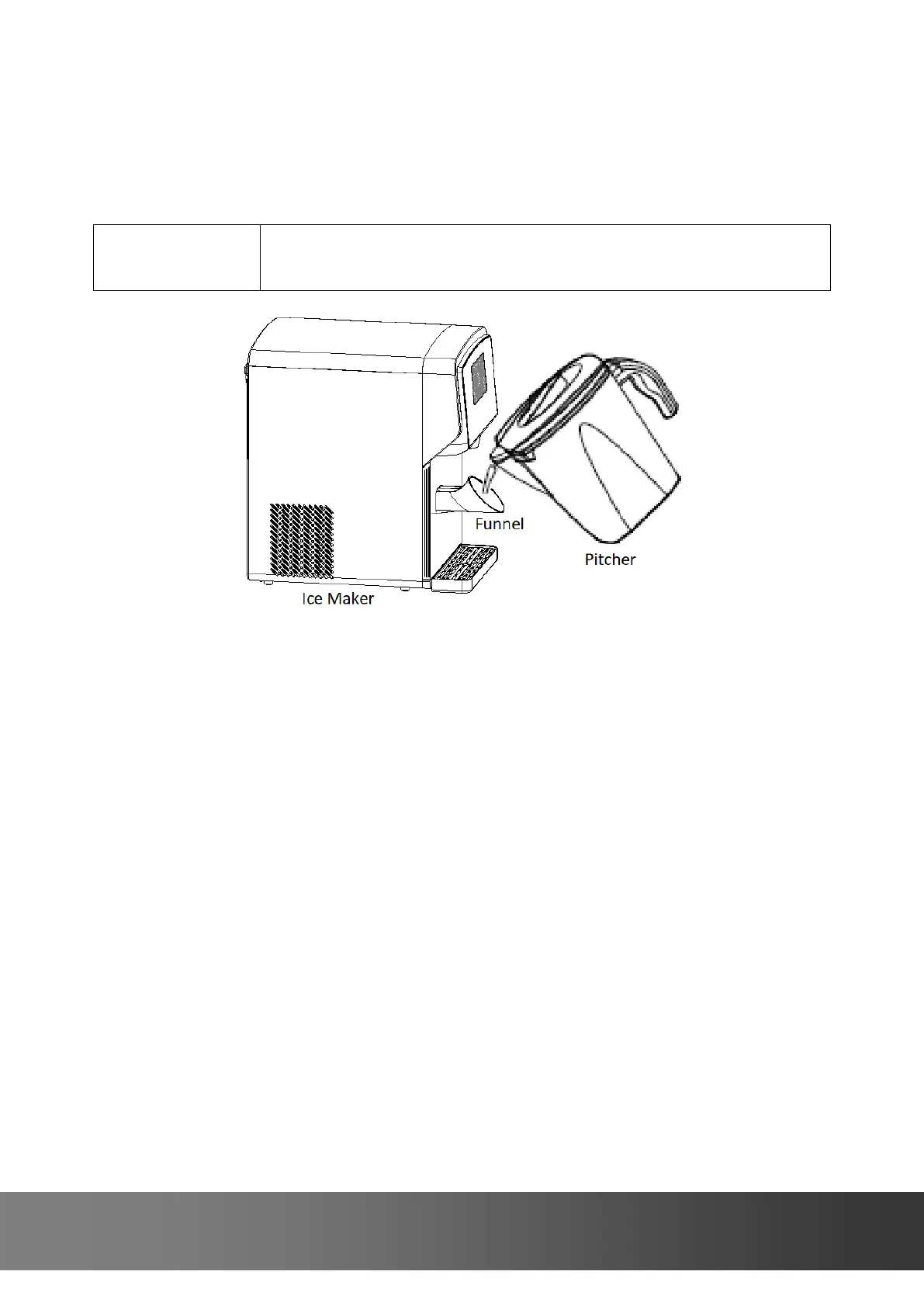
Insert a funnel into the fill port.
Add clean potable water using the funnel (included) until the Water Level
green LED illuminates and you hear 5 beeps.
Remove the funnel to close the fill port.
Or
Remove the reservoir door to add clean potable water to MAX WATER
FILL until you hear 5 beeps.
If the Clean LED flashes quickly and the unit stops making ice
Go to the section 5 of DISPENSER CARE.
If the ice dispenser hasn’t been interacted in the past 4 hours
The unit will enter energy saving mode.
If the ice dispenser hasn’t been interacted in the past 72 hours
The unit will enter idle mode.
If you are away on holidays or vacations
Empty the ice bin and water reservoir.


 To Next Page