EasyManua.ls Logo

Keba KeContact P20 - User Manual

Keba KeContact P20
20 pages
Print Icon
To Next Page IconTo Next Page
Loading...
KeContact P20
User manual

Other manuals for Keba KeContact P20

Questions and Answers

  • C
    Cynthia SerranoAug 2, 2025
    What to do if my Keba KeContact P20 standard plug cannot be unplugged?
    • C
      christopherbarberAug 3, 2025
      If you cannot unplug the standard plug from your Keba Battery Charger, it might be because the charging procedure wasn't correctly ended by the vehicle. Try ending the charging procedure according to the vehicle manufacturer's instructions. Also, the plug may not be able to be unlocked under tension. Press the plug in and connect to the vehicle again, then end the charging procedure again.
  • E
    Emily Cole DDSAug 8, 2025
    Why is the charging procedure not started on my Keba KeContact P20 Battery Charger?
    • H
      Henry CobbAug 8, 2025
      The charging procedure on your Keba Battery Charger might not start due to several reasons: the plug was not plugged in correctly (unplug and plug in connector again), the plug may possibly be dirty in the locking area or damaged (clean the plug or have it replaced), the vehicle does not require energy or it has a fault (check vehicle), or the vehicle is programmed to charge at a later starting time.
  • M
    mcgeechristineAug 15, 2025
    What to do if the Status LED flashes red on Keba Battery Charger?
    • K
      Kristina HollowayAug 15, 2025
      If the status LED on your Keba Battery Charger flashes red, it indicates a malfunction. First, check the possible causes of error for the malfunction. You can also try switching off the supply voltage of the charging station (installed or superordinate RCD and line circuit breaker), unplugging the charging cable from the charging station, and then switching the voltage supply on again. In case of defective, please contact your service partner.
  • L
    Lee CrossAug 20, 2025
    Why is the Keba Battery Charger taking longer to charge or not fully charging my vehicle?
    • S
      Sarah Bell MDAug 21, 2025
      A longer charging time or a vehicle not fully charged with your Keba Battery Charger can be caused by power reduction due to excessive temperature by the vehicle or the charging station. Protect the vehicle and the charging station from direct sunlight during the charging procedure (carport, garage, etc.). Also, perform a visual inspection of the plug and socket device to see if it is dirty, worn or damaged. Another reason could be no enable due to external control device (energy supplier, photo- voltaic system, etc.).
  • J
    John Hartman DDSAug 27, 2025
    How to fix a Keba KeContact P20 when the status LED does not light up?
    • J
      Justin ThompsonAug 27, 2025
      If the status LED on your Keba Battery Charger does not light up, it could be due to no voltage supply. Check the RCD and line circuit breaker and switch on, if necessary. In case of defective, please contact your service partner.

Summary

General Notes

Safety Warnings and Symbols

Explains safety symbols like DANGER, WARNING, CAUTION, ATTENTION, and notes.

Important Information

Safety Instructions

Covers electrical hazards, fire hazards, and general safety precautions for operation.

Intended Use

Defines the purpose and application scope of the KeContact P20.

About This Manual

Specifies the manual's validity for KeContact P20 and its intended audience.

Overview

Variant Overview

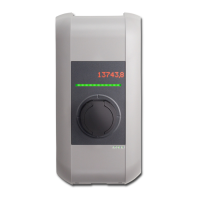
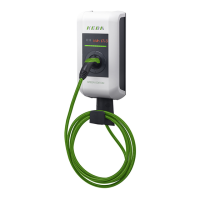
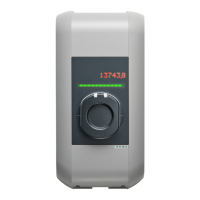
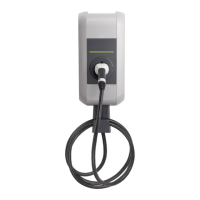
Details the base models with socket and charging cable, identifying key components.

Optional Equipment

Describes optional features like RFID sensors, key switches, and network capabilities.

Using the Charging Station

Charging Station with Socket

Guides on starting and ending charging procedures for socket-equipped models.

Charging Station with Charging Cable

Explains charging procedures and cable storage for models with integrated cables.

Status LED

Interprets the meaning of different colors and patterns displayed by the status LED.

Authorization (Optional)

Outlines user authorization methods using key switches or RFID cards, and their indicators.

Programming RFID User Cards (Optional)

Provides steps for activating, programming, and confirming RFID user cards.

Installing and Removing the Cylinder Lock

Details requirements and step-by-step instructions for cylinder lock installation and removal.

Troubleshooting

Common Problems and Solutions

Lists common issues like LED status, charging not starting, and provides potential causes and remedies.

Maintenance

Cleaning

Instructions on how to clean the charging station housing using appropriate materials.

Customer Service

Guidance on contacting customer service, including pre-contact checks and information needed.

Keba KeContact P20 Specifications

General IconGeneral
Charging Powerup to 22 kW
Input Voltage230/400 V
Connector TypeType 2
Protection ClassIP54
Charging ModesMode 3
Operating Temperature-25 °C to +50 °C
Protection FeaturesOvervoltage, Overcurrent, Short Circuit

Related product manuals