Quick Start Guide
For technical support or other information, please visit
help.keenetic.com
AC1300 Dual Band Mesh Wi-Fi Gigabit Router with
Dual Core CPU, a 9-Port Gigabit Smart Pro Switch,
SFP Combo Port, USB 2.0 and 3.0 Ports
Model: KN-2610
SFP
0
1
56 78
234
Installing Your
Keenetic Giant
10:00
Welcome to
Your Keenetic
Next
3
Сonnect a mobile device to your Keenetic device via Wi-Fi.
The default Wi-Fi name (SSID) and Wi-Fi password are
printed on your Keenetic device’s back label along with a QR
code that will automatically connect your mobile device
to the Keenetic device’s Wi-Fi when scanned. Alternatively,
сonnect a computer to any gray Ethernet port on your
Keenetic device using the included Ethernet cable.
4
Once connected, an Initial Setup Wizard window will appear on
your mobile device / computer. If the Wizard does not appear,
using a browser go to my.keenetic.net.
Note: If the Initial Setup Wizard doesn’t appear, please refer
to the Frequently Asked Questions section below.
5
In the Initial Setup Wizard window that appeared, select the
configuration option.
To create a new network and connect it to the Internet, choose
the appropriate connection type and follow the setup instructions.
To extend an existing network and add this Keenetic device
as a Wi-Fi extender, choose the ‘To switch to Wi-Fi Extender Mode’
option and follow the setup instructions.
2
Connect your Keenetic device to a power source.
Check that both the Status LED C and Wi-Fi LED D
are illuminated and not blinking.
1
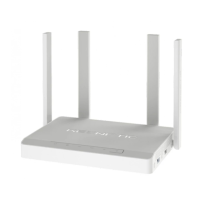
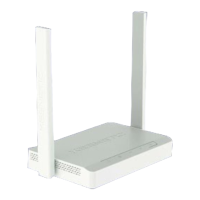
Position your Keenetic Giant (hereinafter ‘Keenetic device’,
'Keenetic router') within cable lengths of Ethernet and power
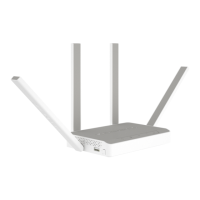
outlets. Install the supplied removable Wi-Fi antennas and
position them vertically. Place your Keenetic router in an
open area for better wireless coverage.

 Need help?
 General

 To Next Page