Need help?
Do you have a question about the KeeNetic EXTRA KN-1710 and is the answer not in the manual?
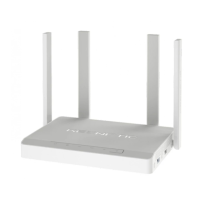
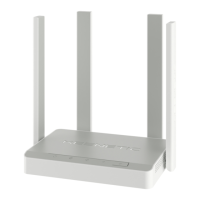
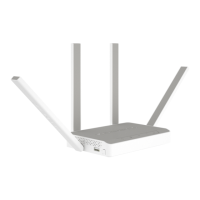
Four PCB Wi-Fi antennas with 5 dBi gain. Recommend vertical position.
Resets administrator password and user settings. Hold for 10 seconds until indicator flashes.
Ports '0' to '4' for ISP and home devices. Port indicator lights up on connection, flashes during data transfer.
Connector for DC power adapter. Designed for continuous operation.
Shows device status: On for ready, Off for off, flashing for reboot/update.
Displays status for Internet, USB port, and Wi-Fi network. Details on their states and meanings.
Includes USB port for devices and programmable FN button for safe removal or custom functions.
Access the web interface via my.keenetic.net for setup wizard and configuration.
Install My.Keenetic app on smartphone for setup and remote home network management.
Connect ISP Ethernet cable to port '0'. Advise ISP of Keenetic's MAC address if needed.
Connect DSL/GPON modem LAN to port '0'. Modem should be in bridge mode for full features.
Connect USB modem to Keenetic's USB port. Disable SIM PIN and ensure good signal for connection.
Operate indoors, avoid heat/obstructions, use supplied adapter, handle with care, no self-service.
Optimize Wi-Fi speed by positioning, using appropriate channels, and understanding link rates.
Supports NTFS, FAT, EXT, HFS+. Enable applications, use safe removal via FN button.
Check device connections, restart devices, and verify indicator status for troubleshooting.
Access help.keenetic.com for setup guides, knowledge base, and expert assistance.
3-year hardware warranty. Voided by misuse, unauthorized service, or damage.
Includes package contents, operating/storage conditions, legal restrictions, and service tag.
Recycling info, manufacturer address, country of origin, and software licensing details.
 General
| Brand | KeeNetic |
|---|---|
| Model | EXTRA KN-1710 |
| Category | Wireless Router |
| Language | English |

 To Next Page