EasyManua.ls Logo

KeeNetic RYNNER 4G - User Manual

KeeNetic RYNNER 4G
2 pages
Print Icon
To Next Page IconTo Next Page
Loading...
Quick Start Guide
For technical support or other information, please visit
help.keenetic.com
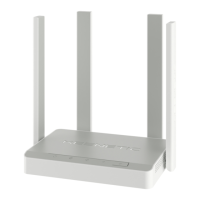
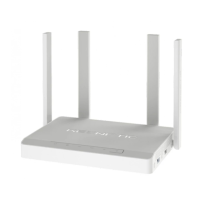
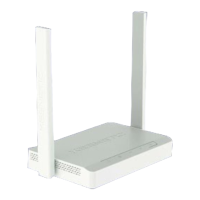
N300 Mesh Wi-Fi 4G Modem Router
with a 4-Port Smart Switch
Model: KN-2210
3
Position your Keenetic device within cable length of a power
outlet. Place your Keenetic device in an open area for better
wireless coverage. Connect your Keenetic device to a power
source. Check that both the Status LED C and Wi-Fi LED D
are illuminated and not blinking
Installing Your
Keenetic Runner 4G
4
Сonnect a mobile device to your Keenetic device via Wi-Fi.
The default Wi-Fi name (SSID) and Wi-Fi password are printed
on your Keenetic devices back label along with a QR code that
will automatically connect your mobile device to the Keenetic
devices Wi-Fi when scanned. Alternatively, сonnect a computer
to any gray Ethernet port on your Keenetic device using the
included Ethernet cable.
2
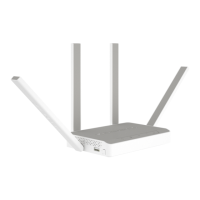
Install the supplied removable 4G antennas
and position them vertically.
Insert a standard Micro-SIM card, with the gold contacts
facing downwards, into the SIM card slot on the back of your
Keenetic Runner 4G (hereinafter ‘Keenetic device’), until you
hear a click. To obtain an activated Micro-SIM card, contact
your mobile broadband service provider. If you use a
Nano-SIM card, you must use an adapter. Never insert an
empty SIM card adapter into the slot as this may damage
the equipment.
1
5
Once connected, an Initial Setup Wizard window will appear
on your mobile device / computer. If the Wizard does not
appear, go to my.keenetic.net and follow the setup
instructions.
Note: If the Initial Setup Wizard still doesn’t appear, please
refer to the Frequently Asked Questions section below.
10:00
Welcome to
Your Keenetic
Next
Micro
SIM
Question and Answer IconNeed help?

Do you have a question about the KeeNetic RYNNER 4G and is the answer not in the manual?

Summary

Installing Your Keenetic Runner 4 G

Insert Micro-SIM Card

Insert Micro-SIM card with gold contacts facing down. Use adapter for Nano-SIM.

Install 4 G Antennas

Install and position the supplied 4G antennas vertically for optimal performance.

Position and Power On Device

Place device for wireless coverage, connect power, and check status LEDs.

Connect Mobile Device via Wi-Fi

Connect via Wi-Fi using default credentials or QR code, or via Ethernet.

Initial Setup Wizard

Initial setup wizard appears on connected device. Access via my.keenetic.net if not shown.

Hardware Overview

Antennas and Connectors

Details on 4G and Wi-Fi antennas, and 4G antenna connectors.

SIM Card Slot

Slot for inserting a Micro-SIM card; adapter needed for Nano-SIM.

Network Ports

Description of the Internet port (0) and home device ports (1-3).

Power Socket

Socket for the supplied power adapter for continuous operation.

LED Indicators

Explains the meaning of Status, Internet, Mobile Network, and Wi-Fi LEDs.

Control Buttons

Details on the Reset Button and Wi-Fi Control Button functions.

Frequently Asked Questions

Troubleshooting Setup Wizard Access

Steps to resolve issues accessing the setup wizard or web interface.

Troubleshooting Mobile Internet

Diagnosing and resolving problems with mobile broadband connections.

Troubleshooting Wired Internet

Steps to resolve internet connectivity issues via Ethernet or modem.

Forgot Wireless Password

How to retrieve or reset your Wi-Fi password.

Forgot Web Interface Password

Procedure to reset the web interface password.

Reset Factory Settings

Guide on how to restore the device to its original factory settings.

Important Information

Whats in the Box

List of items included with the Keenetic Router.

Device Warranty

Information regarding the Keenetic device warranty.

Safety Instructions

Essential safety guidelines for using the Keenetic device indoors.

Certification and Compliance

Details on EU directives compliance and radiation exposure limits.

Disposal Information

Guidance on proper disposal of the device according to European directives.

Privacy Notice

Information on personal data processing by Keenetic Limited.

Summary

Installing Your Keenetic Runner 4 G

Insert Micro-SIM Card

Insert Micro-SIM card with gold contacts facing down. Use adapter for Nano-SIM.

Install 4 G Antennas

Install and position the supplied 4G antennas vertically for optimal performance.

Position and Power On Device

Place device for wireless coverage, connect power, and check status LEDs.

Connect Mobile Device via Wi-Fi

Connect via Wi-Fi using default credentials or QR code, or via Ethernet.

Initial Setup Wizard

Initial setup wizard appears on connected device. Access via my.keenetic.net if not shown.

Hardware Overview

Antennas and Connectors

Details on 4G and Wi-Fi antennas, and 4G antenna connectors.

SIM Card Slot

Slot for inserting a Micro-SIM card; adapter needed for Nano-SIM.

Network Ports

Description of the Internet port (0) and home device ports (1-3).

Power Socket

Socket for the supplied power adapter for continuous operation.

LED Indicators

Explains the meaning of Status, Internet, Mobile Network, and Wi-Fi LEDs.

Control Buttons

Details on the Reset Button and Wi-Fi Control Button functions.

Frequently Asked Questions

Troubleshooting Setup Wizard Access

Steps to resolve issues accessing the setup wizard or web interface.

Troubleshooting Mobile Internet

Diagnosing and resolving problems with mobile broadband connections.

Troubleshooting Wired Internet

Steps to resolve internet connectivity issues via Ethernet or modem.

Forgot Wireless Password

How to retrieve or reset your Wi-Fi password.

Forgot Web Interface Password

Procedure to reset the web interface password.

Reset Factory Settings

Guide on how to restore the device to its original factory settings.

Important Information

Whats in the Box

List of items included with the Keenetic Router.

Device Warranty

Information regarding the Keenetic device warranty.

Safety Instructions

Essential safety guidelines for using the Keenetic device indoors.

Certification and Compliance

Details on EU directives compliance and radiation exposure limits.

Disposal Information

Guidance on proper disposal of the device according to European directives.

Privacy Notice

Information on personal data processing by Keenetic Limited.

KeeNetic RYNNER 4G Specifications

General IconGeneral
Device TypeWireless Router
Antenna Gain5 dBi
Antennas2
4G LTE SupportYes
SIM Card SlotYes
FirewallYes
VPN SupportYes
Wireless Standard802.11b/g/n
Frequency Band2.4 GHz
Wi-Fi Speed300 Mbps
Antenna TypeExternal
Ethernet Ports4
WAN Port1
USB Ports1
Mobile Network SupportLTE Cat4
SecurityWPA, WPA2, WPA3

Related product manuals