CONNECTING MACHINE
%
®
®
®
®
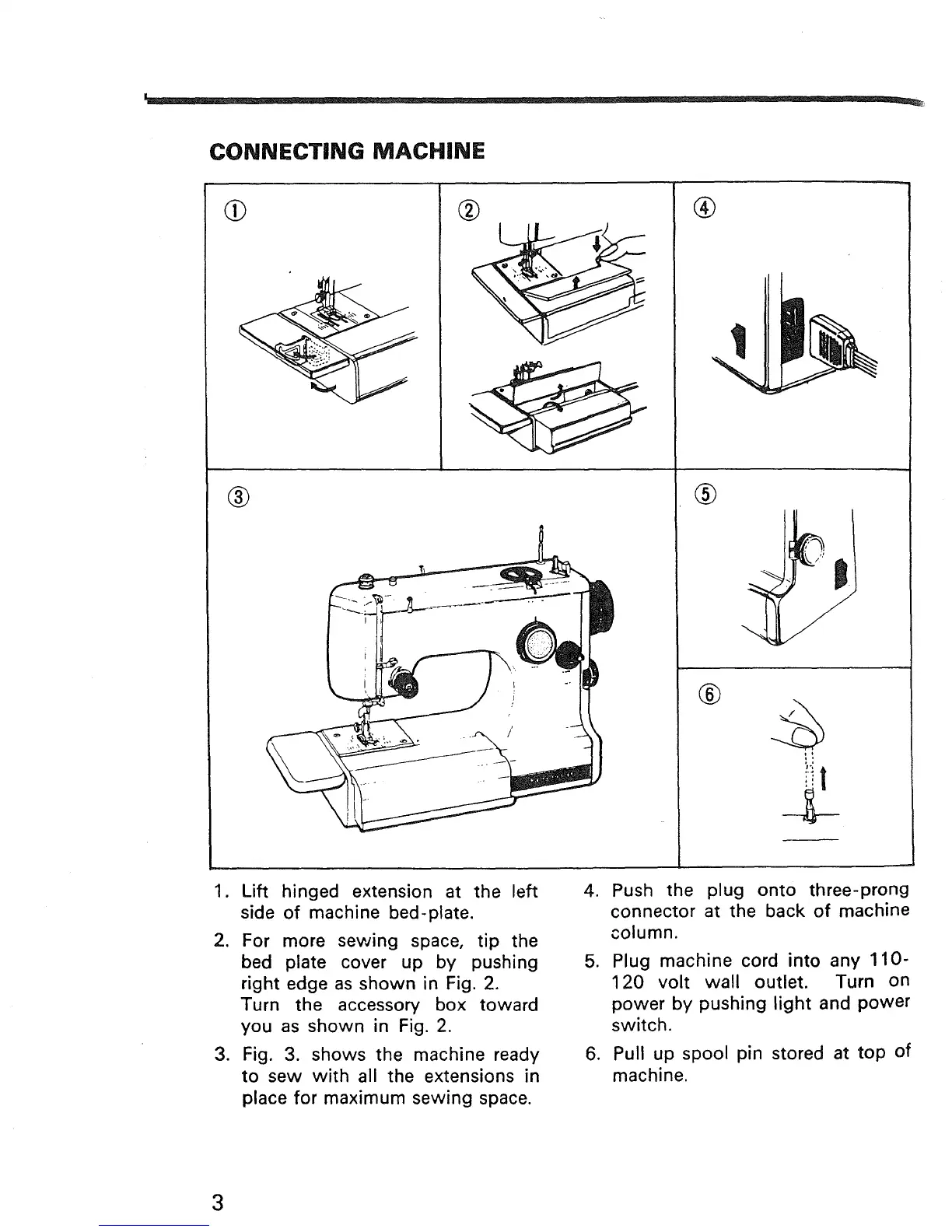
1. Lift hinged extension at the left
side of machine bed-plate.
2. For more sewing space, tip the
bed plate cover up by pushing
right edge as shown in Fig. 2.
Turn the accessory box toward
you as shown in Fig. 2.
3. Fig. 3. shows the machine ready
to sew with all the extensions in
place for maximum sewing space.
4. Push the plug onto three-prong
connector at the back of machine
column.
5. Plug machine cord into any 110-
120 volt wall outlet. Turn on
power by pushing light and power
switch.
6. Pull up spool pin stored at top of
machine.
3


 To Next Page