i ...............................................................
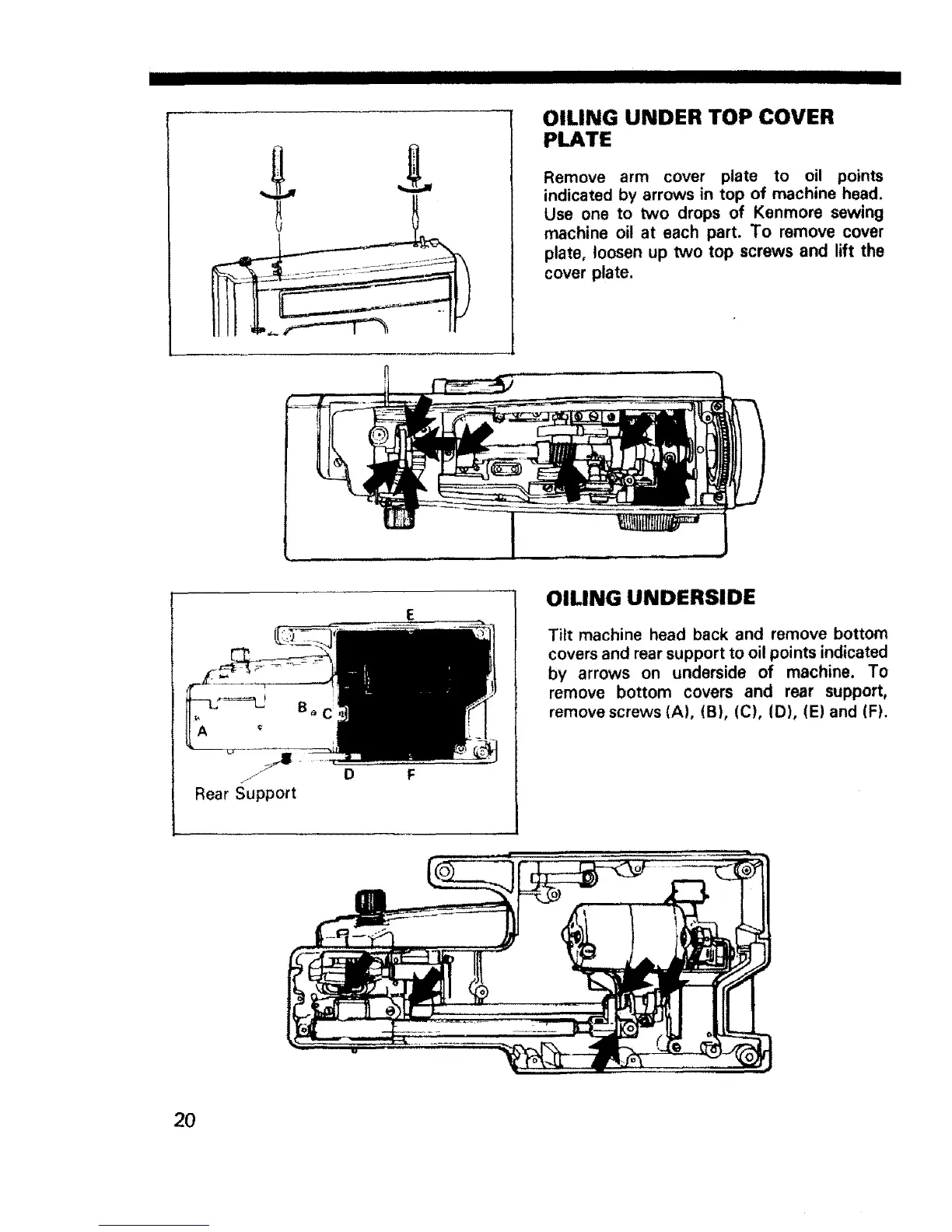
OILING UNDER TOP COVER
PLATE
Remove arm cover plate to oil points
indicated by arrows in top of machine head.
Use one to two drops of Kenmore sewing
machine oil at each part, To remove cover
plate, loosen up two top screws and lift the
cover plate.
J D
Rear Support
OiUNG UNDERSIDE
Tilt machine head back and remove bottom
covers and rear support to oil points indicated
by arrows on underside of machine. To
remove bottom covers and rear support,
remove screws (A), (B), (C), (D), (E)and (F).
20



 To Next Page