III1[ IIIlUlIIIIIIIIIIIIIIIIMIII/I I II II IIIIIIIHIIII I II IIIIP
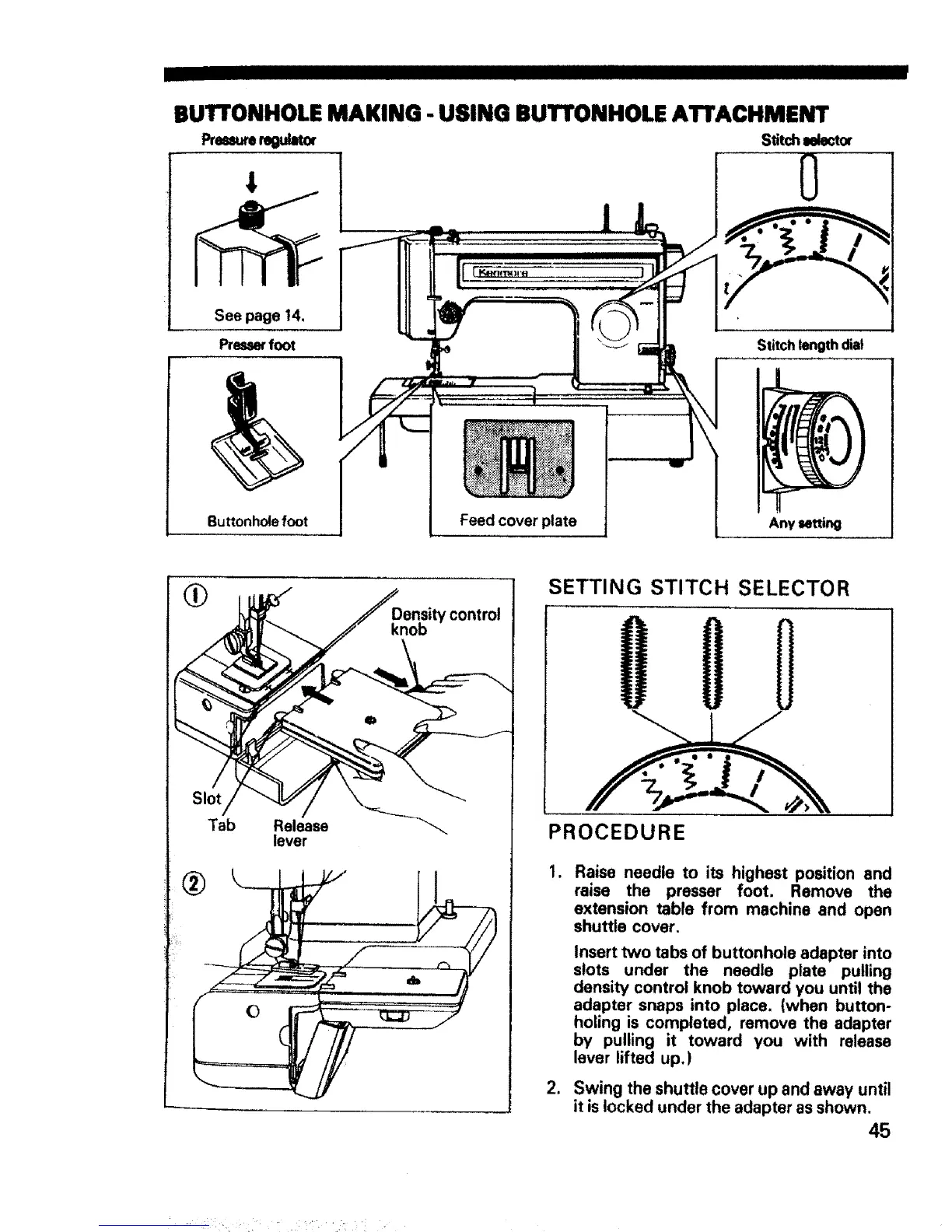
BUTTONHOLE MAKING - USING BUTTONHOLE ATTACHMENT
PremJrere.mr
See page 14,
Press_' foot
Buttonhole foot
Feed cover plate
Stitchlelector
0
Stitch length dial
Any setting
Tab Release
lever
®
SETTING STITCH SELECTOR
PROCEDURE
,
2,
Raise needle to its highest position and
raise the presser foot. Remove the
extension table from machine and open
shuttle cover.
Insert two tabs of buttonhole adapter into
slots under the needle plate pulling
density control knob toward you until the
adapter snaps into place. (when button-
holing is completed, remove the adapter
by pulling it toward you with release
lever lifted up.)
Swing the shuttle cover up and away until
it is locked under the adapter as shown.
45



 To Next Page