EasyManua.ls Logo

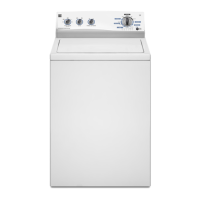
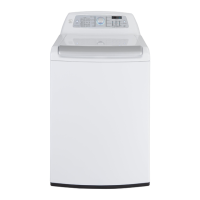
Kenmore 2110 Series - User Manual

Kenmore 2110 Series
52 pages
Print Icon
To Next Page IconTo Next Page
Loading...
Use & Care Guide
Manual de uso y cuidado
Guide d'Ufilisation et d'Entretien
English / Espa_oJ / Fran_ais
TabJe of Contents / indice / TabJe des mati_res ...... 2
ModeJs/ModeJos/Mod_Jes: 2002 _, 2110 _, 2111_, 2118 _, 2120 _, 2129 _, 5072 _
Ke
®
ing Washer
@
carga
............®veus÷ " rge÷ent par ÷ dessus
¢: = color numlllser_ nOmero de color_ le num@o de la couleur
P/N W10280511F
Sears Brands Management Corporation
Hoffman Estates, IL 60179 U.S.A.
www.kenmore.com
www0sears.com
Sears Canada inc.
Toronto, Ontario, Canada MSB 2B8
www.sears.ca

Other manuals for Kenmore 2110 Series

Questions and Answers

  • L
    larryrussellAug 17, 2025
    Why is my Kenmore 2110 not draining or spinning and loads are still wet?
    • A
      Amy SantanaAug 17, 2025
      Your Kenmore washer may not be draining or spinning properly, leaving loads wet, for several reasons. Small items might be caught in the pump or between the basket and tub, slowing drainage; adding a 2nd Rinse to the selected cycle can help. Using cycles with lower spin speeds removes less water than high-speed cycles, so select the recommended cycle/speed spin for your garment. Reduce load size to improve water removal, as tightly packed loads prevent proper spinning. Ensure the drain hose is correctly installed, not taped over, and not clogged. Always measure and follow detergent directions; too much detergent can cause extra suds. To remove these extra suds, select Rinse/Spin without adding detergent.
  • B
    Billy BushAug 22, 2025
    Why Kenmore 2110 Washer stops mid cycle?
    • C
      Christopher JacobsAug 23, 2025
      The lid of your Kenmore Washer must be closed for it to operate. The washer also pauses during certain phases of the cycle, so avoid interrupting it. If the washer is tightly packed, this can prevent it from running correctly. Remove several items, rearrange the load evenly in the basket, close the lid, and press START/PAUSE/Unlock Lid. Avoid adding more than 1 or 2 additional items after the cycle has started. Adding extra water to the washer is not recommended.
  • G
    Gregory ConradAug 26, 2025
    What to do if my Kenmore 2110 won't run or fill?
    • J
      Joseph FletcherAug 26, 2025
      If your Kenmore Washer won’t run or fill, or stops working, start by checking the power supply. Ensure the power cord is plugged into a grounded 3-prong outlet and that the outlet has power. Avoid using an extension cord. Also, reset any tripped circuit breakers or replace blown fuses. Note that the lid must be closed for the washer to run, and the washer will pause during certain cycles. If the washer is tightly packed, remove several items and rearrange the load evenly. Do not add more than 1 or 2 additional items after a cycle has started, and do not add more water to the washer.
  • A
    Anthony SmithAug 27, 2025
    How to fix wet loads after spin cycle in Kenmore Washer?
    • X
      xandersonAug 28, 2025
      If loads are still wet after a wash in your Kenmore Washer, make sure to empty pockets and use garment bags for small items to prevent them from getting caught in the pump. Cycles with lower spin speeds remove less water, so use the recommended cycle and spin speed for your garments. To remove extra water, select the Drain/Spin cycle. Also, ensure the drain hose is correctly installed and not clogged. Too much detergent can also slow down draining and spinning, so always measure and follow detergent directions. To remove extra suds, select Rinse/Spin without adding detergent.
  • P
    Paula BoyleAug 30, 2025
    What to do if my Kenmore 2110 won’t run or fill, or stops working?
    • J
      Jessica LewisAug 30, 2025
      If your Kenmore washer isn't running, filling, or stops mid-cycle, check the following: Ensure the power cord is plugged into a grounded 3-prong outlet and avoid using extension cords. Verify there's power to the outlet, and reset any tripped circuit breakers or replace blown fuses. Note that if problems persist, contact an electrician. Make sure the lid is closed for the washer to operate. The washer may pause during certain cycle phases or to reduce suds; avoid interrupting the cycle. If the washer spins the load before filling to determine load size, remove several items and rearrange the load evenly. Do not add more than 1 or 2 additional items after a cycle has started, and do not add more water to the washer.
  • T
    Tiffany BlackburnSep 1, 2025
    Why is my Kenmore 2110 load not rinsed properly?
    • G
      gwilsonSep 2, 2025
      If your Kenmore washer load isn't rinsing properly, make sure the hot and cold inlet hoses are not reversed. Both hoses must be attached and have water flowing to the inlet valve, and both hot and cold water faucets must be on. Check that the inlet valve screens on the washer are not clogged and remove any kinks in the inlet hose. Too much detergent can cause excessive suds, preventing the washer from operating correctly, so always measure detergent and follow directions based on load size and soil level. Load garments in loose heaps evenly around the basket wall, use a cycle designed for the fabrics being washed, and add only 1 or 2 garments after the washer has started.
  • J
    Jacob JohnsonSep 4, 2025
    Why are there incorrect or wrong wash or rinse temperatures in my Kenmore 2110 Washer?
    • J
      Jessica GrahamSep 4, 2025
      If you're experiencing incorrect wash or rinse temperatures with your Kenmore washer, first ensure that the hot and cold inlet hoses are not reversed. Both hoses must be attached to both the washer and faucet, with both hot and cold water flowing to the inlet valve. Check that the inlet valve screens are not clogged, and remove any kinks in the hoses. Also, be aware that Energy Star washers use cooler wash temperatures than older models, including cooler hot and warm washes, and all rinses are cold.
  • K
    Kara JenningsSep 6, 2025
    How to prevent fabric damage in Kenmore 2110?
    • S
      Stephanie FrederickSep 6, 2025
      To prevent fabric damage in your Kenmore washer, empty pockets, zip zippers, and snap or hook fasteners before washing to avoid snags and tears. Tie all strings and straps before starting a wash load. Load garments in loose heaps evenly around the basket wall, and use a cycle designed for the fabrics being washed.
  • C
    carolbrownSep 9, 2025
    Why is my laundry load tangling in Kenmore 2110 Washer?
    • A
      amandaclarkSep 9, 2025
      To address tangling in your Kenmore washer, see “Using Your Washer” section. Select a cycle with a slower wash action and spin speed; however, items will be wetter than those using a higher speed spin. Load garments in loose heaps evenly around the basket wall. Reduce tangling by mixing types of load items and using the recommended cycle for the type of garments being washed.
  • A
    Alicia LaraSep 12, 2025
    Why are there dry spots on load after cycle in my Kenmore 2110?
    • M
      Maria PorterSep 12, 2025
      The high spin speeds combined with air flow during the final spin can cause items near the top of the load to develop dry spots during the final spin. This is normal because high speed spins extract more moisture than your previous washer.

Summary

Washer Safety Information

Safety Alert Symbol and Warnings

Defines the safety alert symbol, DANGER, and WARNING messages.

Important Safety Instructions

Lists essential precautions to reduce risk of fire, electric shock, or injury.

California Proposition 65 Warnings

Notifies about chemicals known to cause cancer or birth defects.

Whats New Under the Lid

Lid Lock Operation

Explains the lid locking mechanism for higher spin speeds and pausing.

Sensing Technology

Describes the load balancing sensing process and its sounds.

Washer Sounds and Spray Rinse

Details operational sounds and the spray rinse feature.

Important Operational Notes

Covers lid closing before cycle and fabric softener option.

Control Panel and Features

Load Size and Wash Temperature

Guidance on selecting load size and wash temperature settings.

Rinse Options

Details on adding one rinse, second rinse, or fabric softener.

Wash Cycle Knob

Instructions for selecting the appropriate wash cycle.

Start;Pause;Unlock Lid Button

How to start, pause, and unlock the washer lid.

Cycle Status Lights Indicator

Sensing Status

Describes the indicator lights for the sensing stage.

Wash and Rinse Status

Explains the lights during wash and rinse cycles.

Spin and Cycle Complete Status

Indicates lights for spinning and cycle completion.

Lid Locked Status

Explains the lid locked indicator light and unlocking.

Using Your Washer

Safety Precautions for Use

Covers fire and electrical shock hazards during operation.

Sorting and Preparing Laundry

Guidance on sorting items, treating stains, and securing garments.

Adding Laundry Products

Instructions for adding detergent, boosters, and fabric softener.

Loading and Adding Products

Loading Laundry into Washer

Techniques for properly loading garments to prevent tangling.

Adding Chlorine Bleach

Proper method for adding liquid chlorine bleach.

Adding Fabric Softener

Instructions for using the fabric softener dispenser.

Selecting the Wash Cycle

Guidance on choosing the correct wash cycle.

Cycle and Option Selection

Selecting Load Size

How to choose the load size setting for optimal water usage.

Selecting Wash Temperature

Guidance on selecting the correct wash temperature for fabrics.

Selecting Rinse Options

Options for adding extra rinses or fabric softener.

Starting and Pausing the Cycle

How to start, pause, and unlock the lid during operation.

Washer Maintenance

Water Inlet Hose Care

Recommendations for replacing and inspecting water inlet hoses.

Routine Washer Cleaning

Procedures for cleaning the washer interior, dispensers, and exterior.

Non-Use and Vacation Care

Steps to take when the washer will not be used for a period.

Winter Storage Care

Instructions for preparing the washer for winter storage.

Transporting Your Washer

Reinstalling and Using Washer Again

Steps for reconnecting and preparing the washer after moving or storage.

Troubleshooting: Vibration, Noises, and Leaks

Vibration and Off-Balance Issues

Solutions for instability, leveling, and unbalanced loads.

Common Washer Noises

Explanation of normal operational sounds like clicking or humming.

Water Leak Causes and Solutions

Addresses potential causes of water leaks and their fixes.

Washer Not Performing as Expected

Initial checks for washer functionality issues.

Troubleshooting: Performance and Draining Issues

Washer Fails to Run or Fill

Checks for electrical supply, lid closure, and proper operation.

Draining and Spinning Problems

Solutions for issues related to water removal and spinning.

Load Packing and Balancing

Correcting issues from tightly packed or unbalanced loads.

Drain Hose and Detergent Issues

Checking drain hose installation and effects of excess detergent.

Troubleshooting: Drying, Rinsing, and Cleaning

Dry Spots and Temperature Issues

Explains dry spots and addresses wash/rinse temperature concerns.

Rinsing and Residue Problems

Solutions for loads not rinsed and residue from sand, pet hair, lint.

Tangling and Cleaning Performance

Tips to prevent tangling and improve cleaning effectiveness.

Troubleshooting: Detergent, Dispensers, and Fabric Care

Detergent and Cycle Usage

Addresses issues from too much detergent or incorrect cycle selection.

Dispenser and Color Washing Issues

Guidance on using dispensers and washing colors together.

Fabric Damage and Odors

Causes and solutions for fabric damage and unpleasant odors.

Lid Lock and Packet Issues

Troubleshooting lid lock flashing and laundry packet dissolving.

Protection Agreements and Warranty

Master Protection Agreement Benefits

Details on coverage, expert service, and guarantees of the protection plan.

Sears Installation Service

Information on professional installation services offered by Sears.

Kenmore One Year Limited Warranty

Details of the one-year warranty covering defects in material and workmanship.

Warranty Disclaimers and Limitations

Legal disclaimers, implied warranties, and remedy limitations.

Service and Support Information

Home Repair and Expert Advice

Information on in-home repairs, product manuals, and expert advice.

Carry-In Repair Services

Details for repairing carry-in items at local service centers.

Purchasing Protection Agreements

Contact information for purchasing protection agreements.

Kenmore 2110 Series Specifications

General IconGeneral
BrandKenmore
Model Series2110 Series
ColorWhite
Maximum Spin Speed700 RPM
TypeTop-Load Washer

Related product manuals