EasyManua.ls Logo

Kenmore 253.35028 - User Manual

Kenmore 253.35028
26 pages
Print Icon
To Next Page IconTo Next Page
Loading...
P/N 2020213A0689
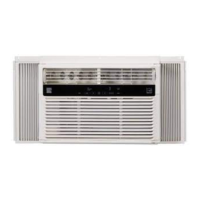
WINDOW TYPE ROOM AIR CONDITIONER
Kenmore®
CLIMATISEUR DE TYPE FENÊTRE
Sears Brands Management Corporation
Hoçman Estates, IL 60179 U.S.A.
www.kenmore.com
www.sears.com
English / Français
Use&CareGuide
Manuel d’utilisation et d’entretien
Models/Modèles: 253.35028

Questions and Answers

  • H
    Heather BuchananJul 31, 2025
    What to do if Kenmore Air Conditioner will not operate?
    • J
      Joel ThorntonJul 31, 2025
      If your Kenmore Air Conditioner isn't working, here are a few things to check: * Make sure the power cord is firmly plugged into a working outlet. * Check for blown fuses or tripped circuit breakers and replace or reset them. * Ensure the unit is turned ON using the ON/OFF button. * Verify the temperature setting is lower than the current room temperature. * If the unit was just turned off and on, wait 3 minutes due to a built-in compressor delay. * Confirm the timer hasn't shut the unit off. * If the touch pad and remote aren't responding, unplug the unit for 10 seconds to reset the controls. * Check if the power cord has tripped and press the RESET button on the plug head.
  • J
    Jennifer FloresAug 12, 2025
    Why does my Kenmore 253.35028 keep blowing fuses or tripping the circuit breaker?
    • T
      Tamara ClarkAug 12, 2025
      Your Kenmore Air Conditioner might be blowing fuses or tripping the circuit breaker for a few reasons: * A fuse may have blown, or a circuit breaker tripped. Replace the fuse with a time delay type or reset the circuit breaker. * Too many electrical devices might be on the same circuit. Try unplugging or moving some devices to another circuit. * The unit might be rated over 7.5 amps and should be plugged into a single circuit outlet. * Using an extension cord can cause this issue; avoid using one. * Turning the unit off and on too quickly can also cause this; turn the unit off and wait 3 minutes before restarting.
  • A
    Aaron StanleyAug 18, 2025
    Why does my Kenmore Air Conditioner turn on and off by itself?
    • L
      Luke SmithAug 18, 2025
      Your Kenmore Air Conditioner might be turning on and off automatically due to these reasons: * If the outside temperature is extremely hot, set the fan speed to the highest setting for maximum cooling. * If the ENERGY SAVER feature is enabled, it doesn't circulate air continuously. Set the mode to COOL for constant air circulation. * The timer might be turning the unit on or off. Push the ON/OFF button to control the unit manually.
  • M
    Michael NelsonAug 25, 2025
    How to fix ice behind the front panel of Kenmore 253.35028 that doesn't cool the room?
    • A
      Anna OliverAug 25, 2025
      If your Kenmore Air Conditioner isn't cooling and there's ice behind the front panel: * If the outside temperature is below 16 °C, set the mode to FAN ONLY and the fan speed to the fastest setting to defrost the coil. * A dirty filter could be the problem. Clean or replace it by grasping the filter by the center and pulling up and out. Rinse or vacuum filter. Replace filter. * The BTU size might be too large for the room. Consider using a lower capacity unit, depending on the size of the room being cooled.
  • T
    Timothy TurnerNov 5, 2025
    What to do if my Kenmore 253.35028 doesn't cool the room, and there's no ice behind the front panel?
    • G
      Gregory JensenNov 5, 2025
      If your Kenmore Air Conditioner isn't cooling properly and there's no ice, consider these possibilities: * The filter might be dirty. Clean or replace it by grasping the filter by the center and pulling up and out. Rinse or vacuum filter. Replace filter. * The temperature setting could be too warm. Lower the temperature setting. * The room temperature might be below 16°C (60°F), as the unit isn't designed to cool below that. * Furniture, drapes, or blinds might be blocking the front of the unit. Clear the area. * Leaves, dirt, or branches might be blocking the back of the unit. Clear the back of the unit. * Open doors, windows, or registers might be letting warm air in. Close them. * The unit may need more time to cool a larger room if it was recently turned on. Allow time t...

Summary

Kenmore Limited Warranty

Warranty Coverage and Exclusions

Details warranty terms, what's covered, and what's excluded.

Important Safety Instructions

General Safety Precautions

Advises on flammable liquids, electrical service adequacy, installation, and handling sharp fins.

Electrical Safety Information

Covers grounding, proper receptacle use, and avoiding extension cords.

Air Conditioner Features

Electronic Control Panel and Remote Overview

Describes the touch pad and remote control functions and layout.

Remote Control Functions

Details buttons for ON/OFF, Temp/Time, Fan Speed, Mode, Timer, and Remote Sensing.

Care and Cleaning

Energy Saving Ideas

Troubleshooting

Air Conditioner Will Not Operate

Lists checks for power, settings, and unit status when the AC doesn't start.

Air Conditioner Blows Fuses or Trips Circuit Breaker

Troubleshooting steps for issues with fuses, circuit breakers, and extension cords.

Air Conditioner Does Not Cool - Ice Behind Front Panel

Diagnoses cooling issues related to ice buildup, dirty filters, or incorrect settings.

Air Conditioner Does Not Cool - No Ice Behind Front Panel

Addresses cooling problems without ice, checking filters, settings, and room blockages.

Kenmore 253.35028 Specifications

General IconGeneral
BrandKenmore
Model253.35028
CategoryAir Conditioner
LanguageEnglish

Related product manuals