EasyManua.ls Logo

Kenmore 253.76180 - User Manual

Kenmore 253.76180
13 pages
Print Icon
To Next Page IconTo Next Page
Loading...
Models/Modelos: 253.76180, 253.76250
English / Español
Use & Care Guide
Manual de Uso y Cuidado
P/N 2020219A2499
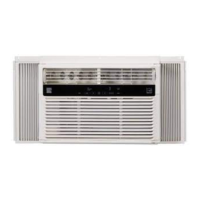
Window Type Room Air Conditioner
®
Kenmore Elite
Tipo De Sala De Ventana De Aire Acondicionado
Sears Brands Management Corporation
Hoçman Estates, IL 60179 U.S.A.
www.kenmore.com
www.sears.com
www.kmart.com
®

Questions and Answers

  • V
    valdezmeaganAug 12, 2025
    How to fix a Kenmore 253.76180 Air Conditioner that will not turn on?
    • J
      jessica77Aug 12, 2025
      If your Kenmore Air Conditioner isn't turning on, here's what to check: * Ensure the power cord is firmly plugged into a working wall outlet. * Check for a blown fuse or tripped circuit breaker and replace or reset it. * Make sure the unit is turned ON using the ON/OFF button. * Verify the temperature setting is lower than the current room temperature. * If you recently turned the unit off and on, wait 3 minutes due to a built-in compressor delay. * Confirm the timer hasn't turned the unit off, and if so, turn it back on. * If the touch pad and remote are unresponsive, unplug the unit for 10 seconds to reset the controls. * If the power cord has tripped, press the RESET button on the plug head.
  • S
    Sarah AlvaradoAug 19, 2025
    Why does my Kenmore Air Conditioner keep turning on and off?
    • D
      David NobleAug 19, 2025
      If your Kenmore Air Conditioner is turning on and off by itself, here are a few things to check: * If the outside temperature is extremely hot, set the fan speed to the fastest setting for maximum cooling. * If the ENERGY SAVER feature is on, switch to COOL mode for constant air circulation, as ENERGY SAVER does not circulate air continually. * Check if the timer is set to turn the unit on or off and adjust accordingly, or push the ON/OFF Button to turn unit ON or OFF.
  • S
    Sydney ChaseAug 23, 2025
    Why is my Kenmore 253.76180 running constantly?
    • R
      Rebecca BanksAug 25, 2025
      If your Kenmore Air Conditioner is running too much, here's what could be happening: * If Energy Saver mode is enabled, the blower continues operating for one minute to maximize cooling. * Newer, more efficient units may run longer to cool the room, but consume less energy overall. * If the BTU size is too small for the room, a higher capacity unit may be needed.
  • R
    robert04Aug 27, 2025
    What to do if my Kenmore Air Conditioner has ice behind the panel and is not cooling?
    • R
      Rebecca WebbAug 27, 2025
      If your Kenmore Air Conditioner is not cooling the room and there is ice behind the front panel, consider the following: * If the outside temperature is below 60°F, set the mode to FAN ONLY and the fan speed to the fastest setting to defrost the coil. * Clean or replace a dirty filter. * If the BTU size is too large for the room, a lower capacity unit may be required.
  • N
    nicole03Aug 30, 2025
    What to do if my Kenmore 253.76180 Air Conditioner keeps blowing fuses?
    • D
      Dr. Barbara RodriguezAug 30, 2025
      If your Kenmore Air Conditioner keeps blowing fuses or tripping the circuit breaker, here’s what you can do: * Replace the fuse with a time delay type or reset the circuit breaker. * Unplug or relocate other electrical devices on the same circuit. * Ensure the unit is plugged into a dedicated single circuit outlet if it's rated over 7.5 amps. * Avoid using an extension cord with the unit. * If the unit was recently turned off and on, wait 3 minutes before restarting it.
  • M
    Mark McguireSep 3, 2025
    How to troubleshoot a Kenmore 253.76180 Air Conditioner remote that is not working?
    • G
      Gloria PerrySep 3, 2025
      If the remote is not working with your Kenmore Air Conditioner, try these steps: * Ensure the batteries are installed correctly. * If the red light doesn't flash when buttons are pressed, verify the batteries are correctly installed or install a new set. * Make sure the remote is pointed directly at the unit, as it may not work at extreme angles.
  • I
    isaacchandlerSep 7, 2025
    Why is my Kenmore Air Conditioner dripping water inside?
    • S
      Stephanie ClarkSep 7, 2025
      If water is dripping from your Kenmore Air Conditioner inside the room, it might not be properly installed. The unit should be mounted on a 1/4" downward slope to the outside to ensure proper drainage. Reposition or shim the cabinet as needed, but do not drill the drain pan.
  • A
    Amanda RodriguezNov 15, 2025
    Why is my Kenmore 253.76180 not cooling the room, but there is no ice?
    • M
      mark72Nov 15, 2025
      If your Kenmore Air Conditioner isn't cooling the room but there's no ice behind the front panel, consider these potential causes and solutions: * Clean or replace a dirty filter. * Adjust the temperature setting to be lower than the room temperature. * Ensure the room temperature is not below 60°F, as the unit isn't designed to cool below that. * Clear any obstructions blocking the front or back of the unit, such as furniture or debris. * Close any open doors, windows, or registers. * Allow sufficient time for the unit to cool the room, especially if it was recently turned on or if the room is large. * Adjust the temperature sensor if it's touching the coil by opening the front panel, removing the filter, turning the end of the sensor away from the coil, replacing the filte...

Summary

Kenmore Elite One Year Limited Warranty

Disclaimer of implied warranties; limitation of remedies

Customer's sole and exclusive remedy under this limited warranty shall be product repair.

Master Protection Agreements

Sears Installation Service

For Sears professional installation of home appliances, garage door openers, water heaters, and other major home items.

Record Your Model and Serial Numbers

Record the model and serial numbers in the space provided for future reference.

Important Safety Instructions

Electrical Information

Details about electrical ratings, grounding, and receptacle requirements for safe operation.

Operation of Current Device

Explains how to test and operate the current detection device in the power supply cord.

Air Conditioner Features

ELECTRONIC CONTROL

Familiarize yourself with the control panel and remote functions for operating the air conditioner.

REMOTE CONTROL

Details on how to use the remote control for various functions and settings.

Check Filter Feature

Remote Sensing Feature

ADDITIONAL THINGS YOU SHOULD KNOW

FAULT CODES

Information on error codes displayed by the unit and how to get service.

AUTO RE-START

Describes how the unit remembers settings after a power outage.

FRESH AIR VENT CONTROL

Explains the different settings for controlling fresh air intake and exhaust.

LOUVERS

Care and Cleaning

Air Filter Cleaning

Instructions on how to check, clean, or vacuum the air filter for optimal performance.

Cabinet Cleaning

Guidelines for cleaning the air conditioner's cabinet and front panel safely.

Winter Storage

Instructions for properly storing the air conditioner during the winter months.

Energy Saving Ideas

Room Air Conditioner Troubleshooting Guide

Unit Not Operating or Tripping Breakers

Troubleshooting steps for when the unit fails to operate or trips circuit breakers.

Unit Cycling or Cooling Issues

Diagnosing why the unit cycles unexpectedly or fails to cool effectively.

Troubleshooting Air Conditioner Behavior

Unit Operation and Cooling Problems

Addresses issues like running too much, room too cold, or not cooling.

Water Dripping and Remote Control Issues

Resolves problems related to water leaks and non-responsive remote controls.

Sound Identification and Feature Issues

Explains normal sounds and troubleshooting for feature malfunctions like remote sensing.

Normal Sounds Explanation

Compressor and Fan Sounds

Explains normal sounds like high-pitched whine, gurgling, hissing, and rushing air.

Condenser and Vibration Issues

Details pinging/swishing sounds from water droplets and vibration causes.

Kenmore 253.76180 Specifications

General IconGeneral
BrandKenmore
Model Number253.76180
BTU8000
Cooling Capacity8000 BTU
Room Size Coverage350 sq. ft.
Power Supply115V
ColorWhite
Voltage115V
Included AccessoriesRemote control

Related product manuals