USING YOUR REFRIGERATOR
CONTROLLING THE TEMPERATURE
(cont.)
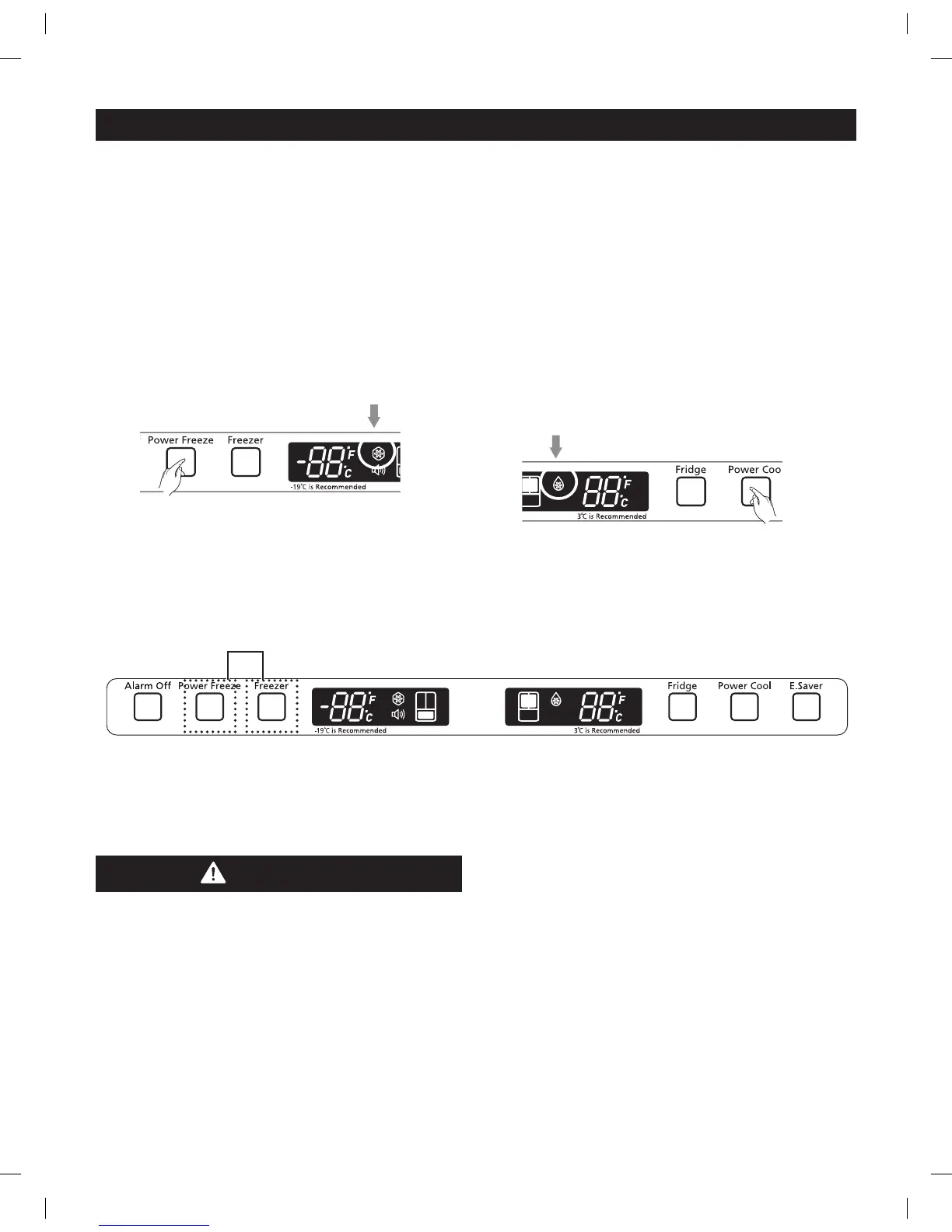
Using Power Freeze
Press the Power Freeze button. (Refer to the illustration.)
– The Power Freeze light on the display goes on (see
the arrow below) and this function begins to operate
regardless of the set freezer temperature.
Press the Power Freeze button again to cancel
this function.
– The light goes off and it operates at the set freezer
temperature again.
NOTE: The Power Freeze function operates for
2½ hours regardless of the set temperature.
Using Power Cool
Press the Power Cool button. (Refer to the illustration.)
– The Power Cool light on the display goes on (see
the arrow below) and this function begins to operate
regardless of the set fridge temperature.
Press the Power Cool button again to cancel this function.
– The light goes off and it operates at the set refrigerator
temperature again.
NOTE: The Power Cool function operates for
2½ hours regardless of the set temperature.
Demo Mode
Demo Mode
(two “OF” codes show on the display)
NOTE: This function is for store-display refrigerators.
It is not for customer use.
Using E.Saver
Press E.Saver button.
- The light on the E.Saver button goes on and turn the
Energy Saver function on.
- If water drops appear on the doors, turn the Energy Saver
function off.
CAUTION
In Demo Mode, the refrigerator works but does not make
cool air. To cancel this mode, press the Power Freeze and
Freezer buttons at the same time for 3 seconds until a
ding-dong sound is heard. The unit
will now cool.



 To Next Page