ENGLISH
9
USING YOUR MICROWAVE OVEN
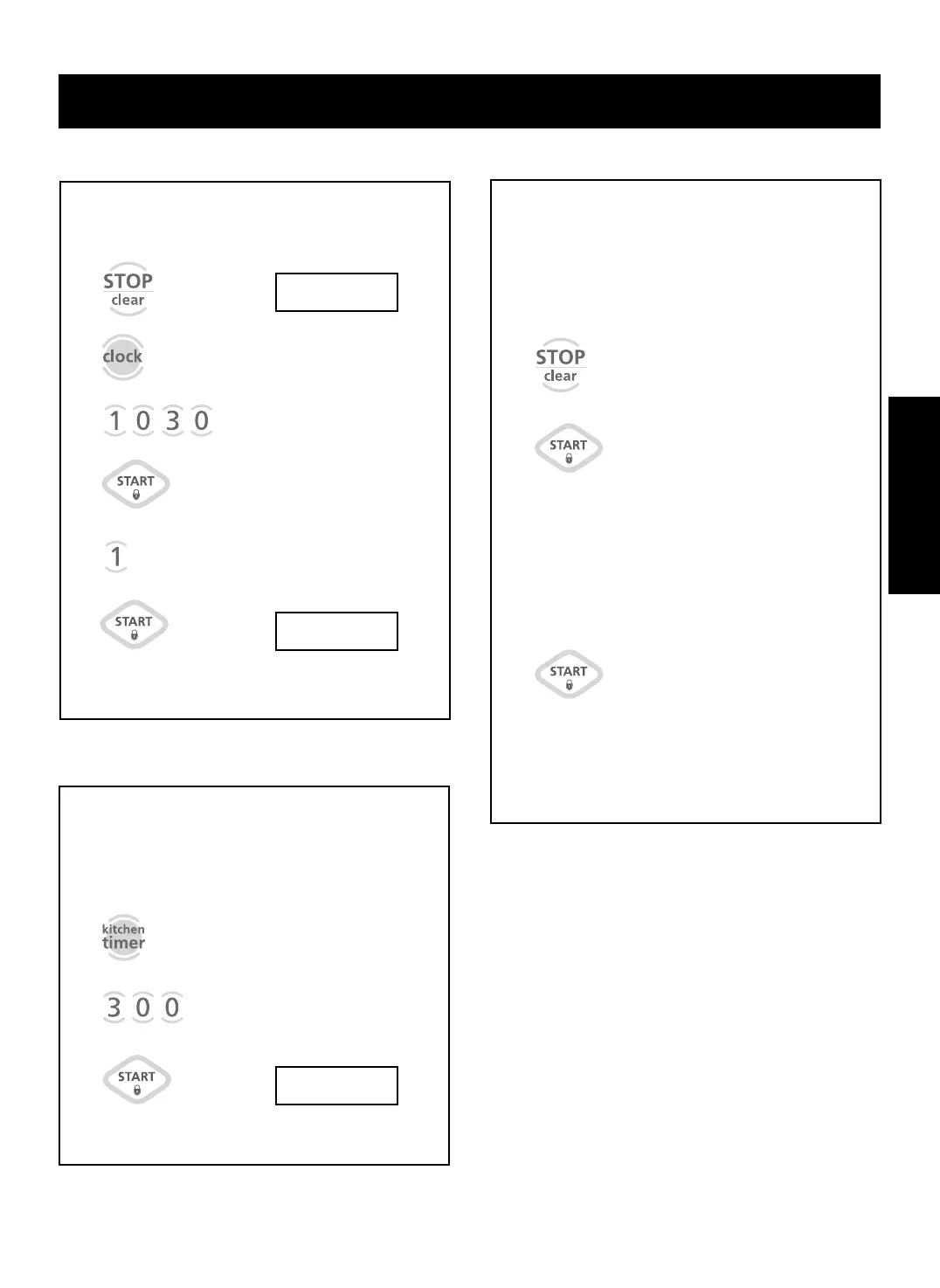
Example: To set the clock for 10:30(AM).
Touch: Display Shows:
CLOCK
1.
2.
3.
5.
NOTE: This is a 24 hour clock. You can switch
between AM and PM by touching 1 or 2 after step 4.
::
ENTER TIME OF DAY
10
::
30
TOUCH START
10
::
30
AM TOUCH
1
PM TOUCH 2
AM
10
::
30
TOUCH
START
::
ENTER TIME IN MIN
AND SEC
3
::
00
TOUCH START
You can use this safety feature to lock the control
panel so that children cannot use the oven when
you do not want them to and when you are
cleaning the oven.
To set CHILD LOCK:
Touch: Display Shows:
CHILD LOCK
Touch and hold
until LOCKED
appears in
the display.
(approximately
4 seconds)
To cancel CHILD LOCK:
Touch: Display Shows:
Touch and
hold until
LOCKED
disappears
from the
display.
(approximately
4 seconds)
Time of day.
Time of day.
1.
1.
2.
Your microwave oven can be used as a kitchen
timer. You can set up to 99 minutes, 99 seconds.
Example: To set 3 minutes.
Touch: Display Shows:
KITCHEN TIMER
TIMER and time
counting down.
1.
2.
3.
6.
4.
::
AM
10
::
30
3
::
00



 To Next Page