EasyManua.ls Logo

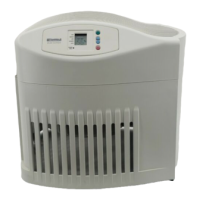
Kenmore 758.15408010 - User Manual

Kenmore 758.15408010
32 pages
Print Icon
To Next Page IconTo Next Page
Loading...
1
Use & Care Guide
Manual de Uso y Cuidado
English / Español
Model 758.15408010
Kenmore
®
Humidifier
P/N 1B72044 05/10
Sears Brands Management Corporation
Hoffman Estates, IL 60179 U.S.A .
www.kenmore.com
www.sears.com
Whole House
Humidifier
8 Gallon Output with Digital Readout

Questions and Answers

  • H
    huynhstevenAug 18, 2025
    Why is there poor evaporation of water in my Kenmore Humidifier?
    • C
      Charlene CrawfordAug 18, 2025
      If you notice poor water evaporation with your Kenmore Humidifier, and the CHECK FILTER message is flashing, try changing to a fresh, new filter. Also, keep in mind that local water purity varies, which may affect evaporation.
  • A
    Amanda WilliamsAug 20, 2025
    What to do if my Kenmore 758.15408010 Humidifier displays alternating “CF” and room humidity?
    • B
      Bethany BeckAug 21, 2025
      If your Kenmore Humidifier is displaying alternating “CF” and room humidity, it could indicate that the filter is dirty. Try replacing the filter. Alternatively, unplug the unit for 30 seconds and then plug it back in to clear the display.
  • C
    Christopher BakerAug 22, 2025
    Why is the fan not operating on my Kenmore Humidifier?
    • K
      Kimberly VincentAug 23, 2025
      If the fan on your Kenmore Humidifier isn't working but the digital display is lit, it could be because the room humidity level isn't 3% or more. Try raising the SET humidity level. Alternatively, the reservoir might be empty, so fill the humidifier with water.
  • D
    Daniel RodriguezAug 26, 2025
    What does it mean when my Kenmore Humidifier displays alternating “F” and room humidity?
    • A
      Anne WashingtonAug 26, 2025
      If your Kenmore Humidifier displays alternating “F” and room humidity, it means the reservoir is empty. Refill the humidifier with water.
  • T
    Tyler HarrisAug 28, 2025
    How to fix a Kenmore Humidifier with a digital display not illuminated?
    • K
      Kimberly SmithAug 28, 2025
      If the digital display on your Kenmore Humidifier is not illuminated, first check that the humidifier is connected to a working 120-volt power source. Also, make sure you have pressed the power button once to turn the unit on.
  • K
    Kimberly KaneAug 30, 2025
    Why is the fan running continuously on my Kenmore 758.15408010?
    • C
      Cynthia OrtegaAug 30, 2025
      If the fan on your Kenmore Humidifier is running continuously, it might be because the SET humidity level is at 65%. A setting of 65% will cause the fan to run continuously, so adjust the SET level to between 25% and 60%. Also, the fan will run continuously until the ROOM humidity level has reached 1% or more above the SET humidity level, and this may take up to 48 hours initially.
  • K
    Kayla MaloneSep 2, 2025
    What to do if the bottle is not emptying on my Kenmore Humidifier?
    • L
      Lauren SuarezSep 2, 2025
      If the bottle on your Kenmore Humidifier is not emptying, it could be due to a damaged or missing spring valve assembly post in the bottom of the base. Check the bottle's orientation and reposition it so that the fill valve on the bottom of the bottle is depressed by the post in the bottom of the base. It could also be that the base is full of water; the base will hold the contents of the water bottle (1.2 gallons), so continue to run the humidifier to deplete water from the base.
  • J
    James ZavalaSep 4, 2025
    Why does the bottle continue to empty after complete filling on my Kenmore 758.15408010 Humidifier?
    • L
      Linda SmithSep 4, 2025
      If the bottle on your Kenmore Humidifier continues to empty after being completely filled, it indicates that air is entering the water bottle. Check the water bottle for any leaks.
  • E
    Erik BradySep 7, 2025
    Why is the fan operating slower than the speed registered on the digital display of my Kenmore 758.15408010 Humidifier?
    • M
      Michael PalmerSep 7, 2025
      If the fan is operating slower than the speed registered on the digital display of your Kenmore Humidifier, it is likely in “DRY OUT MODE”. The humidifier automatically switches the fan to low speed (F1) when “F” and the alternating room humidity are displayed.
  • K
    Kenneth BlevinsSep 9, 2025
    Why is my Kenmore 758.15408010 not shutting off during “DRY OUT MODE”?
    • W
      wleeSep 9, 2025
      If your Kenmore Humidifier is not shutting off during “DRY OUT MODE”, it is likely because the filter is not yet dry. During this mode, the humidifier will continue to run on low speed as needed for up to 2 hours, or until the filter is completely dry.

Summary

General Safety Instructions

Safety Signal Word Definitions

Defines DANGER, WARNING, and CAUTION safety alert words used in the manual.

Key Safety Precautions

Lists 11 essential safety guidelines for humidifier operation, handling, and maintenance.

Initial Setup Procedure

Getting Started: Unpacking and Filter Check

Instructions for removing packaging and verifying filter seating before initial operation.

Humidifier Placement and Electrical Connection

Safe Electrical Hook-Up Instructions

Details on safely connecting to a 120V AC outlet, including plug usage and avoiding extension cords.

Water Fill and Treatment

Water Bottle Filling and Valve Operation

Step-by-step instructions for filling the water bottle and locking the valve mechanism.

Seating the Bottle for Water Transfer

Instructions for correctly seating the filled bottle in the base for water transfer.

Operating the Humidifier Controls

Control Functions and Usage

Filter Replacement and Care

Safety Precautions for Filter Change

Warning to unplug the humidifier before replacing any parts to prevent shock.

Step-by-Step Filter Replacement Guide

Detailed steps for removing the old filter and installing a new one.

Cleaning and Maintenance Procedures

Safety and Cleaning Cautions

Emphasizes using recommended cleaners and avoiding hazardous materials or hot water.

Comprehensive Troubleshooting Guide

Display and Fan Operation Issues

Solutions for display problems and fan operation issues like not starting or running continuously.

Kenmore 758.15408010 Specifications

General IconGeneral
Model Number758.15408010
Humidifier TypeEvaporative
TypeConsole
Run TimeUp to 24 hours
HumidistatYes
Power Source120V AC
Filter TypeWick filter

Related product manuals