- 36 -
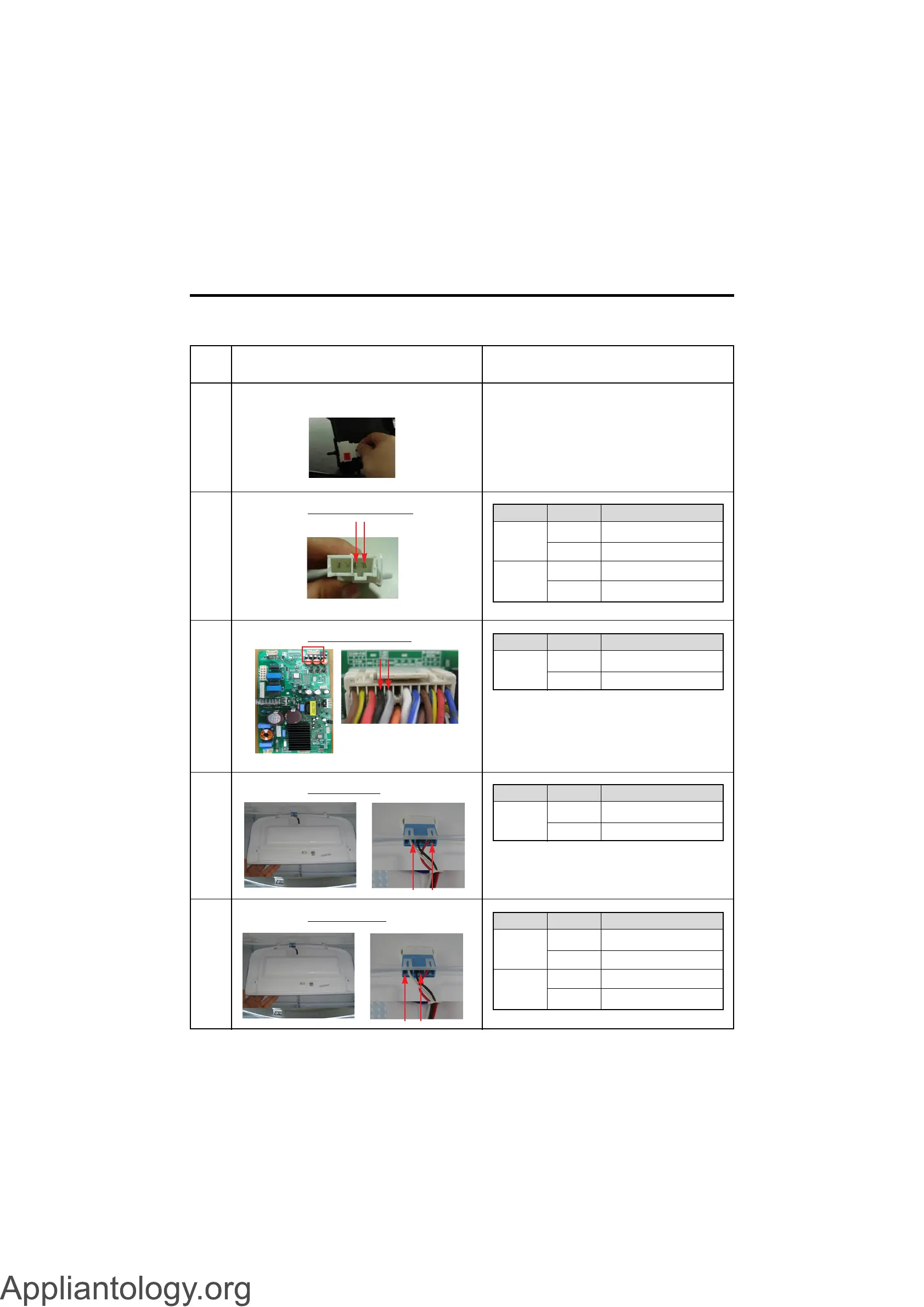
9-5 Refrigerator room lamp doesn’t work
No
1
Checking flow
Check the Refrigerator door switch. If feel sticky, Change the door s/w.
Result & SVC Action
2 Check the door S/W resistance.
3 Check the Black to Gray White.
4 Check the Red to Black.
Closed
Open
0~2V
Other
12V
Other
Explain to customer
Change the Door S/W
Explain to customer
Change the LED Lamp
Status Result SVC Action
Normal
Push
S/W
0
Ω
Other
Infinity
Other
Go to the 3
Change door S/W
Go to the 3
Change door S/W
Status Result SVC Action
Normal
12 V
Other
Go to the 4
Change the PCB
Status Result SVC Action
Normal
12 V
Other
Go to the 5
Change the LED Lamp
Status Result SVC Action
5 Check the Black to White.
<CON7>



 To Next Page