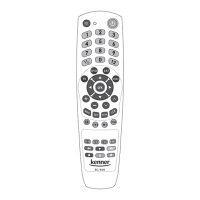
Thank you for choosing a Kenner product!
USER MANUAL
DESCRIPTION
RC-949 is a cutting edge universal remote control. It is compatible with
more than 500 dierent electrical appliance brands which means that
the remote is compatible with all the most popular devices. It is a perfect
substitute for lost or damaged original remote control devices and ensures
control of all the main operating functions. With the RC-949 remote you
can easily control several devices from one remote which is particularly
convenient for demanding, technology-loving users.
RC-949 can be used to control several devices (TV, SAT, DVD and TV
decoder (DVB-T)) from one remote. The expanded database ensures that
setup of the Kenner remote is fast and easy.
To start using the remote it must be programmed to control the devices
you require. To perform programming quickly and simply, please read this
manual carefully.
PREPARATION
Remove the battery case cover and insert two LR03 (AAA size) 1.5 V
batteries (not included) matching the +/- marks to the marks in the
battery case. We do not recommend to mix simultaneously new and used
batteries, use both new batteries.
PROGRAMMING TO CONTROL PARTICULAR DEVICES
RC-949 guarantees a 100% result in programming of any model device. It
is ensured by 3 integrated programming methods:
a) Manual method. The best results in programming the remote to
control models of popular manufacturers by entering code from the
code table.
b) Automatic code search. Code search in automatic mode from
the integrated data base is suitable for rare models.
c) Learning function. If you have the original remote in working
order, RC-949 can read any signal of the original remote and store
it in the memory.
Start with code setup from the code table (Manual method), because this
method provides the fastest result*. Use ‘Automatic code search’ only if
remote control programming with code setup fails. The ‘Learning function’
can be used optimally to add remote control commands that do not work
after entering the code. Of course, with the ’Learning function’ you can
copy all remote control commands, but it is recommended only if using
‘Code setup’ or ‘Automatic code search’ method is unsuccessful.
The ‘Learning function’ copies signals of the original remote into the RC-
949. To use this method, the original remote in working order is required.
The ‘Learning function’ is ideal if you want to unite several remotes in
one and some device cannot be programmed using the code method.
Or some commands of the remote do not work even after code search
or manual entry. The necessary commands can be easily ‘learnt’ from the
original remote.
MULTI REMOTE
RC-949
For programming the most popular model devices, one of the mentioned
methods could be enough; in some cases an excellent result would be possible
by combining 2 or all 3 of the methods. Please, be patient, this instruction will
help you to nd and apply the most suitable method (or combination thereof).
*The code table of most popular brands is at the end of the instruction;
in the code table below it, you can enter the codes for devices you have
found in order to nd them easily in case of necessity.
IMPORTANT: correct code setup ensures the operation of the main functions;
however, in some cases some specic functions may not function. If so, in
order to ensure operation of all remote control commands, use the “Learning
function’ additionally.
- 3 -
3301053


 To Next Page
 Loading...