4
Slide and negative loading method
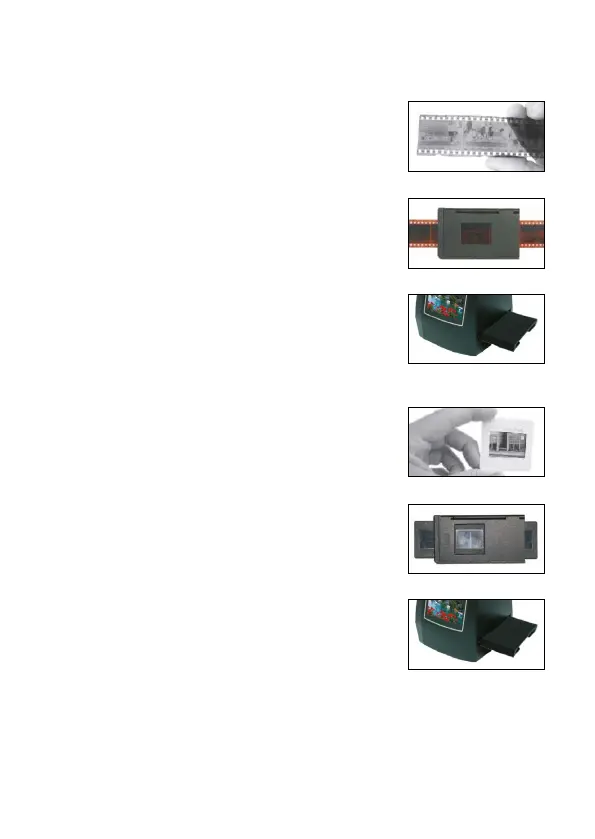
Loading negatives
Hold the negative towards the light. Face the
correct side of the negative towards yourself.
Open negative holder and place the negative
into the recessed area of the holder. Close the
negative holder and squeeze the edges so that
it locks into place.
Insert the negative holder face-up into the slot
on the right-hand side of the lm scanner.
Loading slides
Hold the slide towards the light. Face the correct
side of the slide towards yourself (small white
holder not provided).
Open slide holder and place the slide into the
recessed area of the holder (lms can also be
loaded as a strip, as pictured). Close the slide
holder and squeeze the edges so that it locks
into place.
Insert the slide holder face-up into the slot on
the right-hand side of the lm scanner.
Note: Handle lm with care to avoid scratches or ngerprints. For
best results, wear cotton gloves when handling lm. To remove any
dust on the lm, it is recommended that you use compressed cotton.


 To Next Page