9
Reformat the memory card
In the main menu, use the left and right buttons to highlight the
format function, then press [OK/Enter]. A warning will appear on
screen: ‘Data shall be eliminated’. This will then disappear and you
will be presented with the yes/no option to ‘Format the media’.
If you select yes, ALL information on the memory card will
be deleted.
Connect to computer
Connect the scanner to your computer via the USB cable.
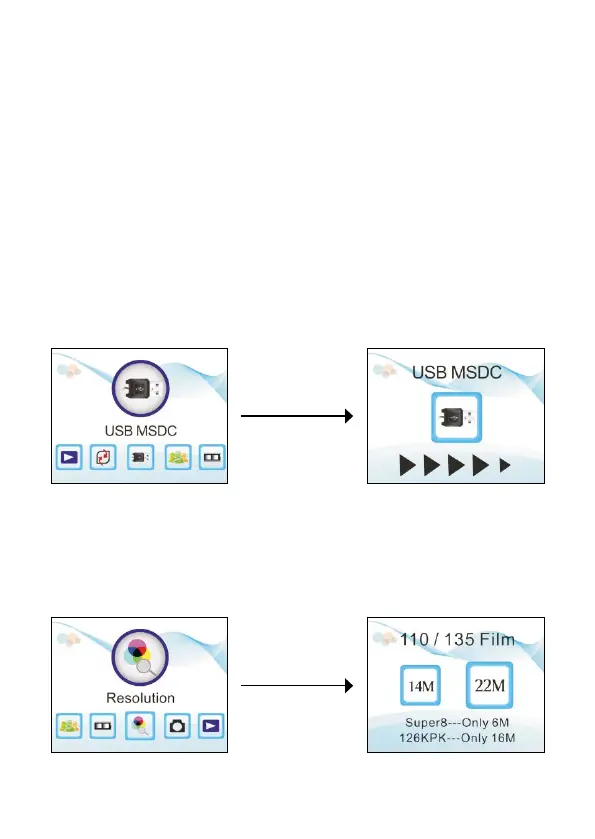
In the scanner main menu, use the left and right buttons to highlight
the USB MSDC function, then press [OK/Enter] to connect to your
computer.
Set the resolution
In the main menu, use the left and right buttons to highlight the
resolution function, then press [OK/Enter]. Select 14M or 22M.


 To Next Page