8
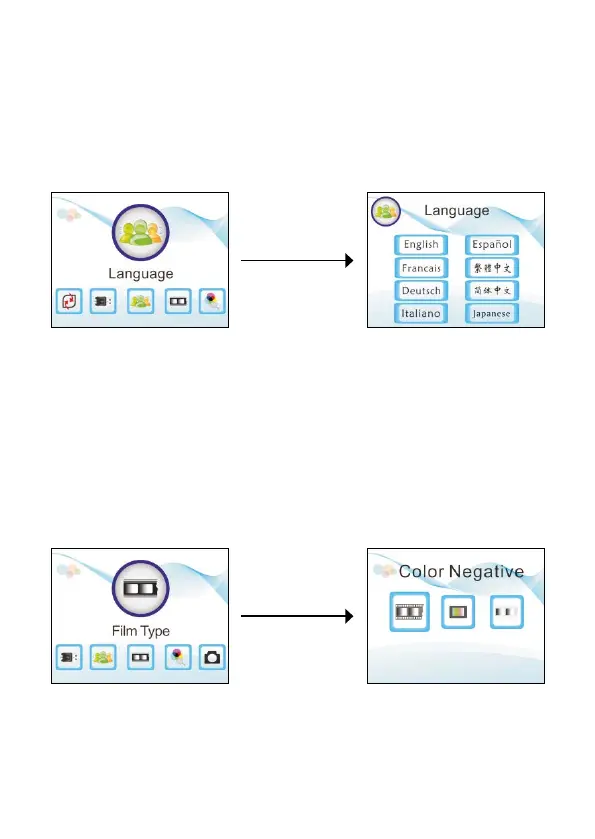
Set the language
In the main menu, use the left and right buttons to highlight the
language function, then press [OK/Enter] to enter it.
Here, you can use the left and right buttons and the [OK/Enter] button
to select one of eight languages: English, French, German, Italian,
Spanish, Traditional Chinese, Simplied Chinese, and Japanese.
Set the lm type
In the main menu, use the left and right buttons to highlight the lm
type function, then press [OK/Enter] to enter it.
Here, you can select colour negative (110, 135, 126KPK), slide
positive (110, 135, 126KPK, Super8), or black and white negative
(110, 135, 126KPK).


 To Next Page