6
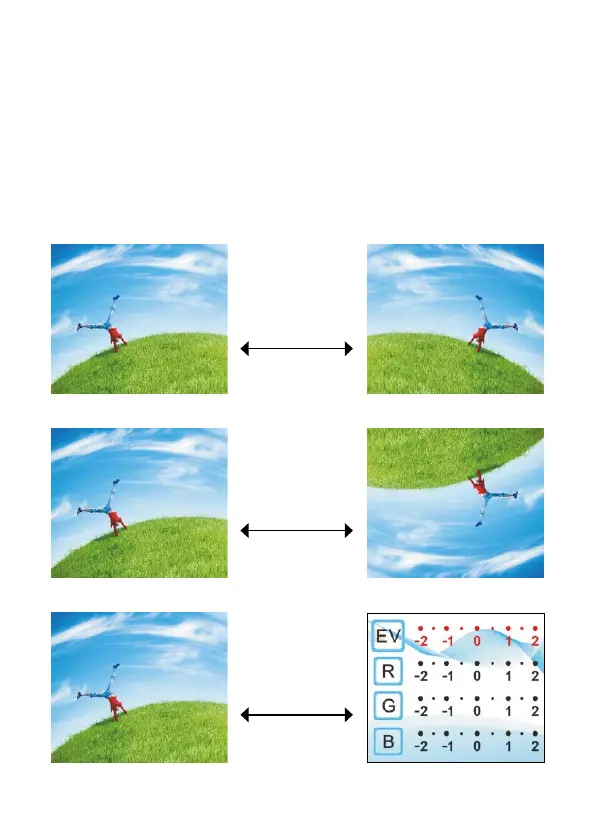
In main menu mode, press [OK/Enter] to enter capture mode and
display the image.
To mirror the image, press the left button.
To rotate the image 180° (flip), press the right button.
To adjust the exposure compensation value, press the [OK/Enter]
button.
To capture the image, press the [Scan/Menu] button, then press [OK/
Enter] to save.
Mirror
(left button)
Flip
(right button)
Exposure
(OK/Enter)


 To Next Page