EasyManua.ls Logo

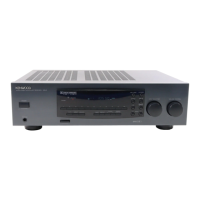
Kenwood 105VR - User Manual

Kenwood 105VR
32 pages
Print Icon
To Next Page IconTo Next Page
Loading...
AUDIO
VIDEO
SURROUND
RECEIVER
106VR
105VR
INSTRUCTION
MANUAL
KENWOOD
CORPORATION
This
manual
contains
instructions
for
two
models.
Model
availability
and
features
i
(functions)
may
differ
depending
on
country
and
sales
area.
I
B60-2983-00
@)
(K,
P,
Y)
iMCi
98/12
11
10
987654321
97/12
11
10
987654321
Question and Answer IconNeed help?

Do you have a question about the Kenwood 105VR and is the answer not in the manual?

Summary

Before Applying Power

Safety Precautions

Essential safety measures to prevent fire, electric shock, and other hazards.

Special Features

Dolby Pro Logic & 3 Stereo

Explains surround sound reproduction technologies for realistic audio effects.

SRS 3 D Stereo System

Describes the Sound Retrieval System for simulating a 3-dimensional sound space.

System Connection Guide

Audio;Video Component Connections

Guides on how to connect various audio and video devices to the receiver.

Speaker Connection Guide

Antenna Connection

Front Panel Controls and Indicators

Remote Control Operation

Remote Control Procedures

Playing Music Sources

Sound Adjustment Functions

Adjusting Audio Tone

How to adjust BASS, MIDDLE, and TREBLE settings for desired sound.

Source Direct Playback

Recording Operations

Recording Music Sources

Guide to recording audio from various sources onto a tape deck or MD.

Broadcast Reception

Auto Tuning Broadcast Stations

How to tune and receive FM and AM broadcast stations using auto tuning.

Tuning Stations by Frequency

Storing and Receiving Preset Stations

Storing Stations in Memory

How to store favorite radio stations for quick recall using preset numbers.

Video Component Operations

Videotape Playback

Steps to play videotapes from connected video decks.

Video Source Recording

Guide for recording video signals from a source to a recording deck.

Presence Play Modes

Dolby Pro Logic Surround

How to use the DOLBY PRO LOGIC mode for movie-like surround sound.

Dolby 3 Stereo Mode

How to use DOLBY 3 STEREO mode for improved center channel positioning.

Surround Playback Adjustments

Selecting Dolby Pro Logic Mode

How to select the DOLBY PRO LOGIC mode for surround sound.

Surround Sound Delay Time Calculation

Adjusting Speaker Volume Levels

How to adjust the volume levels for center and surround speakers.

Setting Speaker Delay Time

Steps to set the delay time for surround speakers based on room acoustics.

Surround Mode Playback

SRS 3 D Stereo Adjustment

Troubleshooting Common Issues

Resetting the Microcomputer

Procedure to reset the microcomputer to its factory default state.

Remote Control Troubleshooting

Audio Section Specifications

FM Tuner Section Specifications

106 VR Specifications (Other Countries)

105 VR Specifications (USA & Canada)

105 VR Specifications (Other Countries)

Kenwood 105VR Specifications

General IconGeneral
Channels5.1
Tuning rangeFM
Input Sensitivity200mV (line)
Signal-to-Noise Ratio95dB (line)
Speaker load impedance8 ohms
Dimensions440 x 155 x 360 mm

Related product manuals