5. OPERATING
PROCEDURES
When connecting an instrument to the
OUTPUT
terminal, first match it
with
the
output
imped-
ance
(600O) of the
AG-252.-
When the
SYNC
terminal is unused, always
attach a short bar to the terminal.
Otherwise,
external noise may be drawn
from
the
SYNC
terminal and superimposed on the
output.
The
ON/OFF
switch of
unit
is designed to act
on the secondary side of the power transformer.
The
primary side of the transformer remains
energized even if the
ON/OFF
switch is set to
OFF.
Therefore, if the
unit
is to be unused for
a
long time, the power cord should be unplugged
from
the receptacle
outlet.
1.
Starting
Connect
the accessory power cable to the AC
socket
after checking that your power voltage is
within
±10% of
100Vac.
Then press the
POWER
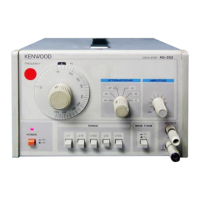
switch ® to apply the power. Once the power
is
applied, the
pilot
lamp is on and the AG-252
is
in active state. Age the instrument for 20 to
30
minutes
until
the operation becomes stable.
2.
Selecting an
output
waveform
If
output
of sine wave is required, press and lock
the
WAVE
FORM
switch ©. If
output
of square
wave
is required, press again and release the
switch.
3.
Setting a frequency
Select
a required frequency range
with
the
FREQ.
RANGE
switches ©. Then
turn
the
FREQ.
DIAL
(3)
to adjust the desired frequency to the index
mark CD.
. Example : Setting frequency to 1.5kHz
1)
Select the
FREQ.
RANGE
switches © labeled
X100.


 To Next Page