EasyManua.ls Logo

Kenwood Basic M1 - User Manual

Kenwood Basic M1
10 pages
Print Icon
To Next Page IconTo Next Page
Loading...
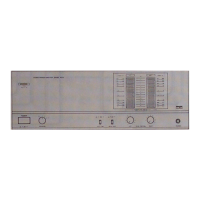
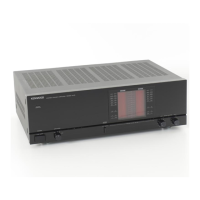
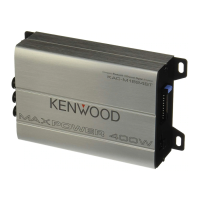
Kenwood BASIC M1 Audio Power Amplifier
Current Source Modification
www.drmaudioht.com

Other manuals for Kenwood Basic M1

Question and Answer IconNeed help?

Do you have a question about the Kenwood Basic M1 and is the answer not in the manual?

Summary

Kenwood BASIC M1 Current Source Overview

Understanding the Current Source

Explains the role of the 56K resistor as a current source in the differential input stage of the Kenwood BASIC M1 amplifier.

Parts List

Installation Step 1: Device Preparation

Prepare LM334 Z and Resistor

Form the leads of LM334Z devices and solder a 150 ohm resistor to the formed leads as shown in the provided photo.

Installation Step 2: Component Removal

Remove Original Resistors R17;R18

Locate and remove the original current source resistors, identified as R17 and R18, from the amplifier's PC board.

Installation Step 3: Component Installation

Install LM334 Z Devices

Insert the pre-assembled LM334Z devices, along with their 150 ohm resistors, into the original locations of R17 and R18.

Installation Step 4: Idle Current Pots

Replace Idle Current Potentiometers

Replace the original open frame idle current potentiometers VR3 and VR4 with the new sealed pots provided in the kit.

Final Testing and Support

Verify Amplifier Operation

Measure speaker terminal voltage (approx. 0V) before connecting speakers to confirm correct amplifier operation.

Get Modification Assistance

Contact info@drmaudioht.com for any questions or assistance required regarding the modification process.

Summary

Kenwood BASIC M1 Current Source Overview

Understanding the Current Source

Explains the role of the 56K resistor as a current source in the differential input stage of the Kenwood BASIC M1 amplifier.

Parts List

Installation Step 1: Device Preparation

Prepare LM334 Z and Resistor

Form the leads of LM334Z devices and solder a 150 ohm resistor to the formed leads as shown in the provided photo.

Installation Step 2: Component Removal

Remove Original Resistors R17;R18

Locate and remove the original current source resistors, identified as R17 and R18, from the amplifier's PC board.

Installation Step 3: Component Installation

Install LM334 Z Devices

Insert the pre-assembled LM334Z devices, along with their 150 ohm resistors, into the original locations of R17 and R18.

Installation Step 4: Idle Current Pots

Replace Idle Current Potentiometers

Replace the original open frame idle current potentiometers VR3 and VR4 with the new sealed pots provided in the kit.

Final Testing and Support

Verify Amplifier Operation

Measure speaker terminal voltage (approx. 0V) before connecting speakers to confirm correct amplifier operation.

Get Modification Assistance

Contact info@drmaudioht.com for any questions or assistance required regarding the modification process.

Kenwood Basic M1 Specifications

General IconGeneral
BrandKenwood
ModelBasic M1
CategoryAmplifier
LanguageEnglish

Related product manuals