EasyManua.ls Logo

Kenwood Basic M1 - Installation Step 1: Device Preparation; Prepare LM334 Z and Resistor

Kenwood Basic M1
7 pages
Print Icon
To Next Page IconTo Next Page
To Previous Page IconTo Previous Page
Loading...
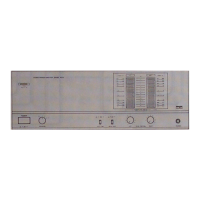
Controls,
indicators
and
connectors
KENWOOD
sence
mower
ameuirien
moOEL
Basic
Mn
BORNE
PowER
a
=ONn
Orr
PHONES
mon]
0
OFF
@
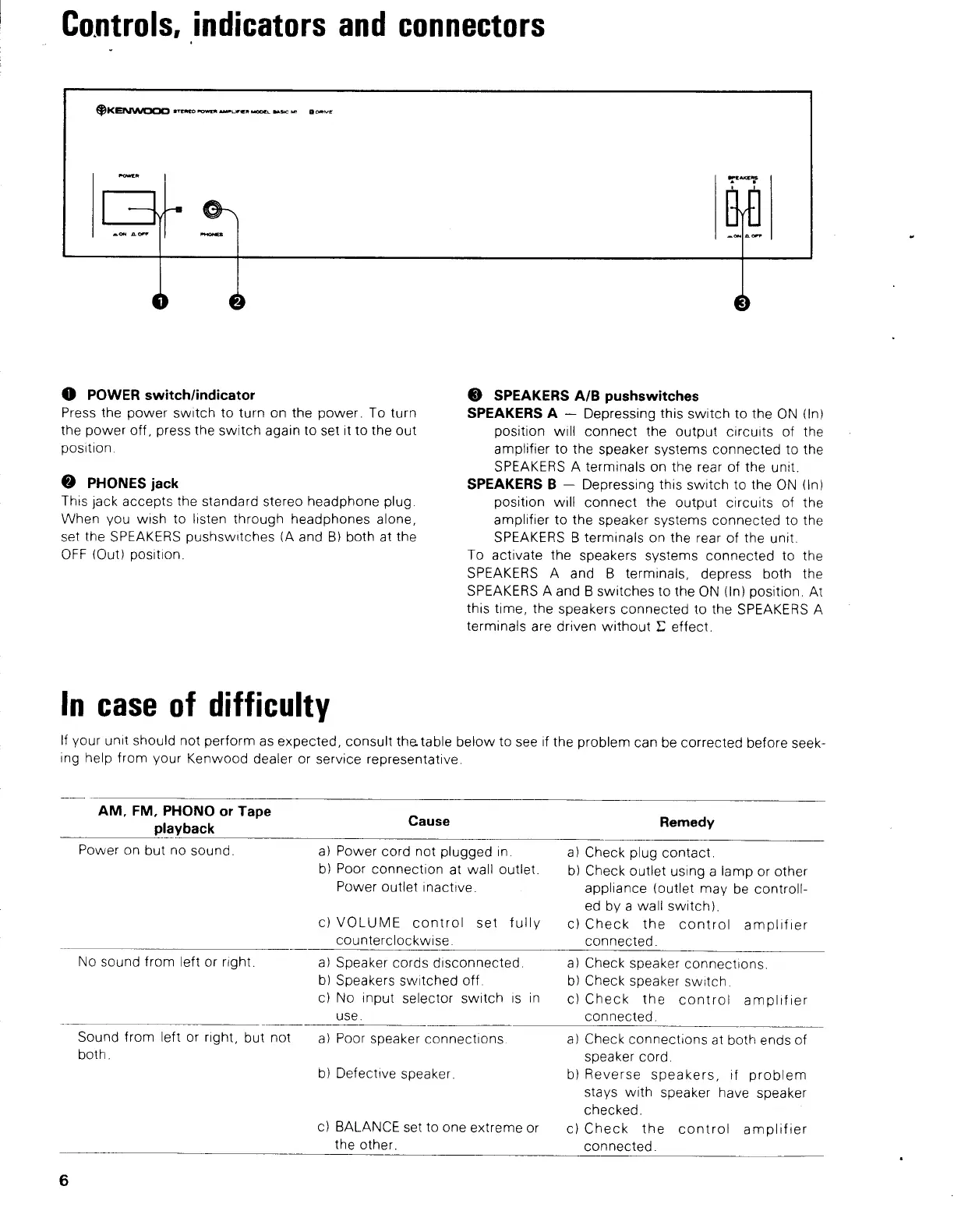
POWER
switch/indicator
Press
the
power
switch
to
turn
on
the
power.
To
turn
the
power
off,
press
the
switch
again
to
set
it
to
the out
position.
@
PHONES
jack
This
jack
accepts
the
standard
stereo
headphone
plug.
When
you
wish
to
listen
through
headphones
alone,
set
the
SPEAKERS
pushswitches
(A
and
B)
both
at
the
OFF
(Out)
position.
In
case
of
difficulty
©
SPEAKERS
A/B
pushswitches
SPEAKERS
A
Depressing
this
switch
to
the
ON
(In)
position
will
connect
the
output
circuits
of
the
amplifier
to
the
speaker
systems
connected
to
the
SPEAKERS
A
terminals
on
the
rear
of
the
unit.
SPEAKERS
B
Depressing
this
switch
to
the
ON
(In)
position
will
connect
the
output
circuits
of
the
amplifier
to
the
speaker
systems
connected
to
the
SPEAKERS
B
terminals
on
the
rear
of
the
unit.
To
activate
the
speakers
systems
connected
to
the
SPEAKERS
A
and
B
terminals,
depress
both
the
SPEAKERS
A
and
B
switches
to
the
ON
(in)
position.
At
this
time,
the
speakers
connected
to
the
SPEAKERS
A
terminals
are
driven
without
©
effect.
If
your
unit
should
not
perform
as
expected,
consult
the
table
below
to
see
if
the
problem
can
be
corrected
before
seek-
ing
help
from
your
Kenwood
dealer
or
service
representative.
AM,
FM,
PHONO
or
Tape
playback
Cause
Remedy
Power
on
but
no
sound.
a)
Power
cord
not
plugged
in.
b)
Poor
connection
at
wall
outlet.
Power
outlet
inactive.
c)
VOLUME
control
set
fully
counterclockwise.
a)
Check
plug
contact.
b)
Check
outlet
using
a
lamp
or
other
appliance
(outlet
may
be
controll-
ed
by
a
wall
switch).
c)
Check
the
control
amplifier
connected.
No
sound
from
left
or
right.
a)
Speaker
cords
disconnected.
b)
Speakers
switched
off.
c)
No
input
selector
switch
is
in
use.
a)
Check
speaker
connections.
b)
Check
speaker
switch.
c)
Check
the
control
amplifier
connected.
Sound
from
left
or
right,
but
not
both.
a)
Poor
speaker
connections.
b)
Defective
speaker.
c}
BALANCE
set
to
one
extreme
or
the
other.
a)
Check
connections
at
both
ends
of
speaker
cord.
b)
Reverse
speakers,
if
problem
stays
with
speaker
have
speaker
checked.
c)
Check
the
control
amplifier
connected.

Other manuals for Kenwood Basic M1

Related product manuals