EasyManua.ls Logo

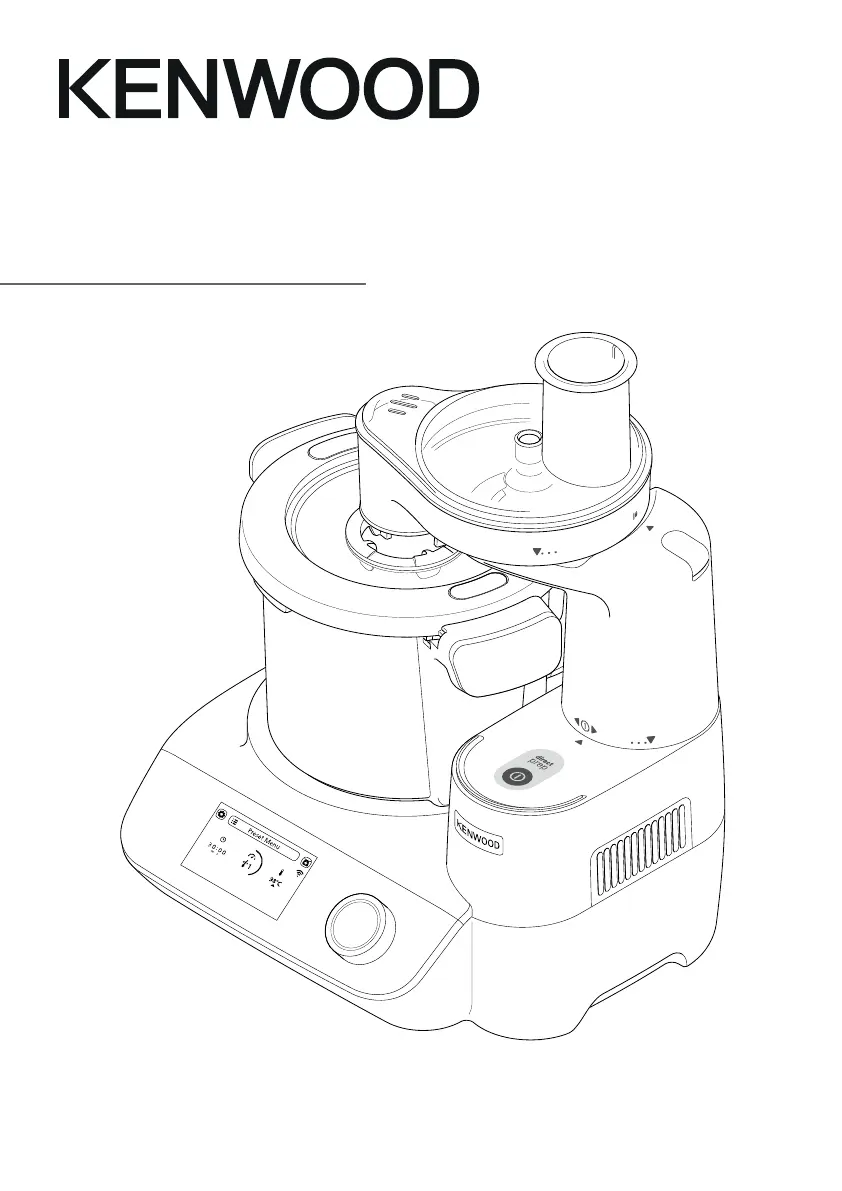
Kenwood CookEasy+ CCL50 - User Manual

Kenwood CookEasy+ CCL50
58 pages
Print Icon
To Next Page IconTo Next Page
Loading...
TYPE CCL50
Instructions

Other manuals for Kenwood CookEasy+ CCL50

Questions and Answers

  • L
    laura81Aug 17, 2025
    What to do if Kenwood CookEasy+ CCL50 display shows error message E:34?
    • D
      Deanna BlairAug 17, 2025
      If the display shows error message E:34, this indicates a WiFi credentials issue. Check your WiFi password. Forget the WiFi network by going to Settings > WiFi > Forget Network. Then, restart the Appliance Setup from the Kenwood World App.
  • M
    Michael PattersonAug 19, 2025
    Why is the timer not counting down on my Kenwood Kitchen Appliances display screen?
    • S
      scott22Aug 19, 2025
      There are a couple of reasons why the timer might not be counting down. During the heating stage, the timer will not count down until the correct temperature is reached; in this case, reduce or select the correct temperature. Alternatively, if the temperature is set above 100°C but the water content of the food is preventing the temperature from exceeding 100°C, this is normal operation.
  • C
    Carolyn CardenasAug 22, 2025
    Why is the weight changing on the display screen of my Kenwood CookEasy+ CCL50?
    • B
      Benjamin HarrisAug 22, 2025
      The weight on the display screen might change if the appliance is moved during operation. To avoid this, always place the appliance on a dry, flat, stable surface before weighing. Also, do not move the appliance during operation of the weighing function, and zero the display before weighing the next ingredients.
  • A
    Andrew WrightAug 25, 2025
    Why is weighing in app (weight displayed on mobile device) slow to respond on my Kenwood CookEasy+ CCL50?
    • D
      Douglas ArnoldAug 26, 2025
      If the weight displayed on your mobile device is slow to respond, it could be due to a poor WiFi signal strength. Ensure your appliance has good signal strength. Also, confirm that your mobile device is connected to the same local WiFi home network as the appliance by checking your mobile device settings and selecting your local WiFi network.
  • M
    Melissa HernandezAug 27, 2025
    What to do if my Kenwood CookEasy+ CCL50 Kitchen Appliances display screen shows a minus reading?
    • E
      erinhernandezAug 27, 2025
      If the display screen shows a minus reading, it could be due to several reasons: * The display was not zeroed and either ingredients or the bowl/lid/attachment has been removed. In this case, either zero the screen, replace the missing ingredients, or refit the bowl/lid/attachment. * Ingredients or items are pressed against or underneath the appliance. Ensure there are no ingredients or items pressed against or underneath the appliance. * The appliance is pressed against a wall. Ensure there is space between the appliance and any walls. In any case, zero the display before weighing the next ingredients.
  • J
    John WarnerAug 30, 2025
    How to fix Kenwood Kitchen Appliances with no power or display screen not coming on?
    • S
      Susan RiveraAug 30, 2025
      If there is no power to the appliance or the display screen isn't coming on: * Check that the appliance is plugged in. * Ensure the On/Off switch is in the On position. * The appliance may have gone into standby mode. Touch the display screen or rotate the control dial.
  • M
    megan66Sep 2, 2025
    What does slow flashing mean on Kenwood CookEasy+ CCL50 Kitchen Appliances?
    • R
      ralph03Sep 2, 2025
      Slow flashing indicates that the appliance is unable to find a known WiFi network. The appliance may have moved, the router may be turned off, or the router may require a restart.
  • C
    christina16Sep 4, 2025
    What does fast flashing mean on Kenwood CookEasy+ CCL50 Kitchen Appliances?
    • F
      fbruceSep 4, 2025
      Fast flashing indicates that WiFi is available, but the appliance is unable to connect to cloud servers. The router may require a restart, or you should contact your Internet Service Provider.
  • H
    haysandrewSep 7, 2025
    What to do if my Kenwood CookEasy+ CCL50 are leaking from the base of the bowl?
    • C
      Carl LunaSep 7, 2025
      If there is leaking from the base of the bowl, check that the bowl drive or plug seal is fitted correctly.
  • G
    Gary MaySep 10, 2025
    Why is my Kenwood CookEasy+ CCL50 display screen not registering small quantities?
    • J
      John OliverSep 10, 2025
      If the display screen isn't registering small quantities, it's likely because the quantity weighed is too small. Use teaspoon or tablespoon measures for very small quantities.

Kenwood CookEasy+ CCL50 Specifications

General IconGeneral
Capacity4.5 L
Control TypeDigital
Bowl MaterialStainless Steel
Pre-set programsYes
Integrated weighing scaleYes
ColorSilver
Cooking FunctionsSlow Cook
MaterialPlastic and Stainless Steel

Related product manuals