EasyManua.ls Logo

Kenwood DNX4280BT - User Manual

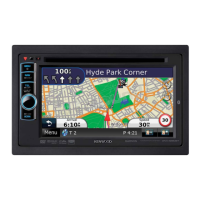
Kenwood DNX4280BT
106 pages
Print Icon
To Next Page IconTo Next Page
Loading...
11DNXMid_IM324_Ref_E_En_00 (E)© 2010 Kenwood Corporation All Rights Reserved.
DNX7280BT
DNX5280BT
DNX4280BT
DNX5580BT
GPS NAVIGATION SYSTEM
INSTRUCTION MANUAL
Before reading this manual, click the button below to check the latest edition and the
modified pages.
Check the latest edition

Table of Contents

Other manuals for Kenwood DNX4280BT

Questions and Answers

  • C
    Cheryl MannAug 2, 2025
    Why is the Kenwood GPS radio reception so poor?
    • S
      Shawn WalkerAug 2, 2025
      Poor radio reception on your Kenwood GPS can occur if the car antenna is not fully extended. Ensure the antenna is pulled out completely. Also, check that the antenna control wire is correctly connected.
  • R
    Reginald ConwayAug 8, 2025
    What to do if I cannot set up the equalizer on my Kenwood DNX4280BT?
    • D
      Donald MurrayAug 8, 2025
      If you cannot set up the equalizer on your Kenwood GPS, it might be because the dual zone function is enabled. Turn the dual zone function off.
  • K
    Kristin RandolphAug 14, 2025
    What to do if I cannot select the output destination of the subsource in the dual zone on my Kenwood DNX4280BT?
    • D
      David DaltonAug 14, 2025
      If you cannot select the output destination of the subsource in the dual zone on your Kenwood GPS, it is probably because the dual zone function is disabled. Set the dual zone function to on.
  • J
    jonathan09Aug 20, 2025
    Why I cannot adjust the volume of the rear speakers on my Kenwood GPS?
    • C
      Corey WilliamsAug 20, 2025
      If you are unable to adjust the volume of the rear speakers on your Kenwood GPS, the dual zone function might be disabled. Enable the dual zone function.
  • J
    James StewartAug 26, 2025
    What to do if there is no output from the subwoofer of my Kenwood GPS?
    • T
      Tracy VillanuevaAug 26, 2025
      If there's no output from the subwoofer on your Kenwood GPS, the subwoofer might not be enabled. Ensure the subwoofer is set to 'on'.

Summary

Basic Operations

Functions Of The Buttons On The Front Panel

Details on the function of each button on the unit's front panel.

Turning On The Unit

Instructions on how to power the unit on and off.

Initial setup

Steps for initial configuration of the unit after installation.

How To Play Media

How to play music, video, and picture files from various sources.

Bluetooth Operation

Registering And Connecting Bluetooth Unit

Steps to pair Bluetooth devices with the unit.

Playing Bluetooth Audio Device

How to play audio wirelessly via Bluetooth.

Using Hands-Free Unit

How to use the phone function via Bluetooth.

Bluetooth Setup

Configuration options for Bluetooth functionality.

Setting Up

Monitor Screen Setup

Adjusting display settings like brightness, contrast, etc.

Audio Setting Up

Remote Controller Operation

Troubleshooting

Problems And Solutions

Common issues and their solutions.

Error Messages

Explanations of error messages displayed by the unit.

Resetting The Unit

How to reset the unit to factory settings.

Appendix

Kenwood DNX4280BT Specifications

General IconGeneral
Resolution800 x 480 pixels
TouchscreenYes
NavigationYes
BluetoothYes
USB Ports1
Audio Formats SupportedMP3, WMA, AAC, WAV
DVD PlayerYes
SD Card SlotYes
AUX InputYes
CD PlaybackYes
AM/FM TunerYes
Voice ControlYes
Steering Wheel ControlYes
iPod/iPhone ControlYes
HD RadioNo
Rear View Camera InputYes
Video Formats SupportedMPEG-1, MPEG-2
Satellite RadioYes

Related product manuals